


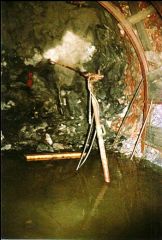
![R10s TAILGATE WATER STANDAGE DAM [RED EXPLOSIVE MAGAZINES ON LEFT]](https://bedlington.uk/uploads/gallery/monthly_2017_02/large.5899acdee8b02_R10sTAILGATEWATERSTANDAGEDAM_REDEXPLOSIVEMAGAZINESONLEFT.jpg.885b59e902e3ba1951c1e003689a4205.jpg "R10s TAILGATE WATER STANDAGE DAM [RED EXPLOSIVE MAGAZINES ON LEFT]")
![R10s TAILGATE WATER STANDAGE DAM [RED EXPLOSIVE MAGAZINES ON LEFT]](https://bedlington.uk/uploads/gallery/monthly_2017_02/small.5899acdee8b02_R10sTAILGATEWATERSTANDAGEDAM_REDEXPLOSIVEMAGAZINESONLEFT.jpg.2305e9843814bd35de8232fc5305716c.jpg)
![10s TAILGATE - DALEK [FLYGHT] - PUMP IN THE WATER.](https://bedlington.uk/uploads/gallery/monthly_2017_02/small.5899a9d7a6057_10sTAILGATE-DALEK_FLYGHT_PUMPINTHEWATER.jpg.a3a3225986d731edf59e453af471da29.jpg)
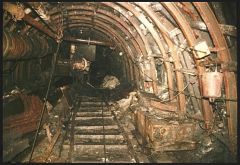
R10s TAILGATE WATER STANDAGE DAM [RED EXPLOSIVE MAGAZINES ON LEFT]

- 4,757 views
- View Alan Edgar (Eggy1948)'s images
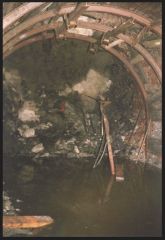
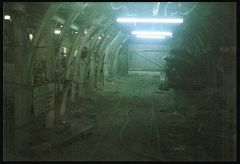
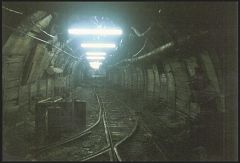
high pit wilma :-The water behind the dam was about 4 or 5 feet deep..an ideal place to put your 1100volt switch gear,[on the right],AND your polar-ajax explosive magazines..[on the left,] - [ the red cases made of steel! ] Yes...wish i had the brains to be a planner.....!
rigobonzo :-We can't all be bright.......and well paid.
high pit wilma :- Cheers Rigobonzo! You are right there!
bewildebeeste :- Forgive me if i'm wrong, but that dam looks like nothing more than a brick wall?
high pit wilma :- Bet you wouldn' want to swim from one end to the other and back,bewildebeest!!
It was about 5feet deep,and about a hundred yards long...that's a lot of water,this is not
the Pitlockry dam,it's underground..where escape would be very difficult if this amount of water broke away..as it has happened in the past.
Recommended Comments
Create a free account or sign in to comment