




Skip to content
View in the app

A better way to browse. Learn more.

Bedlington.uk

A full-screen app on your home screen with push notifications, badges and more.

To install this app on iOS and iPadOS
  1. Tap the Share icon in Safari
  2. Scroll the menu and tap Add to Home Screen.
  3. Tap Add in the top-right corner.
To install this app on Android
  1. Tap the 3-dot menu (⋮) in the top-right corner of the browser.
  2. Tap Add to Home screen or Install app.
  3. Confirm by tapping Install.

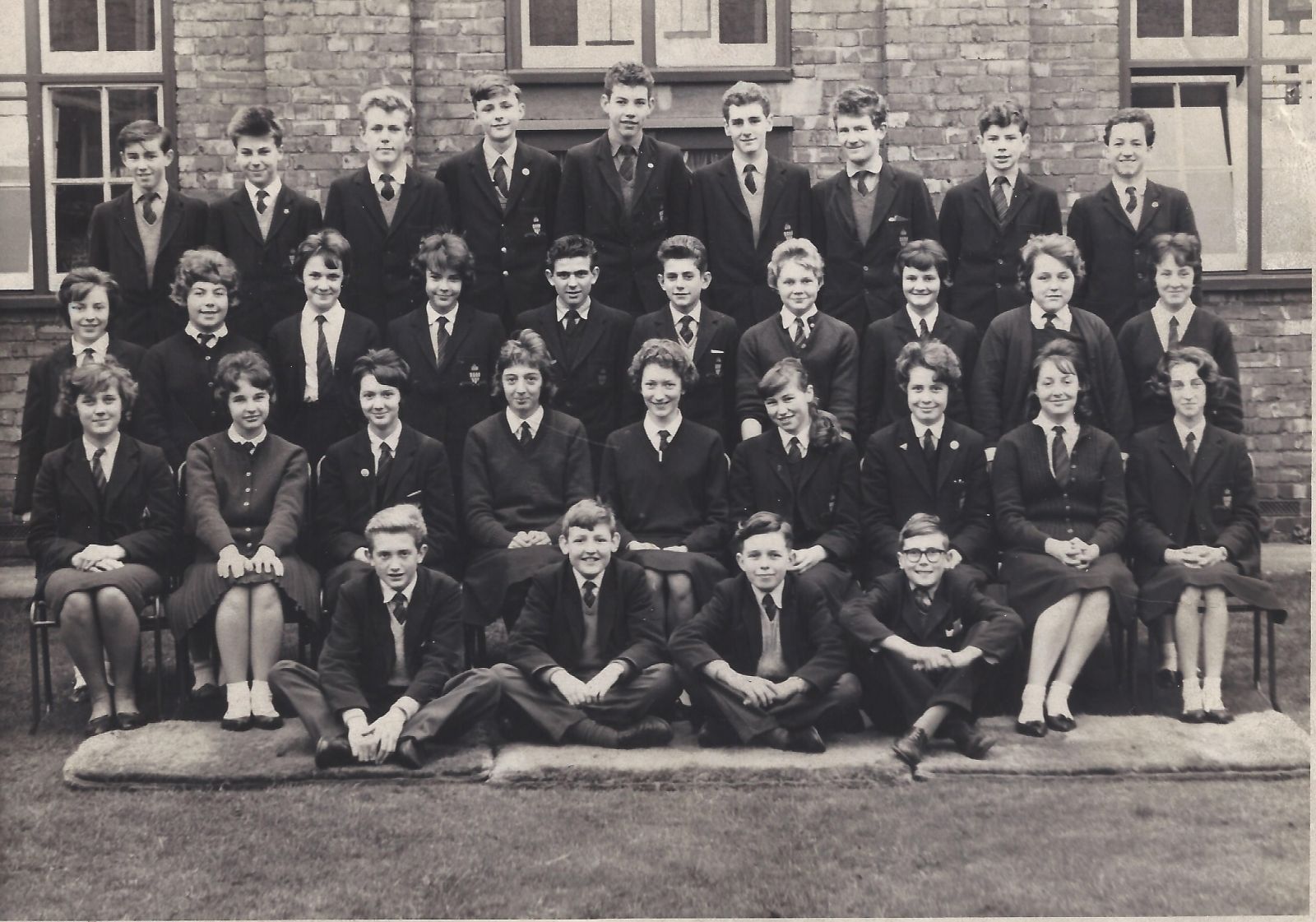
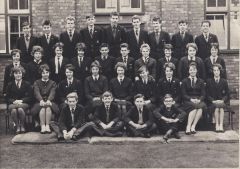
1961 Bedlington Grammar School.jpg

Back Row left to right. Melvin Robson, Keith Whitehead, Neave Tweddle, Toni Saulite, Stewart Inchmore, Geoff Whiteman, Frank Whittle, john Donohoe, Terry Hawkins

Middle Row left to right. Anita Gibson, Bett Sellars, Val Kidd, Patricia Brown (married to Derek Johnstone), Micheal Turner, John Harris, Yvonne Turner, Elaine Markie, Maureen Dennison, Arlene Dodds

Second Row left to right. Wendy Lachs, Evelyn Alder, Dorothy Marshall, Pat Hall, Mona Temperley, Gillian Burns, Pauline Greener, Maureen Jenkinson, Lorraine Straker

Front Row left to right. Jim Spratt, Stewart Snowball, Melvin Smith, Robert Etchen

    • Like 1

    From the category:

    Historic Bedlington

    · 1,389 images

    Account

    Navigation

    Search

    Search

    Configure browser push notifications

    Chrome (Android)
    1. Tap the lock icon next to the address bar.
    2. Tap Permissions → Notifications.
    3. Adjust your preference.
    Chrome (Desktop)
    1. Click the padlock icon in the address bar.
    2. Select Site settings.
    3. Find Notifications and adjust your preference.