Contributor Leaderboard
-
2Points6,955Posts
-
joseph steel
Members2Points4Posts -
1Points3,071Posts



Popular Content
Showing content with the highest reputation on 05/03/17 in Posts
-
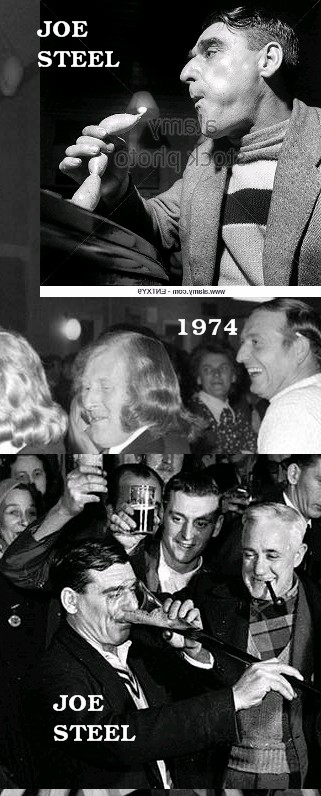
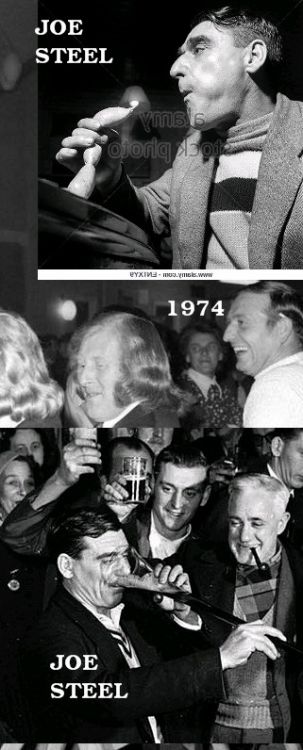
2 pointsmy name is joe steel the photos were took in the howard arms in the market place bedlington this is my granddad who brought me and my brother brian up and we are very proud of him .the middle photo is our real dad also called joe steel.hope this helps a little bit2 points
-
1 pointCheers Joseph - - I've just been trying to convince a couple of people on the Bedlington Facebook group sites that I expected the photo of your granda with the yard of ale would have been taken in The Howard Arms. One was convinced it was The Blue Bell!. Now I can put them all right1 point
-
As of now 102,793 signatures1 point
-
1 pointDon't think so CL - I would say that's his son at the Market Place club, 1974. For eating & drinking of various luxury goods, around 1956, at The Howard Arms the then Guiness World Record holder is said to have been 47. But I could be totally wrong.
 1 point