


Contributor Leaderboard
-
1Points6,990Posts

Popular Content
Showing content with the highest reputation on 17/06/20 in Posts
-
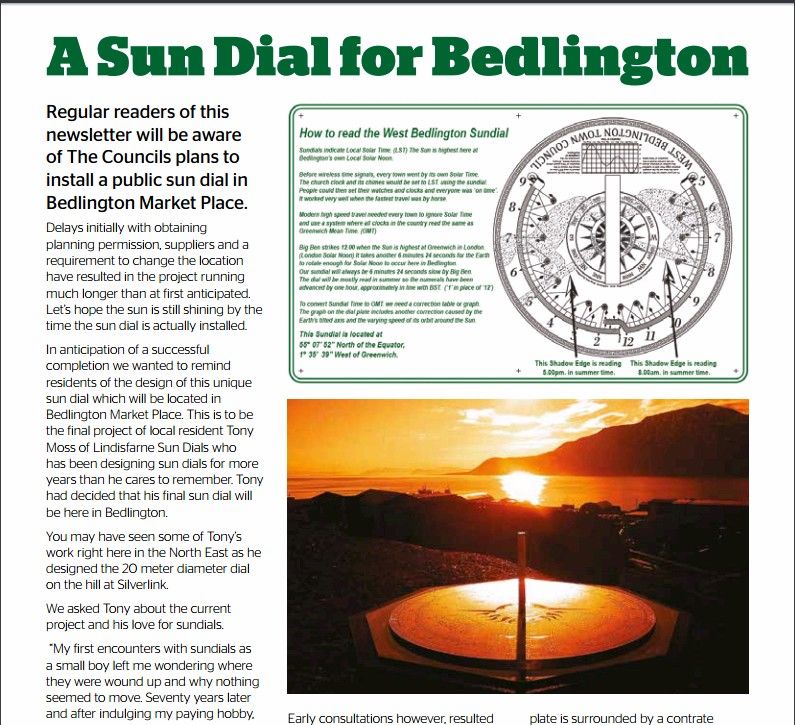
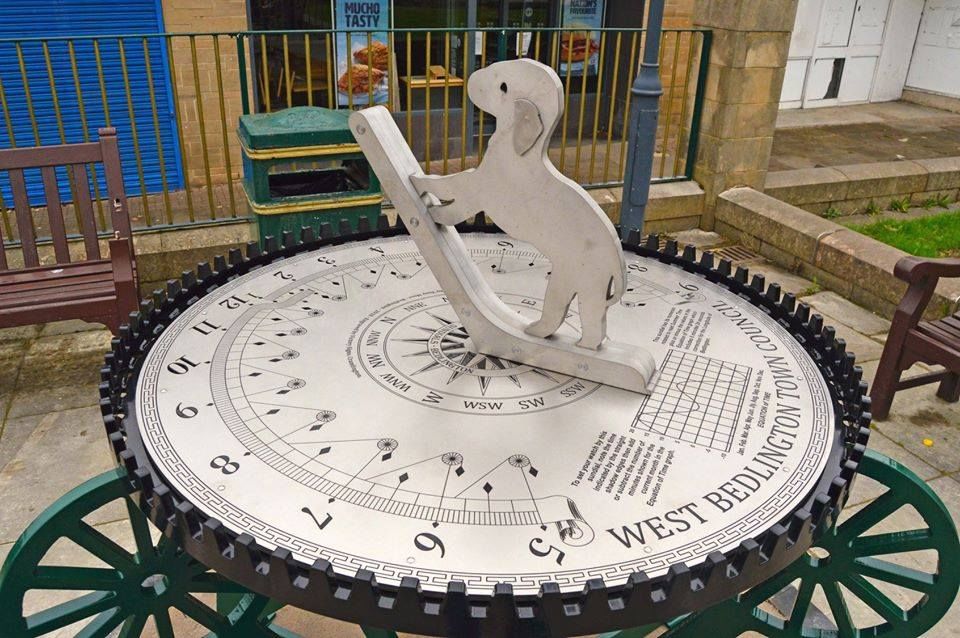
1 pointWest Bedlington Town Council 2019 - Autum Newsletter - https://westbedlington.org.uk/wp-content/uploads/2019/10/3.-Autumn-2019-Residents-Newsletter-FINAL.pdf gave info on a Sun Dial for the Bedlington Market Place. Today - John Krzyzanowski posted this photo, and comment, on the Facebook group - Bygone Bedlington John Krzyzanowski Admin · 18 hrs I know this isn't historical yet but for those of you who no longer live in Bedlington I thought I would show you this new sundial on Bedlington Front street. designed and made by a Bedlington man. I think it's a fantastic piece of art that I would definitely stop and look at if in another town on holiday. Apparently Mr Moss spent 4 years on it. Photo courtesy of John Fox.
 1 point