


Contributor Leaderboard
-
.jpg.cdd7f8371d17e2f2f2e2a0e21e02f727.jpg) 1Points3,654Posts
1Points3,654Posts
.thumb.jpg.7493ddab4a696108cf2b849323d3c155.jpg)
Popular Content
Showing content with the highest reputation on 23/04/21 in Posts
-
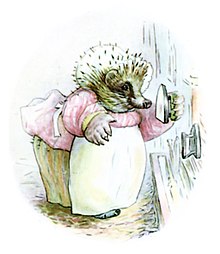
👍! All done and dusted and so far no ill effects. This week's quiz: 1. Which Japanese word (English spelling please) translates as ‘Empty Orchestra’? 2. Who could only play one tune – Over The Hills And Far Away? 3. Off which group of islands would you find Bishop Rock lighthouse? 4. Which English monarch had a horse called White Surrey? 5. Who missed the last penalty in the 1994 football World Cup? 6. What are the three ingredients of a Harvey Wallbanger cocktail? 7. Which British architect designed the Cenotaph? 8. How many months have twenty eight days? 9. The Star of Africa is what type of gem? 10. Apart from Newcastle United which other team is nicknamed The Magpies? 11. What sort of creature is a Hairstreak? 12. What is the name and profession of the hedgehog character created by Beatrix Potter? I’ll bet you didn’t know …. The CIA once employed a magician to teach agents how to use sleight of hand in their work. Answers on Thursday next week.
 1 point