TonyC
Members
-
Joined
-
Last visited
Everything posted by TonyC
-
 Great picture, a little blury but brings back good memories fo me.
 -
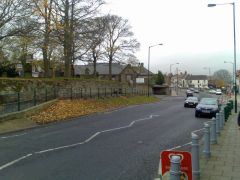 tha used ti be a public toilet just past the road on the left, is it still their. me and mi mate were on the roof of it and we were picken dandilian and wacken them and they med a poping noise. we thought it was great til the police came. he thought we were trying to look in the girls toilets. so we had to help him get on the roof so he could see what wi wo deiin. he let wi go like.
 -
So not many trips ti Blyth beach than.
-
Went outside this morning to find first winter storm of the year. It took me 30-40 mins to scrape the ice off the car. We have about one inch of snow at the minute and its going to snow all day.
-
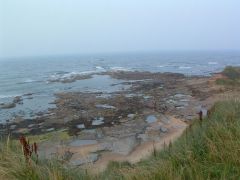
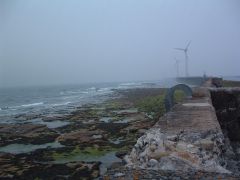 Me and my Dad were fishing when I was a kid 9-10 year old some 36 odd years ago, on this side further up the pier on the rocks at low tide and got surounded by water. my dad threw me over his back and waded through waist high water to safety, when the search and rescue helicopter arrived. We then waved off the helicopter. So thank you to the search and rescue men and woman for there quick response.
 -
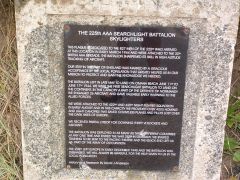 This plaque is on Blythe beach at the old air raid look out bunker site.
 -
From the album: More Station + pics
-
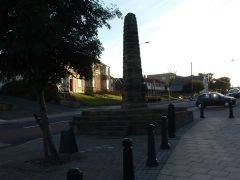
From the album: More Station + pics
-
From the album: More Station + pics
-
-
-
-
-
-
-
From the album: More Station + pics
-
-
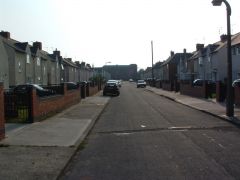
Mi Mom & Dad lived wi mi Uncle Pat in them houses 50 years ago.
-
Hey Blank, am canny add maan. a finally put mi age on mi profile. And yea a might miss the place but a miss the people more. (Best people in the world is the Geordies)
-
Happy Birthday Bedlingtonlas from Canada
-
Hello everyone, just want to thank you all for the birthday wishes and hope everyone is well. I used to live at the Station until we moved to Canada some thirty odd years ago. I live near Toronto although miss Bedlington bigtime. I just changed my profile pic to a more recent one. Thats me with wore Justin, mi grandson.