



Carole
-
Joined
-
Last visited
Everything posted by Carole
-
From the album: The North East in the 1960s
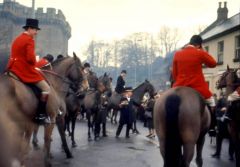
This might well be the Boxing Day Meet in 1965. I don’t think that hunting was as contentious an issue in the 1960s as it is now. I am definitely not a hunt supporter – I just include this as a record of past events. The woman in the centre of the photo was riding side saddle, wearing a black riding habit and a bowler hat.© Copyright ©2011 Carole Sage. All rights reserved.
-
From the album: The North East in the 1960s
© Copyright ©2011 Carole Sage. All rights reserved.
-
People and places at Netherton and Nedderton 1900-1960s
-
 A Netherton man with his Show Champion horse
-
 The Hall Pit, Netherton
-
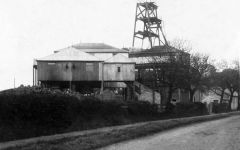 The Hall Pit, Netherton
-
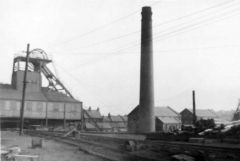 The Howard Pit head
-
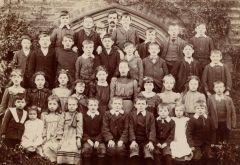 Nedderton School 1902
-
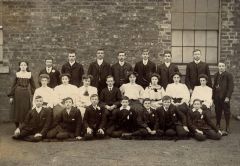 Netherton schoolmaster
-
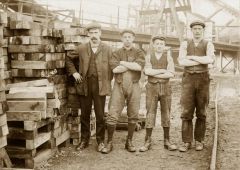 Pitmen at Netherton in 1911
-
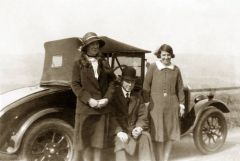 Co-op Manager & his wife
-
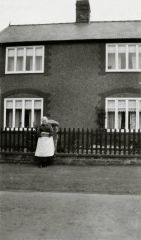 Nedderton colliery houses
-
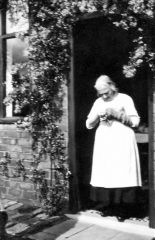 Getting some darning done
-
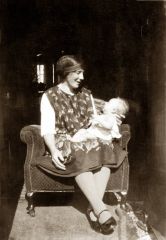 A moment to rest
-
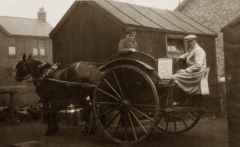 Netherton milkman 1928
-
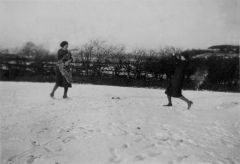 Women throwing snowballs
-
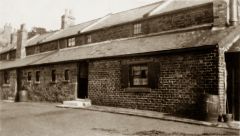 Back of Office Row 1930s
-
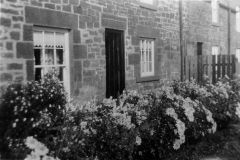 Front of Office Row 1930s
-
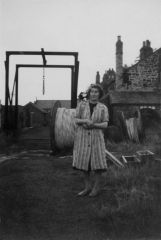 Electricity arrives at Netherton
-
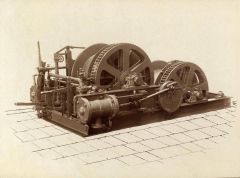 Colliery electrification
-
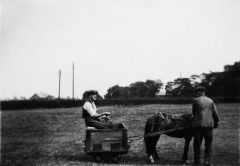 Training a pit pony at Netherton
-
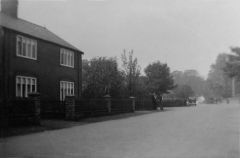 Nedderton Village 1930s or 40s
-
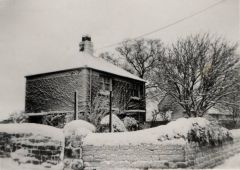 Nedderton in snow 1940s
-
-
From the album: Netherton/Nedderton old photos
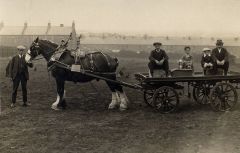
I think this photo dates from the 1920s. It shows a local man at Netherton with his prize-winning horse. I was told that flat carts like the one in the photo were known as "rollies" at Netherton.© Copyright ©2011 Carole Sage. All rights reserved.
-
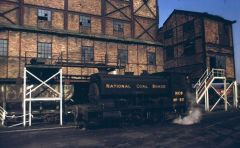 Great photo. I remember seeing this as a child.
-
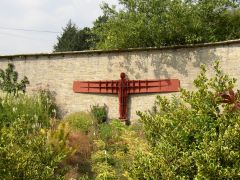 Hi Sissinghurst, sorry for the very long delay, it wasn't deliberate, but I rarely use the website now. The statue is at Eggleston Hall Garden, about 5 miles from Barnard Castle. The garden is well worth a visit, and not not many people seem to know about it. This is the website http://www.egglestonhallgardens.co.uk/walk.html Regards, Carole
-
I've added a new album called ‘End of an Era' in the Places section of the Gallery. It contains newspaper cuttings dating from the 1970s about the end of the colliery. There are some photos and quite a lot of cuttings mentioning people who lived at Netherton at the time. The cuttings make me remember what a strong community it was. Quite a lot of people really wanted to stay but the Council wouldn't improve the houses. Carole
-
Newspaper cuttings about the end of Netherton colliery
-
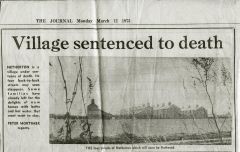
From the album: The End of Netherton Colliery
Extract courtesy of The Journal - for more Bedlington news, go to www.journallive.co.uk/bedlington© Extract courtesy of The Journal
-
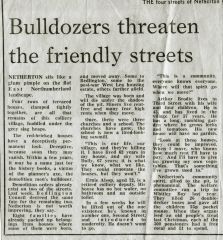
From the album: The End of Netherton Colliery
Extract courtesy of The Journal - for more Bedlington news, go to www.journallive.co.uk/bedlington Ernie Alsop who is quoted in this newspaper report took part in an Oral History recording in 1973, carried out by the Northumberland Archive Service. A short excerpt from the recording can be heard via this link: http://communities.northumberland.gov.uk/Nedderton_C17.htm© Extract courtesy of The Journal
-
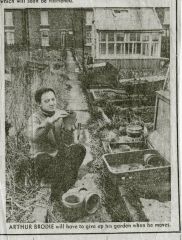
From the album: The End of Netherton Colliery
Extract courtesy of The Journal - for more Bedlington news, go to www.journallive.co.uk/bedlington© Extract courtesy of The Journal
-
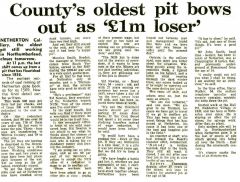
From the album: The End of Netherton Colliery
Published 3rd January 1974, the day before Netherton Colliery closed. Thank you to the editor of the News Post Leader for giving permission for the use of this extract© Reproduced by kind permission of the News Post Leader
-
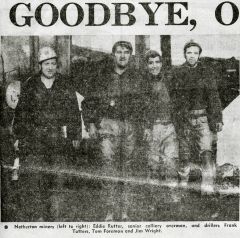
From the album: The End of Netherton Colliery
Thank you to the editor of the News Post Leader for giving permission for the use of this extract© Reproduced by kind permission of the News Post Leader
-
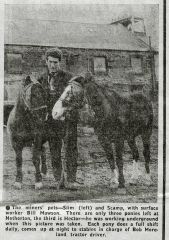
From the album: The End of Netherton Colliery
Thank you to the editor of the News Post Leader for giving permission for the use of this extract© Reproduced by kind permission of the News Post Leader
-
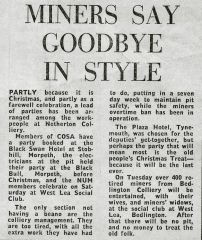
From the album: The End of Netherton Colliery
Thank you to the editor of the News Post Leader for giving permission for the use of this extract© Reproduced by kind permission of the News Post Leader
-
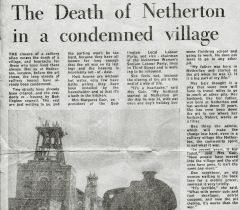
From the album: The End of Netherton Colliery
Thank you to the editor of the News Post Leader for giving permission for the use of this extract© Reproduced by kind permission of the News Post Leader
-
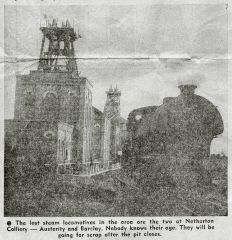
From the album: The End of Netherton Colliery
Thank you to the editor of the News Post Leader for giving permission for the use of this extract© Reproduced by kind permission of the News Post Leader
-

From the album: The End of Netherton Colliery
Thank you to the editor of the News Post Leader for giving permission for the use of this extract© Reproduced by kind permission of the News Post Leader
-

From the album: The End of Netherton Colliery
Thank you to the editor of the News Post Leader for giving permission for the use of this extract© Reproduced by kind permission of the News Post Leader
-

From the album: The End of Netherton Colliery
Thank you to the editor of the News Post Leader for giving permission for the use of this extract© Reproduced by kind permission of the News Post Leader
-

From the album: The End of Netherton Colliery
Thank you to the editor of the News Post Leader for giving permission for the use of this extract© Reproduced by kind permission of the News Post Leader
-

From the album: The End of Netherton Colliery
Thank you to the editor of the News Post Leader for giving permission for the use of this extract© Reproduced by kind permission of the News Post Leader
-
From the album: Netherton/Nedderton old photos
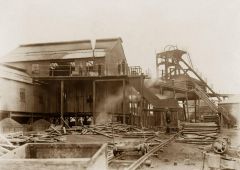
This photo shows a delivery of pit props in the pit yard. The length of the props presumably indicates the height of the seam. Photographs at Woodhorn Museum show that many miners in the area worked in seams much lower than this, and at the end of Netherton Colliery's working life men were crawling through tunnels no more than 2 feet high to get out the last accessible coal. The Hall Pit was beside the road to the west of Nedderton Village, near Nedderton Hall. Old maps show that Nedderton village was originally called Netherton. Apparently the Post Office asked for the name change because the confusion with Netherton near Rothbury led to problems delivering mail. The name of Nedderton village was changed, but for some reason the name Netherton Colliery remained. Older people who had lived in the village before the spelling was changed to 'Nedderton' still used to call it Netherton Village. This link shows a 1920 map of the location of the Hall Pit, with Nedderton village being clearly identified as 'Netherton'. http://communities.northumberland.gov.uk/006672FS.htm© Copyright ©2008 Carole Sage. All rights reserved.
-
From the album: Netherton/Nedderton old photos
The Hall Pit was beside the road to the west of Nedderton Village, near Nedderton Hall. Old maps show that Nedderton village was originally called Netherton. Apparently the Post Office asked for the name change because the confusion with Netherton near Rothbury led to problems delivering mail. The name of Nedderton village was changed, but for some reason the name Netherton Colliery remained. Older people who had lived in the village before the spelling was changed to 'Nedderton' still used to call it Netherton Village. This link shows a 1920 map of the location of the Hall Pit, with Nedderton village being clearly identified as 'Netherton'. http://communities.northumberland.gov.uk/006672FS.htm© Copyright ©2008 Carole Sage. All rights reserved.
-
From the album: Netherton/Nedderton old photos
This is the pit head of the Howard Pit. Between the pit head and the chimney you can see the colliery offices and Office Row.© Copyright ©2008 Carole Sage. All rights reserved.