




Skip to content
View in the app

A better way to browse. Learn more.

Bedlington.uk

A full-screen app on your home screen with push notifications, badges and more.

To install this app on iOS and iPadOS
  1. Tap the Share icon in Safari
  2. Scroll the menu and tap Add to Home Screen.
  3. Tap Add in the top-right corner.
To install this app on Android
  1. Tap the 3-dot menu (⋮) in the top-right corner of the browser.
  2. Tap Add to Home screen or Install app.
  3. Confirm by tapping Install.

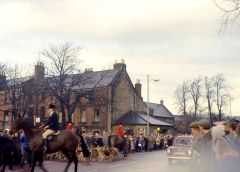
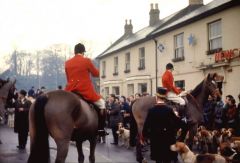
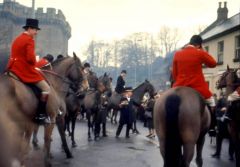
Morpeth Hunt, 1965

This might well be the Boxing Day Meet in 1965. I don’t think that hunting was as contentious an issue in the 1960s as it is now. I am definitely not a hunt supporter – I just include this as a record of past events. The woman in the centre of the photo was riding side saddle, wearing a black riding habit and a bowler hat.

Copyright

© Copyright ©2011 Carole Sage. All rights reserved.
  • Account

    Navigation

    Search

    Search

    Configure browser push notifications

    Chrome (Android)
    1. Tap the lock icon next to the address bar.
    2. Tap Permissions → Notifications.
    3. Adjust your preference.
    Chrome (Desktop)
    1. Click the padlock icon in the address bar.
    2. Select Site settings.
    3. Find Notifications and adjust your preference.