



sissinghurst
Members
-
Joined
-
Last visited
-
Dear Members; I have just learned from Linda, Joe Rooney's wife, that dear Joe has passed away...in her words: "I just wanted to let you know that Joe passed away yesterday morning at the hospital. The doctors thought that he had had a number of small strokes that helped to shut down his heart. Although it was not all that unexpected, it still was a terrible shock..." Linda has specifically requested that I inform the Bedlington Forum members of his passing; I had planned to forward Linda the many greetings and wishes you have recently sent to Joe on this Forum in time for his birthday on Monday.... Please keep Joe and his family in your thoughts and send them the strength they'll need at this time. Thank you. Maria.
-
Hello all Bedlington Forum Members; I don't post at all these days, but often visit the site to keep connected to Bedlington since returning to Canada last year. I just wanted to let you all know that one of your well-respected members, Joe Rooney is not at all well these past few months. He hails from Bedlington, as many of you will know, but has moved to Canada many years ago and more recently made his home in Calgary, Alberta, Canada. His wife, Linda, contacted me to let me know of his condition in hospital. Joe, being an ex-Bedlingtonian, came to see my husband, Allan and me in Canada and they spent time together reminising about dear old Bedlington. When Allan and I moved back to England when Allan got sick and wanted to be with his family and return to his dear Bedlington, the two kept up their communications again via this Forum. And as you may know, it was Joe who posted the lovely tribute to Allan when he passed away Sept. 12, 2009. As Allan's wife, I wanted to keep you all posted on our dear friend Joe, whom I know many of you respect and enjoy his postings. P.S. You will remember my husband Allan more as Sw@lnalla... Please keep Joe in your thoughts and although he may not be able to be active on the Forum, he will take some comfort in knowing his friends from Bedlington wish him well. Thank you all. (Maria aka Sissinghurst)
-
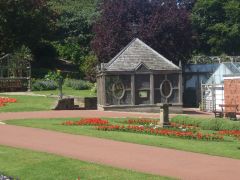 I do love the Morpeth gardens and the bird aviary in particular; I miss this venue but not more than I miss Bedlington. Thanks for a lovely pictoral reminder of life in Northumberland.....
 -
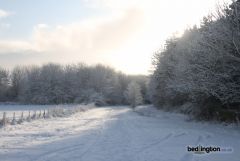 Fourgee--lovely image, even in winter...looks familiar...since I've moved away from Bedlington,having trouble pinning down the location....thanks for the memories.
 -
I do like the new look. It's fresh, clean-looking and easier on the eye. Good job. Thank you.
-
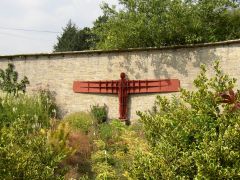 ok-my last comment was appreciative and conversational, or so I thought, but I've had no response....I'll try again...is it in the garden of the council's offices somewhere......? are you going to tell us....unless it's in your back garden?
 -
Happy to hear you like the Golden Dragon, but please refrain from the derogatory ethnic phrases in your review; come on, it is the 21st Century, even in Bedlington. Thanks for sharing.
-
Saw the Google car drive up our street this week (didn't realise that's what it actually was at the time) but now seeing the photo in the aforementioned article--that's what it was! Imagine Google doing street views of Bedlington.
-
Thanks, Pete & Mr. Darn for the welcome. no, not from Bedlington originally, but residing here now for last few years; my OH is local, however, so that keeps me from seeming too strange....gives me 'some' credibility.....
-
Hello everyone! Just signed up and anxious to get to know you all--look like an interesting bunch of folks. Regards.
-
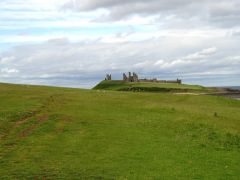 Lovely photos, Carole; I just had a good look at all, very nicely done and a good record of our whereabouts. I must get out to these places.
 -
Hi Carole; I do like that garden; who is the lucky person--or is it a public place? Thanks.
