



jojax
Members
-
Joined
-
Last visited
Everything posted by jojax
-
Something about parking, and re: the redevelopment of Tesco's. All a bit over my head!
-
Does anyone know what the situation is with Tesco now? I see the car park toilets are closed and there's a notice on the lampposts about the car park. Just being nosey
-
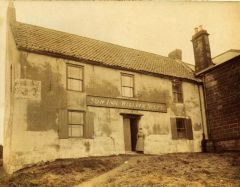 She worked there!
 -
The woman in the front was Margaret Ann (Meggie) Morris who married John Fender.
-
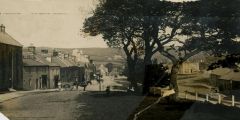 My Grandma was born in Rothbury and lived there when this photo was taken. They lived down the hill, towards the right, Bridge Street, past the hotel.
 -
Hi all, I would like to know if any others have been diagnosed with ME. I was gravely ill a few years ago and this has left me with ME. I don't work because of it, but find people don't understand, as I look well. I'd like to chat about it to someone in the same boat. Any comment would be helpful. Thanx
-
Thanks to all who replied. That's my curiosity satisfied!!
-
Does anyone know anything about a fire yesterday at the deli next to the Post Office?
