LouJordon
Members
-
Joined
-
Last visited
-
Hi there - I came across Bedlington.co.uk while trying to find a family who came from Bedlington. I have posted the reason why I am trying to find a contact for the family on History Hollow. I come from Woodstock, Oxfordshire! Further to my post on History Hollow I have found an address in Bedlington - 1 Vulcan Place which has the name of Stoker Building. The family I was looking for is Stoker - is this building anything to do with them? Father, Robert and son, Thomas were Stone Masons. Hope you don't mind a non-Bedlington person using your site! Lou
-
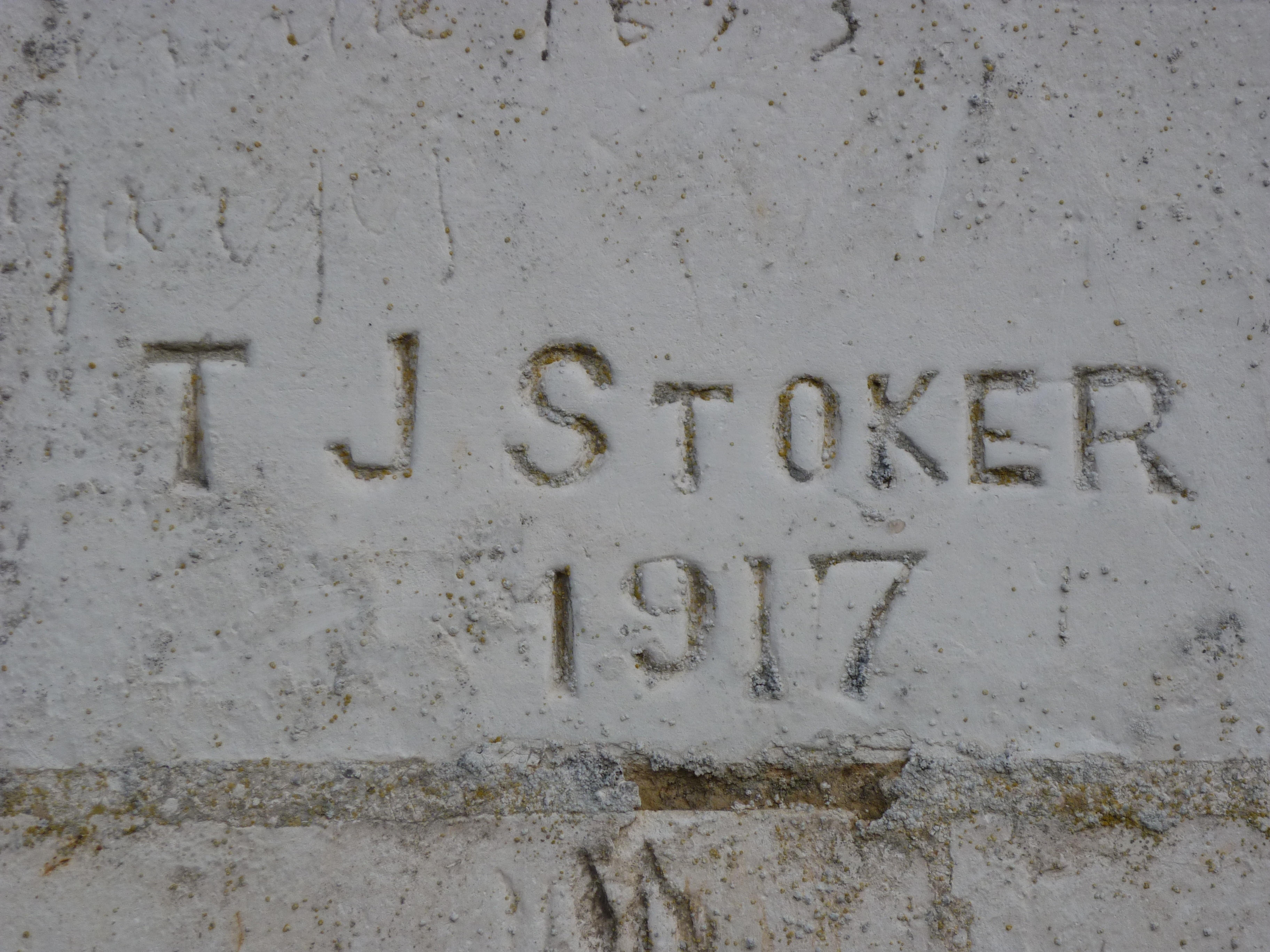
Recently stayed in a French village called Neuvilette. We met a French gentleman called Yves who told us about a Private Thomas Joseph Stoker who carved his name on the back of the village church while billetted in the village. He was killed on 3rd May 1917 at Arras, aged 41. We managed to find out a bit more about Thomas and his family from several censuses - he was the son of Robert and Margaret Stoker and had 4 sisters (Isabella and Johanna - don't know the names of the other two). He was married to Jane Thymne Stoker and lived at Vulcan Place, Bedlington. He may not of had any children but his sisters may of? Yves would like to get in touch with any of Thomas's relatives - the carving has intrigued him for many years - which is why we decided to try and help him. Look forward to any answers Louise