



blackcat001
Members
-
Joined
-
Last visited
-
Thank you for the welcomes
-
A heartfelt thank you to foxy for allowing me to download and keep a couple of his photos of past times, which has supplied me with an illustrated memory of my childhood - a part I hold very dear, and one that had proved difficult to find an image of. Your kindness is much appreciated.
-
As a kid I often cycled from Cowpen to Bedlington, various routes. often the A193 along Horton Road and down the hairpin.. Another route I used was via Bebside Furnace Road & that short but steep hairpin. and also when the Spine Road first opened and it was pretty much empty, I'd cycle along that. Doing the hairpins on a single-speed Raleigh got me fit.. Glad your grandchild is ok!
-
Brought up in the area but have lived away for many years. Where I am now (down south) it's a gloriously sunny morning. It's the kind of day where, back in my childhood, Humford Woods would be on the agenda (or a trip to Morpeth). I can remember trips to the open-air baths in Humford Woods (water was always freezing) and then in later years, seeing it disused. Is there any remaining sign that the open-air baths existed?
-
A swift hello. Stumbled upon this forum via Google as I was researching Bedlington Station, where my Dad worked back in 60s and 70s. It's a mine of information and images, so a thank you to the people already here, chatting and posting..
-
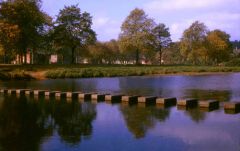 As a child, a day out to Morpeth, to walk along the riverside and play on the stepping stones was a treat back then! If we were lucky, mam and dad would take us for a spell in a rowing boat.
