Anne Gilbert
New Members
-
Joined
-
Last visited
Everything posted by Anne Gilbert
-
Thanks! Love looking at the old photos of the pub. Just opposite there and towards Stead Lane were a couple of slopes where I used to love going down on my roller skates.
-
Great to hear from you, Canny lass! My mum was born in Shiney Row, then moved to Netherton (Nedderton?) Lane where I was born. Love the languages connection! I was a Russian interpreter in the Army, then went into teaching. I visit Bedlington every few years - a trip down memory lane. Always reduces me to floods of tears!
-
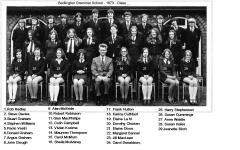 I'm number 27! Any of you still around?
 -
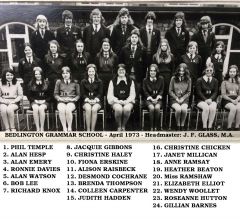 OMG I can't believe it! Miss Ramshaw was one of the most inspirational teachers. She taught Latin. Instilled in me a life long love of languages.
 -
Does anyone remember the little kiosk at the side of the pub? Around 1967. My dad used to cycle up there from Stead Lane every Sunday evening and buy us a block of ice cream and wafers. Mum, dad and I would sit by the fire and have one thick sandwich and one thin sandwich each. Funny how you remember the simple things.
-
Hi everyone, I was called Anne Waldie when I lived in Bedlington as a child. Seeing all the stuff about Humford baths made me a bit nostalgic about my birth town. Just wondering if there's anyone who remembers me from Whitley Memorial School, or later. I can't remember when I started there as I was at the school near Stead Lane for a while, but I would have left there in 1970, I think, to go to the Grammar School. Dad was a miner at Netherton, but died in an accident there when I was 14. I left Bedlington when I was 17 to join the Army. I'd love to chat to anyone from around that time. Looking forward to hearing from you!