-
1920's football
- 1920's football
- 1920's football
Cheers Toontimes- 1920's football
alan thank you for looking I was not aware of https://nufc-history.co.uk. the search continues lol- 1920's football
Morpeth Church Institute became Morpeth Town FC in the late 30's- 1920's football
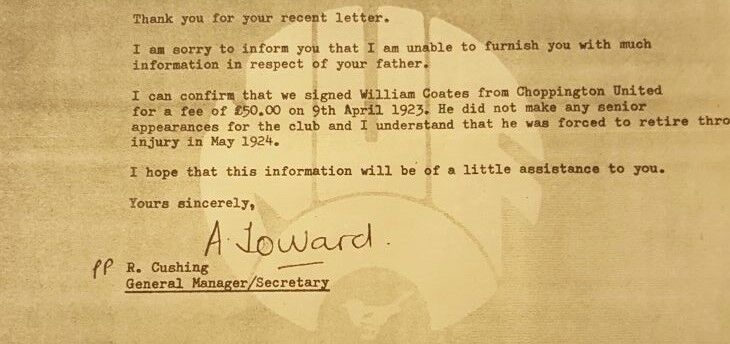
hi Alan, i have the Blyth and Newcastle info about when he signed and games he played it more the other clubs information I was looking for. I know he signed for Newcastle in 1923 and left in 1924 due to injury about the same time his father was killed in Woodhorn pit, but its almost 3 years later he turns up signing for blyth in 1927. claiming he been playing at choppington again- 1920's football
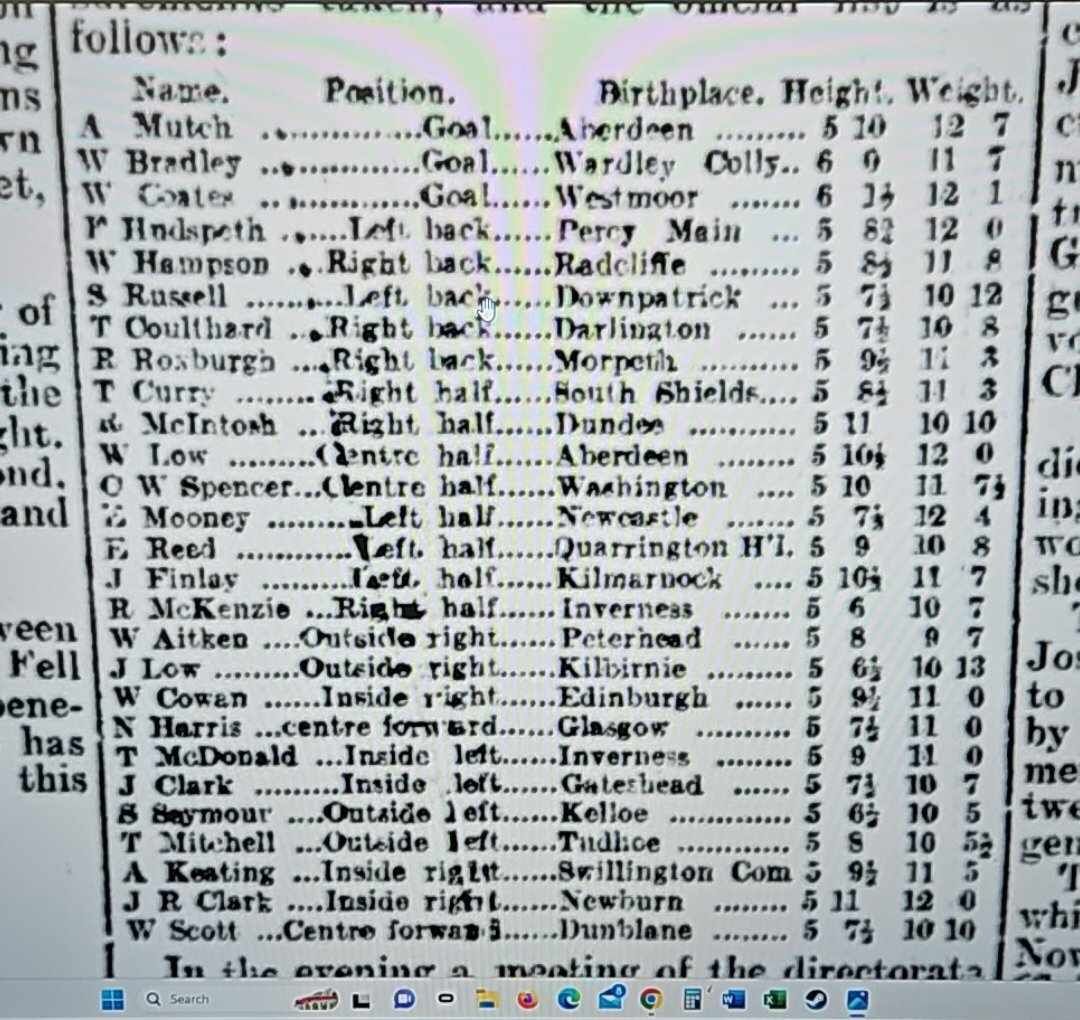
Hi Vic His Name was William Coates- 1920's football
Hi there been doing some research regarding my grandfather who played as a Goalkeeper for a few teams from 1920's to 1930's looking for any info or photo that might be floating around he played for: Choppington United 1922/23 and 1925/1927 NUFC 1923/1924 Blyth Spartans 1927/1928 Bedlington Colliery 1928/1929 Morpeth Church Institute 1929 I hope someone might be able to help or point me in the right direction - 1920's football
Account
Navigation
Search
Configure browser push notifications
Chrome (Android)
- Tap the lock icon next to the address bar.
- Tap Permissions → Notifications.
- Adjust your preference.
Chrome (Desktop)
- Click the padlock icon in the address bar.
- Select Site settings.
- Find Notifications and adjust your preference.
Safari (iOS 16.4+)
- Ensure the site is installed via Add to Home Screen.
- Open Settings App → Notifications.
- Find your app name and adjust your preference.
Safari (macOS)
- Go to Safari → Preferences.
- Click the Websites tab.
- Select Notifications in the sidebar.
- Find this website and adjust your preference.
Edge (Android)
- Tap the lock icon next to the address bar.
- Tap Permissions.
- Find Notifications and adjust your preference.
Edge (Desktop)
- Click the padlock icon in the address bar.
- Click Permissions for this site.
- Find Notifications and adjust your preference.
Firefox (Android)
- Go to Settings → Site permissions.
- Tap Notifications.
- Find this site in the list and adjust your preference.
Firefox (Desktop)
- Open Firefox Settings.
- Search for Notifications.
- Find this site in the list and adjust your preference.