Skip to content
View in the app

A better way to browse. Learn more.

Bedlington.uk

A full-screen app on your home screen with push notifications, badges and more.

To install this app on iOS and iPadOS
  1. Tap the Share icon in Safari
  2. Scroll the menu and tap Add to Home Screen.
  3. Tap Add in the top-right corner.
To install this app on Android
  1. Tap the 3-dot menu (⋮) in the top-right corner of the browser.
  2. Tap Add to Home screen or Install app.
  3. Confirm by tapping Install.

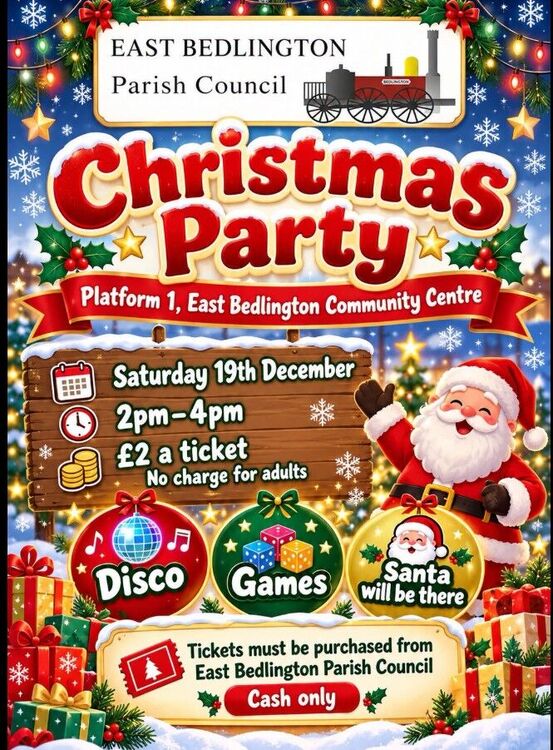
Christmas Party at Platform 1

Xmas Party.jpg

East Bedlington Parish Council

 🎄East Bedlington Parish Council is delighted to invite you to our Christmas Party at Platform 1, East Bedlington Community Centre!
Saturday 19th December
⏰2pm – 4pm
📍 Tickets £2 per child
👨‍👩‍👧 Adults FREE! (Must still get a ticket from Parish office)

Get ready for an afternoon of festive fun, including:
🪩Disco and dancing!
🎲 A special visit from Santa himself!

IMPORTANT TICKET INFORMATION
Tickets must be purchased directly from East Bedlington Parish Council.
Cash only
Tickets cannot be purchased through Facebook Messenger.
Tickets cannot be reserved or put aside.

Please make sure you come in to purchase your tickets, as we are unable to accept reservations or requests through Messenger.

🎄We can't wait to celebrate Christmas with you all! Come along and join us for an afternoon of festive fun! 🎅🎁

Recommended Comments

There are no comments to display.

Create a free account or sign in to comment

Account

Navigation

Search

Search

Configure browser push notifications

Chrome (Android)
  1. Tap the lock icon next to the address bar.
  2. Tap Permissions → Notifications.
  3. Adjust your preference.
Chrome (Desktop)
  1. Click the padlock icon in the address bar.
  2. Select Site settings.
  3. Find Notifications and adjust your preference.