


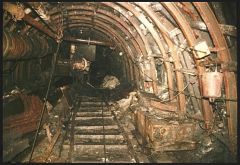
![R10s TAILGATE WATER STANDAGE DAM [RED EXPLOSIVE MAGAZINES ON LEFT]](https://bedlington.uk/uploads/gallery/monthly_2017_02/small.5899acdee8b02_R10sTAILGATEWATERSTANDAGEDAM_REDEXPLOSIVEMAGAZINESONLEFT.jpg.2305e9843814bd35de8232fc5305716c.jpg)
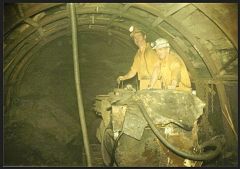
![10s TAILGATE - DALEK [FLYGHT] - PUMP IN THE WATER.](https://bedlington.uk/uploads/gallery/monthly_2017_02/small.5899a9d7a6057_10sTAILGATE-DALEK_FLYGHT_PUMPINTHEWATER.jpg.a3a3225986d731edf59e453af471da29.jpg)
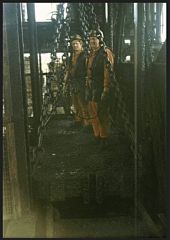
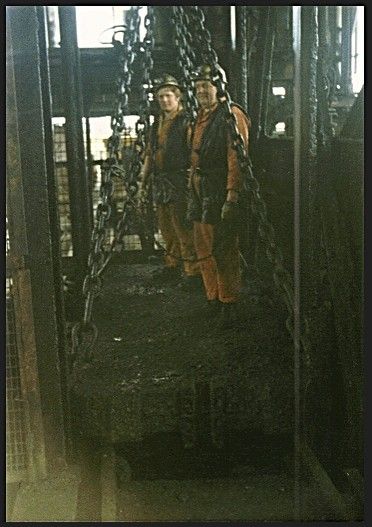
RUSSELL AND HES MARRA ON TOP OF THE CAGE DOING SHAFT INSPECTION

- 6,676 views
- View Alan Edgar (Eggy1948)'s images
high pit wilma :- The shaft had to be examined down the full depth,every 24 hours,and was done in night-shift [5-0pm till midnight shift ] Any maintenance work was also carried out in this shift ,by these two men.note their safety harnesses which they attached to the cage chains....they are standing on top of the cage..with a thousand foot drop over the edge!
ALL OF US UNDERGROUND,DEPENDED UPON THE SHAFTSMEN BEING UTTERLY RELIGIOUS IN THEIR WORK....![looking back noo,aam wondering hoo many o' thi lads actually realised,and appreciated, the importance of the shaftsmen...]
frazerweb PRO :-
Great shot guess these shafts were deep
high pit wilma :-
Hi! This shaft was one thousand feet deep,down to the sump level,i.e. the level below the shaft opening into the roadway at the shaft-bottom. The main pumps for pumping water out of the pit to the surface,called the shaft pumps,were submerged under the water,down in the sump.[These were huge pumps,mind, to give the necessary head of water of over a thousand feet,they had to be robust...!] The shaftsmen were devils disciples...! [if you know what i mean!] I worked underground for nearly thirty years,in really rough conditions, 10 miles out under the north sea,but i wouldn't have their
job for a gold pig...!! Glad you like my shots!
Recommended Comments
Create a free account or sign in to comment