


Skip to content
View in the app

A better way to browse. Learn more.

Bedlington.uk

A full-screen app on your home screen with push notifications, badges and more.

To install this app on iOS and iPadOS
  1. Tap the Share icon in Safari
  2. Scroll the menu and tap Add to Home Screen.
  3. Tap Add in the top-right corner.
To install this app on Android
  1. Tap the 3-dot menu (⋮) in the top-right corner of the browser.
  2. Tap Add to Home screen or Install app.
  3. Confirm by tapping Install.

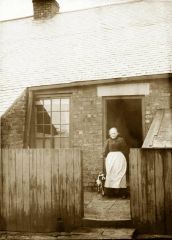
Back of Yard Row

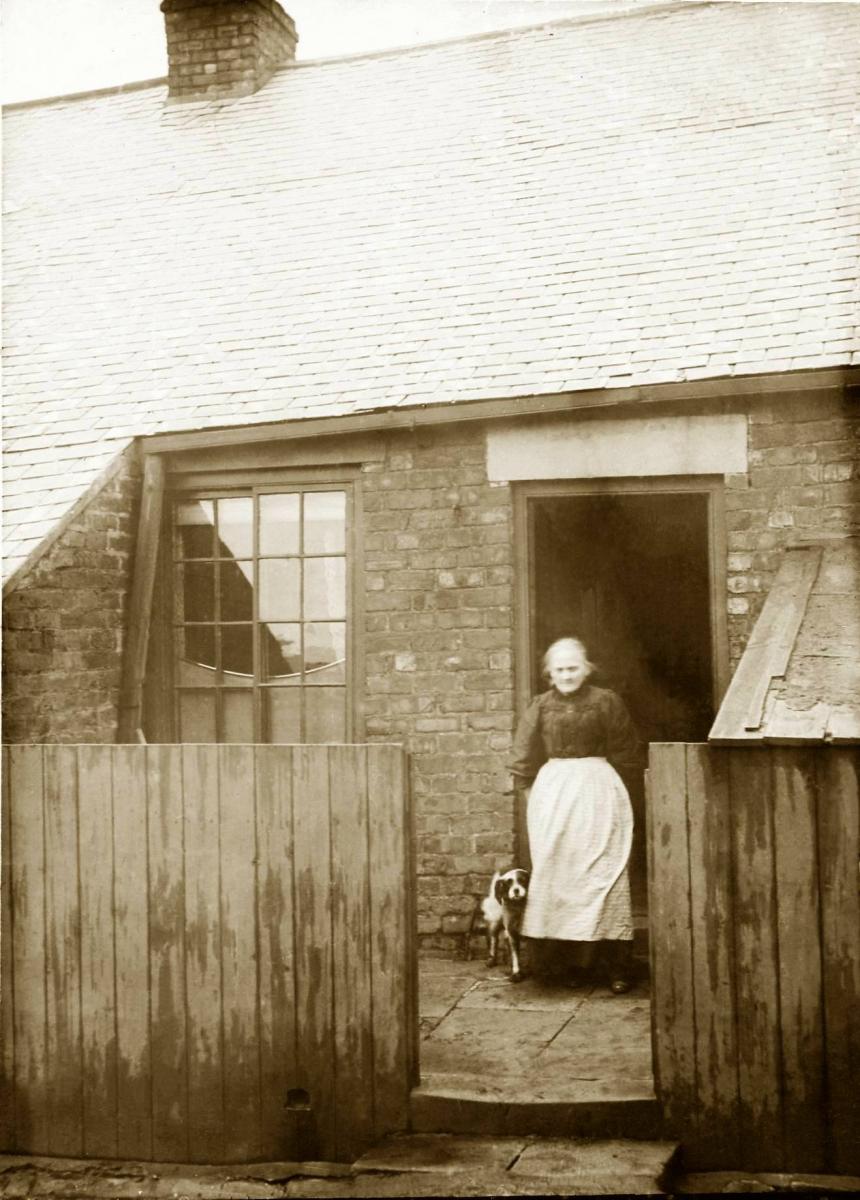
This photo was taken at Netherton in about 1919. Unlike some colliery rows the houses in this terrace had back yards, explaining the name of the street. Miner's families built over many of the yards to create a scullery at the back of their house. I've heard that some people at Netherton gave their sculleries the nickname "the klondike", perhaps implying that it was at the back of beyond.

Copyright

© Copyright ©2007 Carole Sage. All rights reserved.
  • Account

    Navigation

    Search

    Search

    Configure browser push notifications

    Chrome (Android)
    1. Tap the lock icon next to the address bar.
    2. Tap Permissions → Notifications.
    3. Adjust your preference.
    Chrome (Desktop)
    1. Click the padlock icon in the address bar.
    2. Select Site settings.
    3. Find Notifications and adjust your preference.