Skip to content
View in the app

A better way to browse. Learn more.

Bedlington.uk

A full-screen app on your home screen with push notifications, badges and more.

To install this app on iOS and iPadOS
  1. Tap the Share icon in Safari
  2. Scroll the menu and tap Add to Home Screen.
  3. Tap Add in the top-right corner.
To install this app on Android
  1. Tap the 3-dot menu (⋮) in the top-right corner of the browser.
  2. Tap Add to Home screen or Install app.
  3. Confirm by tapping Install.

Contributor Leaderboard

Popular Content

Showing content with the highest reputation on 14/08/10 in all areas

  1. 1 point
    Anyone know what's happening with the shop? I see it's being done up.
  2. Hello Monsta and all mi predict the premiership mates, are we in it this year. I am anyway although missed todays games. Got mi predictions in fo the morn wi the toon ti win 2-1. Man U's gannin doon. Howay Newcastle.
  3. 1 point
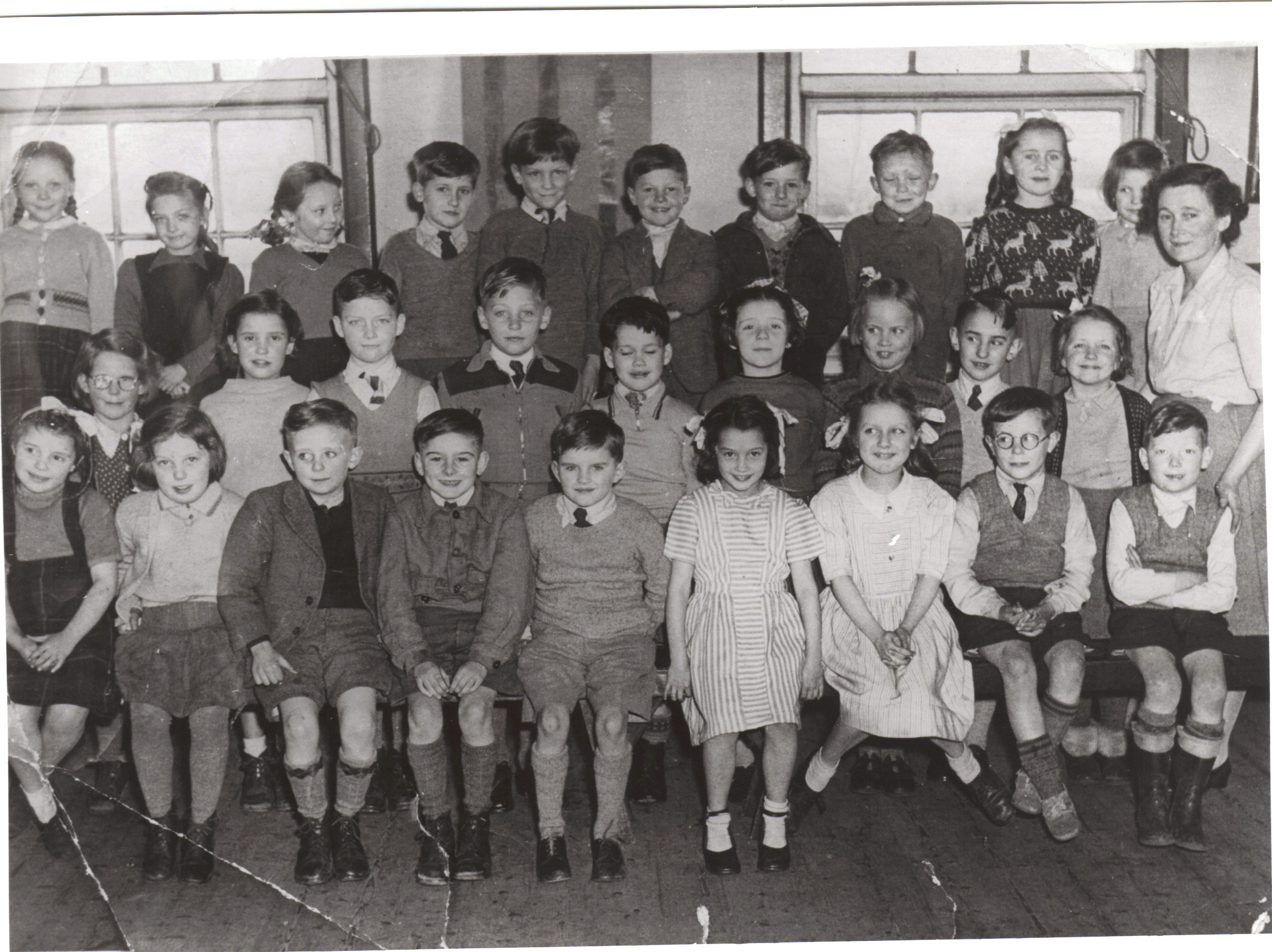
    Hi, I hope this class photo has attached OK. Taken 1950's. Does any one know the names ?
Account

Navigation

Search

Search

Configure browser push notifications

Chrome (Android)
  1. Tap the lock icon next to the address bar.
  2. Tap Permissions → Notifications.
  3. Adjust your preference.
Chrome (Desktop)
  1. Click the padlock icon in the address bar.
  2. Select Site settings.
  3. Find Notifications and adjust your preference.