Contributor Leaderboard
-
Ovalteeny
Members3Points267Posts
Popular Content
Showing content with the highest reputation on 08/01/19 in all areas
-
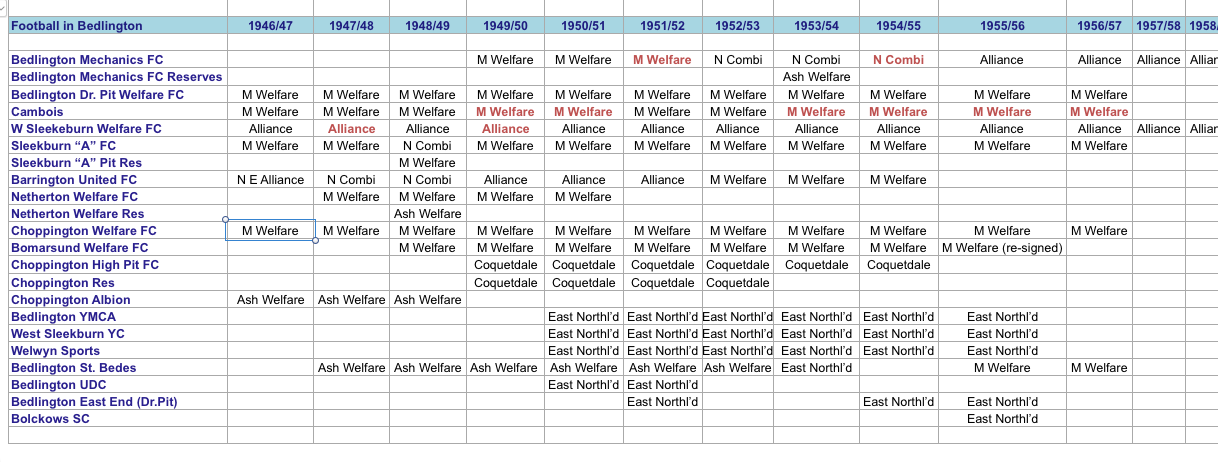
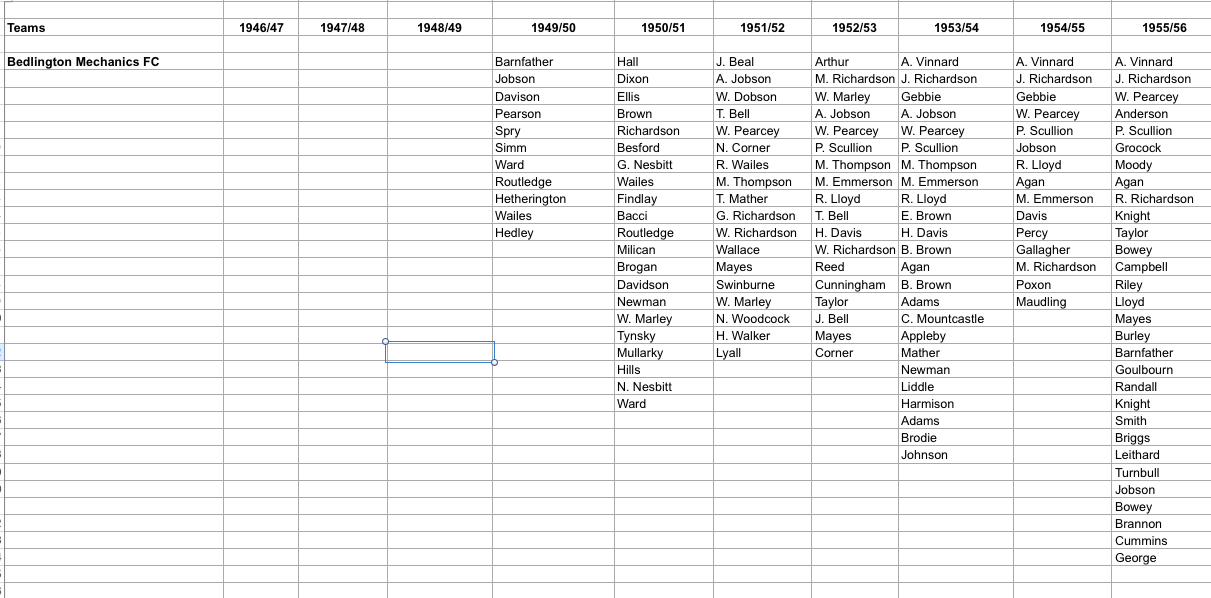
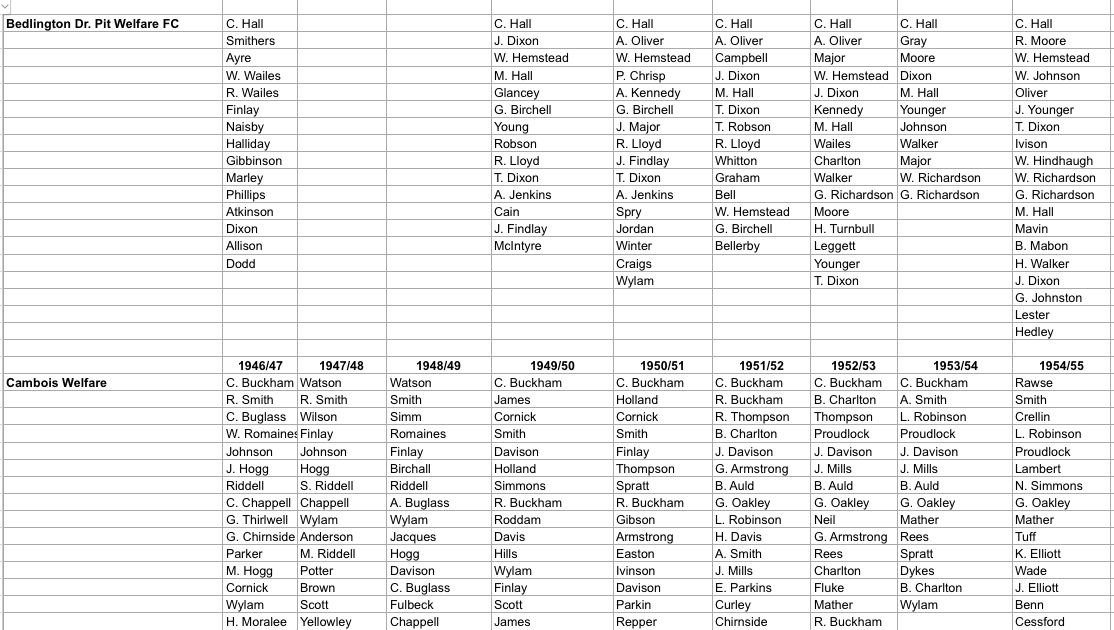
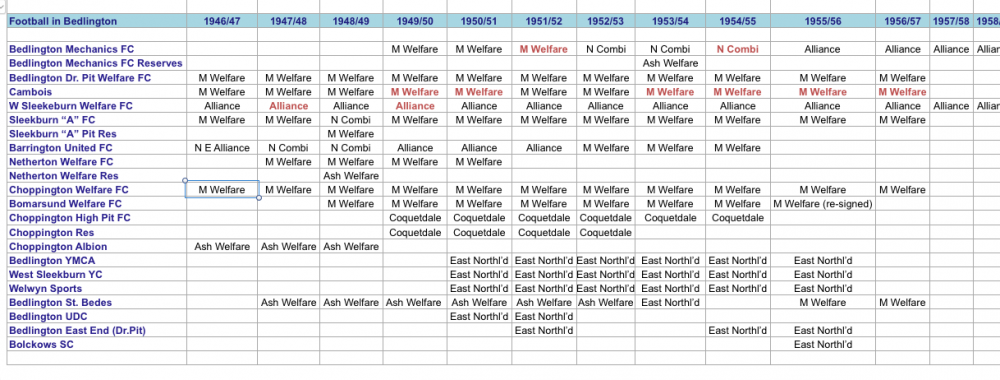
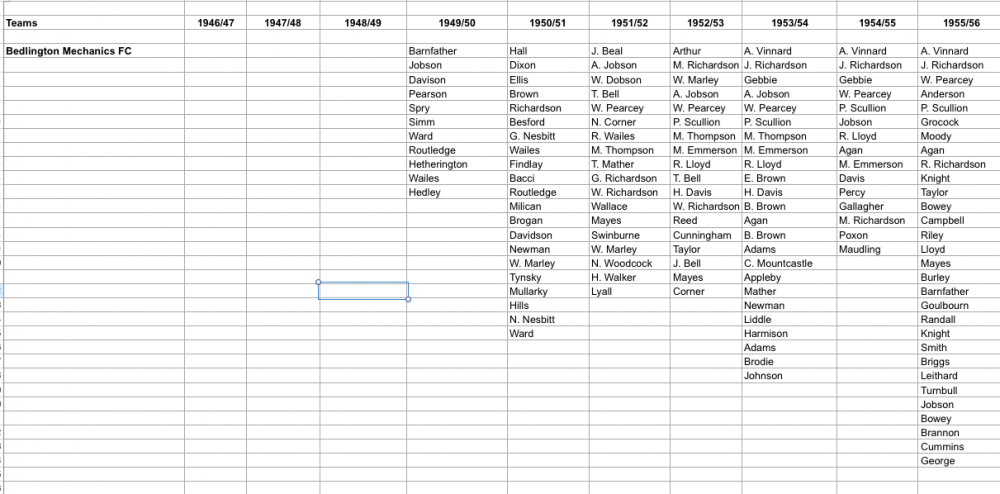
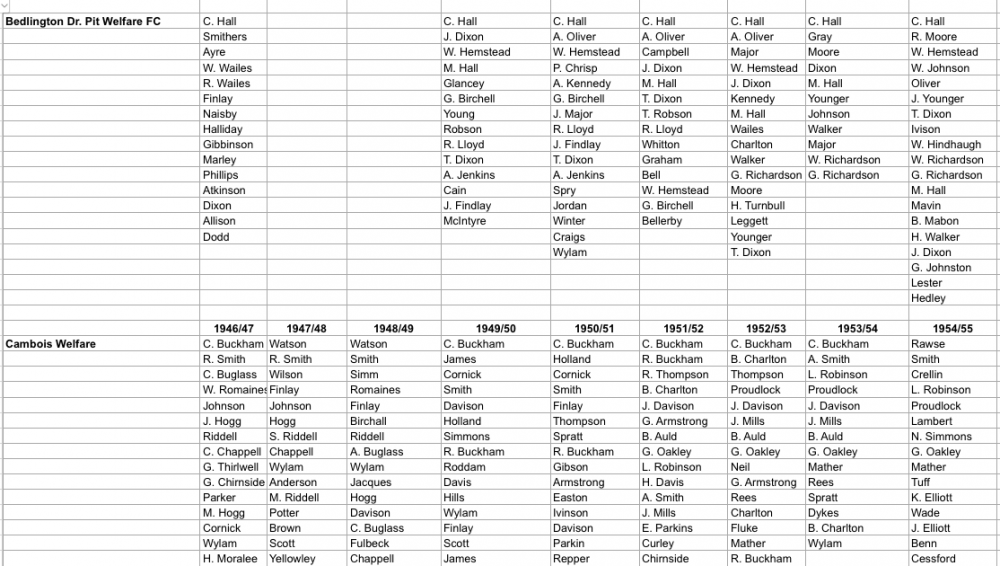
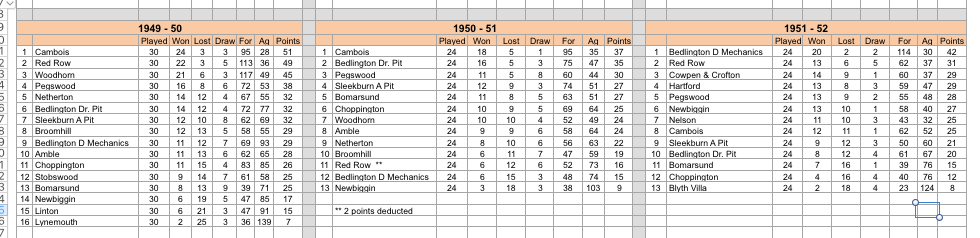
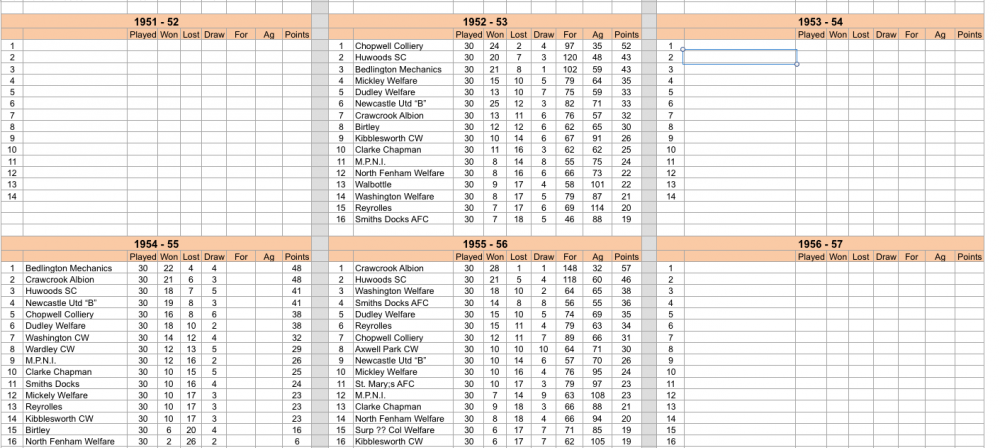
1 pointOriginally, I was simply interested in Bedlington Mechanics FC, but as I trawled through the old Blyth News/Morpeth Heralds I could see that football was so popular in Bedlingtonshire, after WW2 that I started to log details of other clubs and players. See the images below for a snapshot.
 1 point
 -
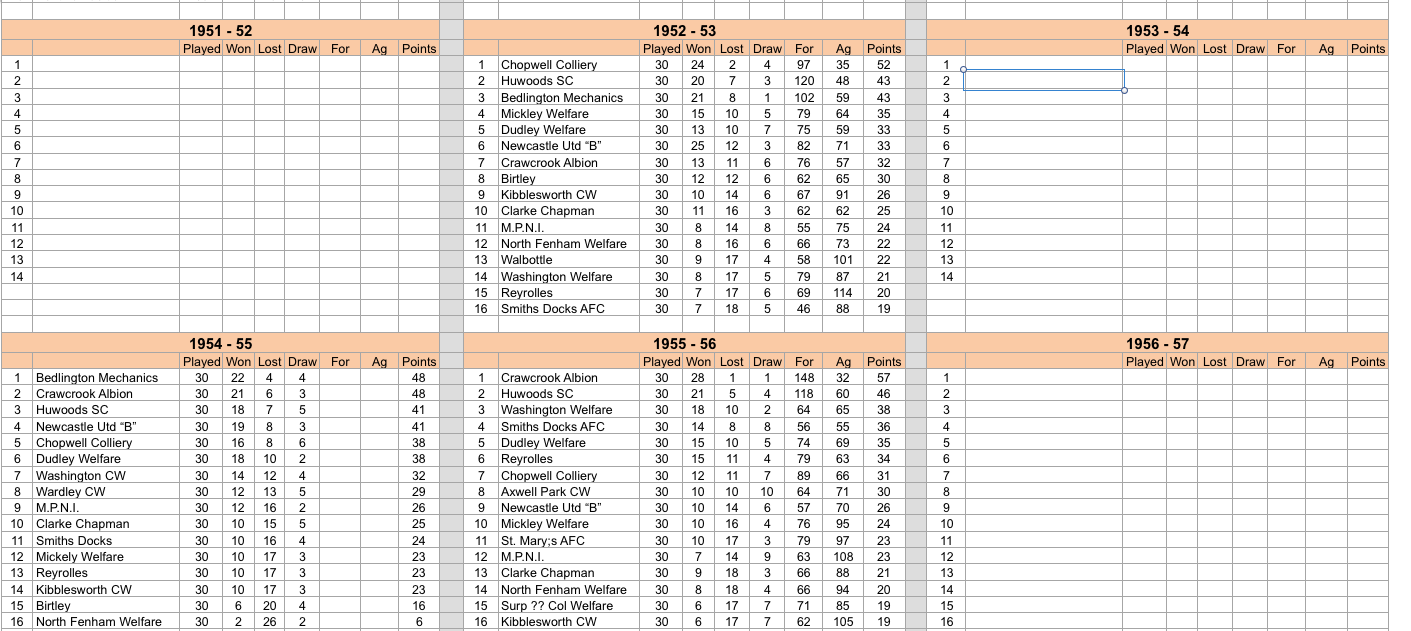
1 pointRichard, a couple of more facts that you might wish to use, league tables from the 3 years in the Miners welfare League and then 2 of the 3 years that the mechanics were in the Northern Combination. Apologies, but I haven't, as yet managed to complete the full information.
 1 point
 -
1 pointRichard, i did attempt to re-write the history for Ronnan, but the info that I sent him has never been used to update the history on the web-site. See attached, 2 files which contain some of the info you are searching for. Bedlington Mechanics.pages Mechanics history re-write.pages1 point