


Contributor Leaderboard
-
loopylou
New Members1Points48Posts

Popular Content
Showing content with the highest reputation on 15/04/25 in all areas
-
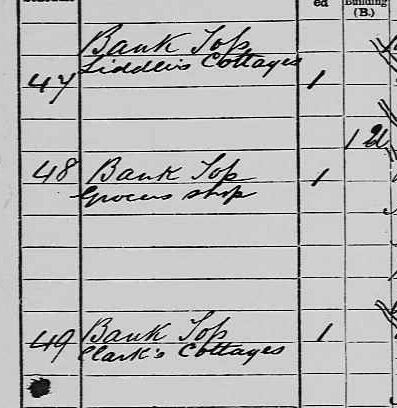
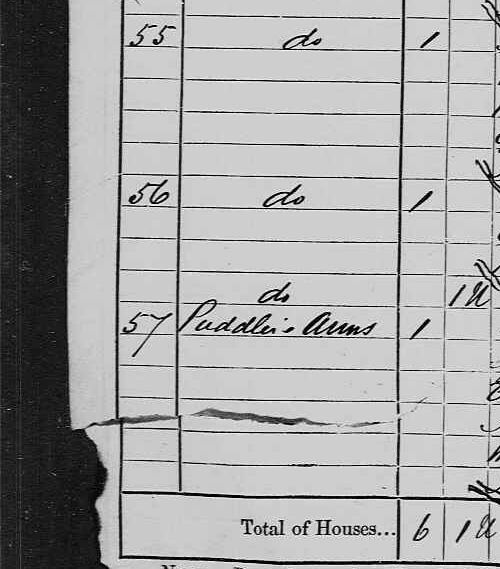
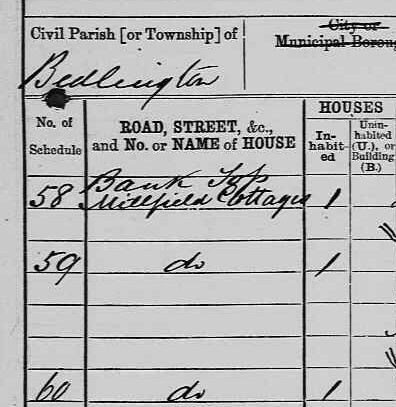
1 pointGreat work @Canny lass 😄 I agree that this is likely what the buildings were laid out as. A good thing that the enumerator was so detailed. Still such a mystery! A quick peek on the 1881 census brings up also detailed addresses of the area. After Liddle’s Cottages (Liddle’s Yard?) there is “Clark’s Cottages” followed by the Puddlers Arms, then “Millfield Cottages”. After “Millfield” follows Puddlers’ Row. I was wondering due to these two addresses surrounding the Puddlers’, the “Clark’s Cottages” may be a reference to BLUE in Craig’s Buildings, and then “Millfield Cottages” refer to the RED part of Craigs. These addresses aren’t brought up again.
 1 point