



Jack Henderson
Members
-
Joined
-
Last visited
Everything posted by Jack Henderson
-
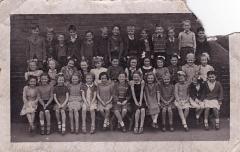 There should be a page for Bedlington girls ‘family name’ / ‘married name’ to help us keep track of old school friends. With guys it’s easy, with girls difficult
 -
My uncle had an allotment on the pathway right by Furness Bank. He grew some beautiful roses there. We used to visit him and always got a 'buttonhole' (silver paper from his woodbine packets wrapped around the rose stem), also always got told 'not to gan any farther alang there'.
-
Hello Brian, I was one of the many Hendersons that lived at number 21 Millbank Terrace. Only moved as far as Plymouth but still remember the old back lane.
-
He knew you had to be really ill or injured before mum would 'call the doctor; so when called he came anytime day or night, and in any weather.
-
Hi Ken I was one of the first bottom to top, went there on the first day the school opened & stayed until 1962. I remember all the teachers you mentioned & Miss Gray, Nancy McClean & others Jack Henderson
