Everything posted by Alan Edgar (Eggy1948)
-
One will do one's best. It's good being 'old stock', nothing should bother you and you can say, politically correct of course, what ever you want.Keep ahad youngin.
-
However I have just remembered kids were 5+ when they started school so he was born 1946 it would have been 1951 when he started. You would have been in the year above this lot:-
-
My sister says the first shop was George Swan's - but she was born 1955 and would have been well into the 60's before she was reading shop signs so Straker's could still be the first that was there. She reckons the next shop, the chemists was Leaman's and, like many others, says there was a drapers after Beadnall's.I have memory of me mam telling me of an Oval lad, Joe, opening a bakers/cake shop - 1970's - in one of those shops between the barbers and the Co-op.
-
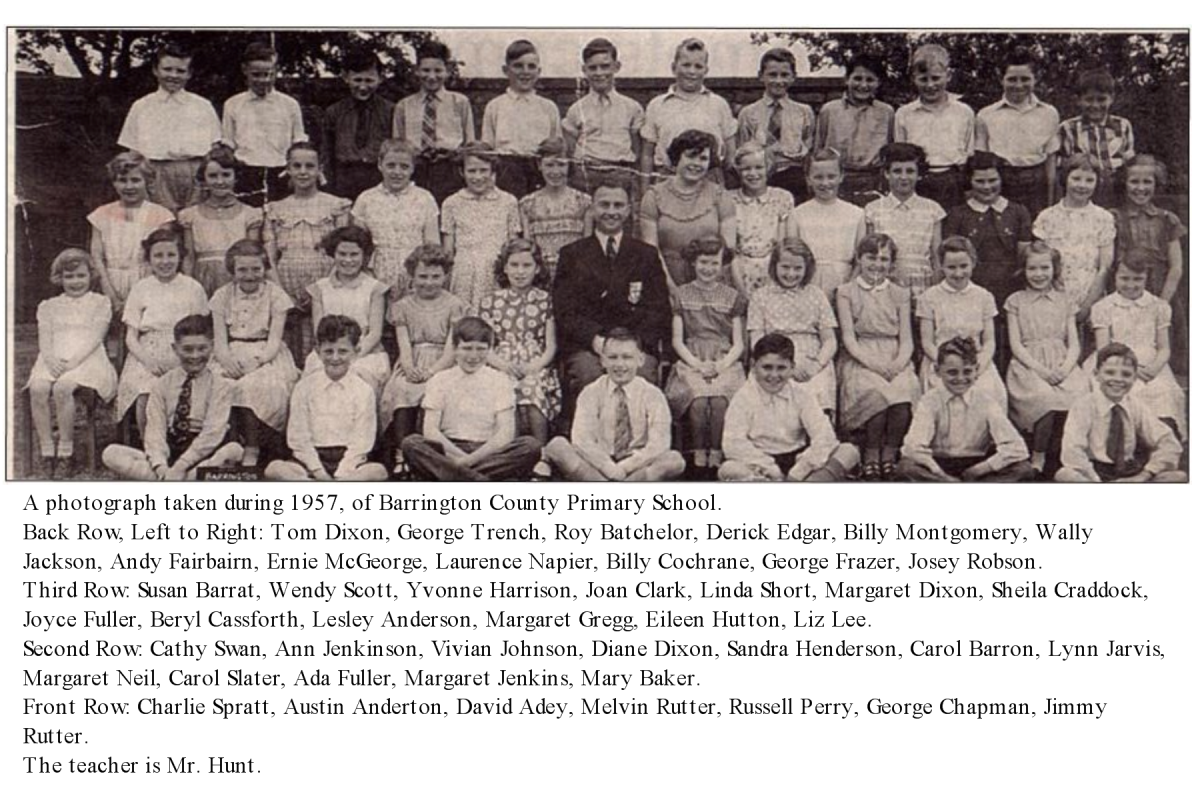
As did my older brother. So you could be on the Class 6 1957 photo that I have copied from this site.
-
Registering my interest in this site. Found it whilst looking for old maps of Bedlington 'A' pit as there are still people living in Bower Grange that think there is subsidence. Remember when Bower Grange was first built and there was numerous discussions between locals and councillors and all got sorted - No subsidence at the pit head! Anyway having found this site and being an ex Bedlington lad, I have joined and hope I can help answer a few questions of the past. I was born in Beatty Road - 1948 - my granny's house. Moved to the Oval, Coquetdale place - see it's been rebuilt. Went to Barrington County Primary School then Bedlington Grammar. Now live in Seghill, via London 1969, Wideopen 1970, Bedlington 1979 & Cramlington 1980 As long as the memory holds out, and often corrects itself, I will help where I can.
-
Bet you could still stand the cold water, filtered through from the river. It was 3 old pence to get in for the whole 8 hours when we used to go. When you got to Class 6 at Barrington County Primary school you were take to Humford Baths, every week, to learn to swim. Wilf that looked after the baths, a very intelligent academic bloke, loads of 'O' levels but just enjoyed the simple life in his council house at the baths.
-
Definately 60s and I think this picture must be when they were new. There would be one shop before the first on the left in the photo - Strakers, general dealers, I think. The first shop you can see is definitely the Chemists, then the Barbers. Next two can't remember and then the last two were the Co-op.
-
A bad doze of nostalgia may get confused by a bad doze of my memory! I lived in Coquetdale Place, 1949-1969. So if we say 1960 and earlier, as you face the shops the left hand group :- 1st. shop I agree with you - Strakers - general dealers. 2nd shop - I think was the Chemists - definately was a chemists as we used to pick Rose-hips and the chemists paid us for them, by weight. 3rd shop - I think was the barber - a DA and anything for the weekend sir. Cant't remember what was next but definately Last Shop was the Co-op Store, cos that's where me mam sent one us every day. Divi Number -no idea - Cigarettes =JC. Right hand group I can't remember the order but can remember a couple of the shops :- Wakenshaw the Butcher - their son Kingsley went to Bedlington Grammar, early 60's. Think Soulsby and Lynn came after Shiropodist - me mam went there. Wools shop but could have been in the left hand group - everything we wore was knitted from there. Even our bathing costumes! Beadnell's the news agent I think was the last shop. Yes he sold everything else but you had to wait whilst he found it. I am sure he once had a couple of motor bikes to sell. Need a cup of tea but will continue thinking, and asking other oldies.
-
Just shows what my memory is like- Jimmy who? Stuart Bowman, now I remember - thanks
-
Just joined this Bedlington Community site, found by accident whilst looking for old pics/maps of the A pit, Bedlington Station. Saw the old school picture from Class 6 1957 and my older brother is in it. I started Barrington County Primary in 1952 and may be able to contact some people who could answer some of the questions asked. The only person I can recognise on the Glove Factory pictures is the young bloke, at the left, kneeling in one and standing in the back in the other. Can only remember his first name, Jimmy, and he used to mend the sewing machines. Lived down at the Bank Top in Melrose Avenue next to what is now Ian Gerrard's cycle shop. I will copy the pics of the glove company staff and see if I can get any of them identified.