










Skip to content
View in the app

A better way to browse. Learn more.

Bedlington.uk

A full-screen app on your home screen with push notifications, badges and more.

To install this app on iOS and iPadOS
  1. Tap the Share icon in Safari
  2. Scroll the menu and tap Add to Home Screen.
  3. Tap Add in the top-right corner.
To install this app on Android
  1. Tap the 3-dot menu (⋮) in the top-right corner of the browser.
  2. Tap Add to Home screen or Install app.
  3. Confirm by tapping Install.

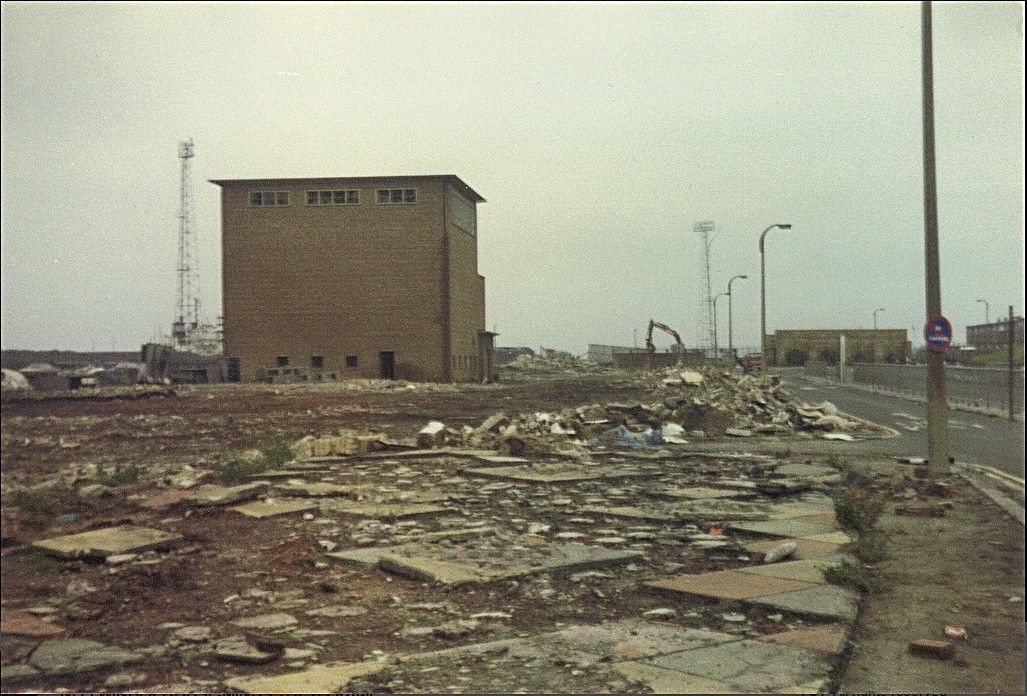
NO1 WINDER HOUSE - MINUS THE A FRAME HEADGEAR

high pit wilma :- Pity Maggie hadn't been on a visit ti the pit, she might have come across some good fortune- under this lot.....!-The surface buildings were flattened within days of final closure...they could'nt wait ti put the nail in the miners coffin....

  • Account

    Navigation

    Search

    Search

    Configure browser push notifications

    Chrome (Android)
    1. Tap the lock icon next to the address bar.
    2. Tap Permissions → Notifications.
    3. Adjust your preference.
    Chrome (Desktop)
    1. Click the padlock icon in the address bar.
    2. Select Site settings.
    3. Find Notifications and adjust your preference.