


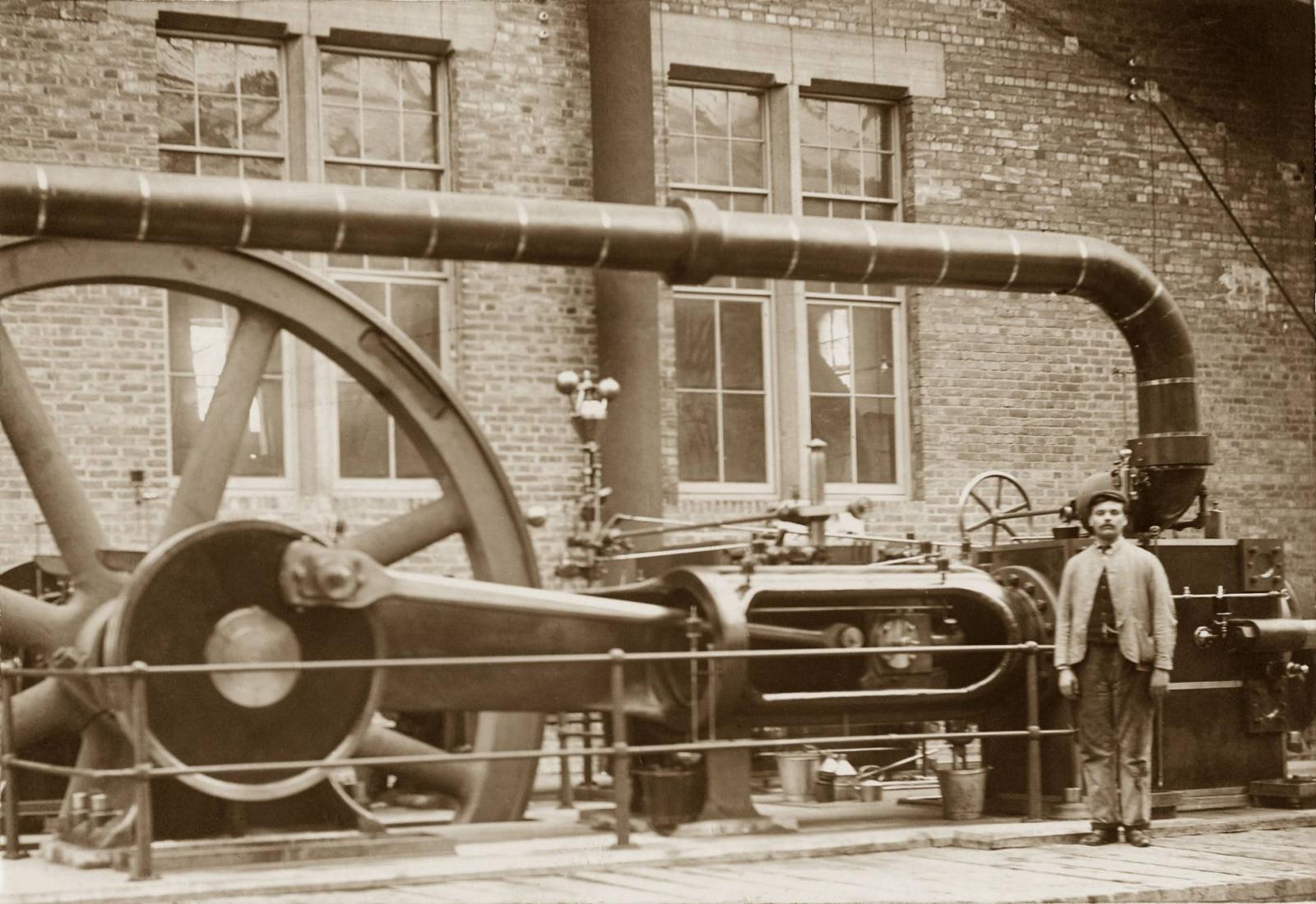
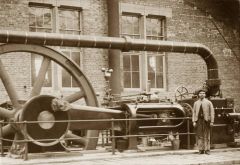
Engine at Netherton Colliery

By Carole
- 9,035 views
- View Carole's images
This photo was taken beside the Winding Engine House at the Howard Pit at Netherton. I'm not sure what the engine in this photo was used for - maybe it was a pump to drain the mine, or to provide ventilation underground. If anyone can help to identify exactly what the engine in this photo was for please send me a message and I'll change the label on the photo.
This engine was probably replaced when the colliery was modernised in the 1930s by the new owners, Bedlington Coal Company. If it survived those colliery improvement works it would almost certainly have been destroyed when the Winding House was hit by a German bomb in 1940.
Copyright
© Copyright ©2008 Carole Sage. All rights reserved.
Recommended Comments
Create a free account or sign in to comment