Skip to content
View in the app

A better way to browse. Learn more.

Bedlington.uk

A full-screen app on your home screen with push notifications, badges and more.

To install this app on iOS and iPadOS
  1. Tap the Share icon in Safari
  2. Scroll the menu and tap Add to Home Screen.
  3. Tap Add in the top-right corner.
To install this app on Android
  1. Tap the 3-dot menu (⋮) in the top-right corner of the browser.
  2. Tap Add to Home screen or Install app.
  3. Confirm by tapping Install.

Contributor Leaderboard

Popular Content

Showing content with the highest reputation on 13/03/17 in all areas

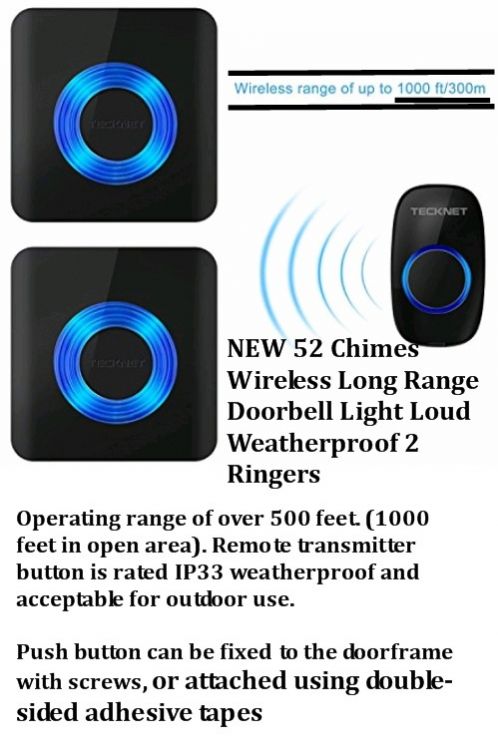
  1. The new wireless range where the 'bell-push' doesn't have to be screwed into your lovely upvc front door. Just use double sided tape and the kids can remove the bell-push easily and ring the bell from up to 300m away!. Parents are often complaining that children are spending too much time staring at screens, and now they are complaining cos the kids are outside playing games!! Example wireless door bell :-
Account

Navigation

Search

Search

Configure browser push notifications

Chrome (Android)
  1. Tap the lock icon next to the address bar.
  2. Tap Permissions → Notifications.
  3. Adjust your preference.
Chrome (Desktop)
  1. Click the padlock icon in the address bar.
  2. Select Site settings.
  3. Find Notifications and adjust your preference.