Contributor Leaderboard
-
2Points6,990Posts
-
Rigger
Members1Points119Posts


Popular Content
Showing content with the highest reputation on 13/12/18 in all areas
-
1 pointBradford I may have some information on your family. Not sure what you have. Also I have found a family tree with your family on. How would you like this sent?1 point
-
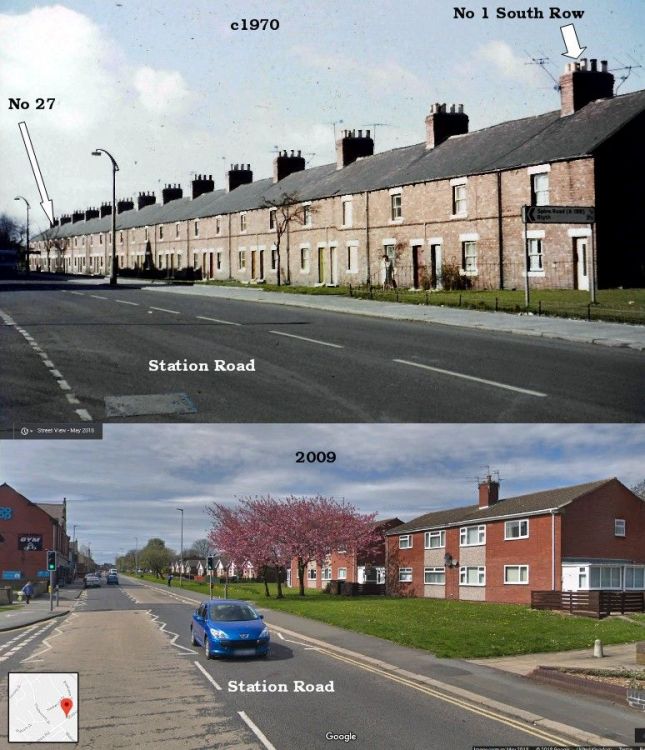
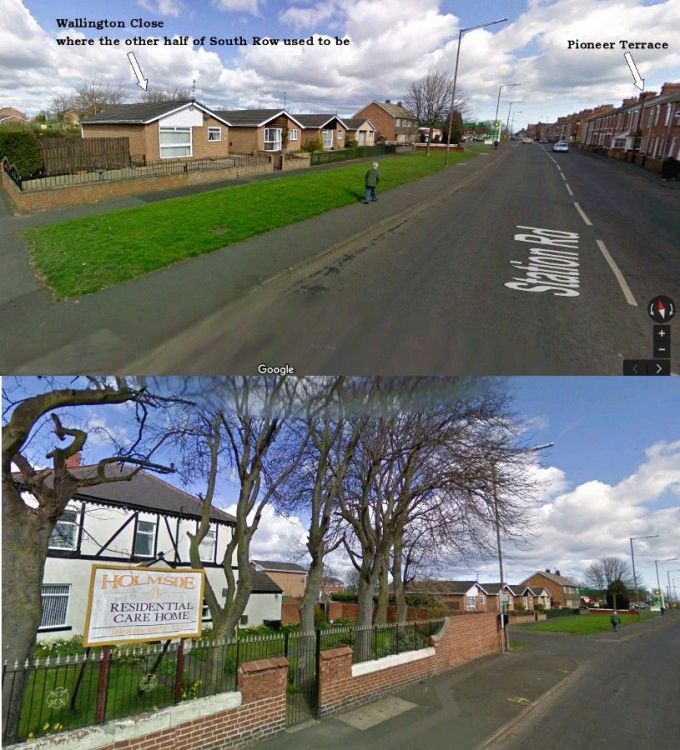
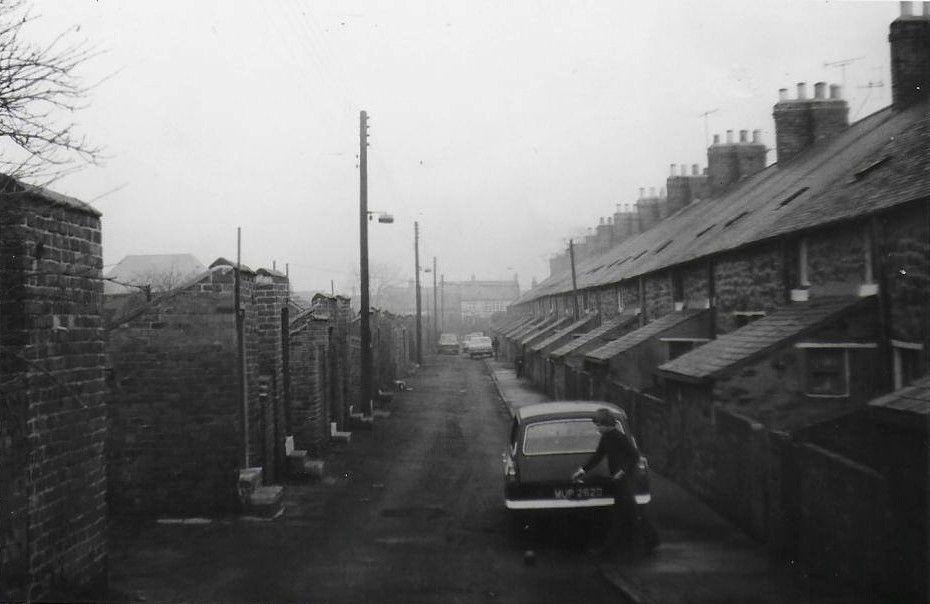
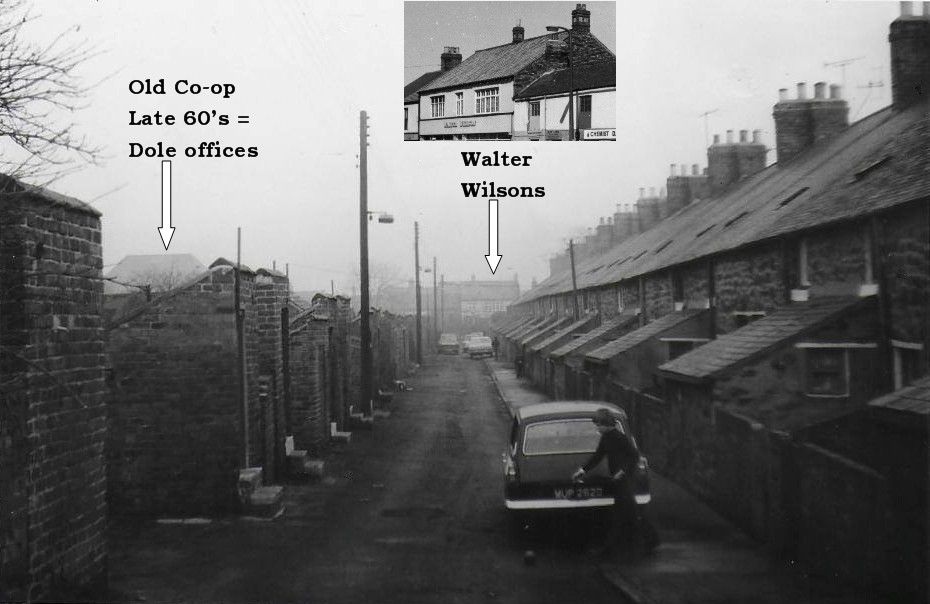
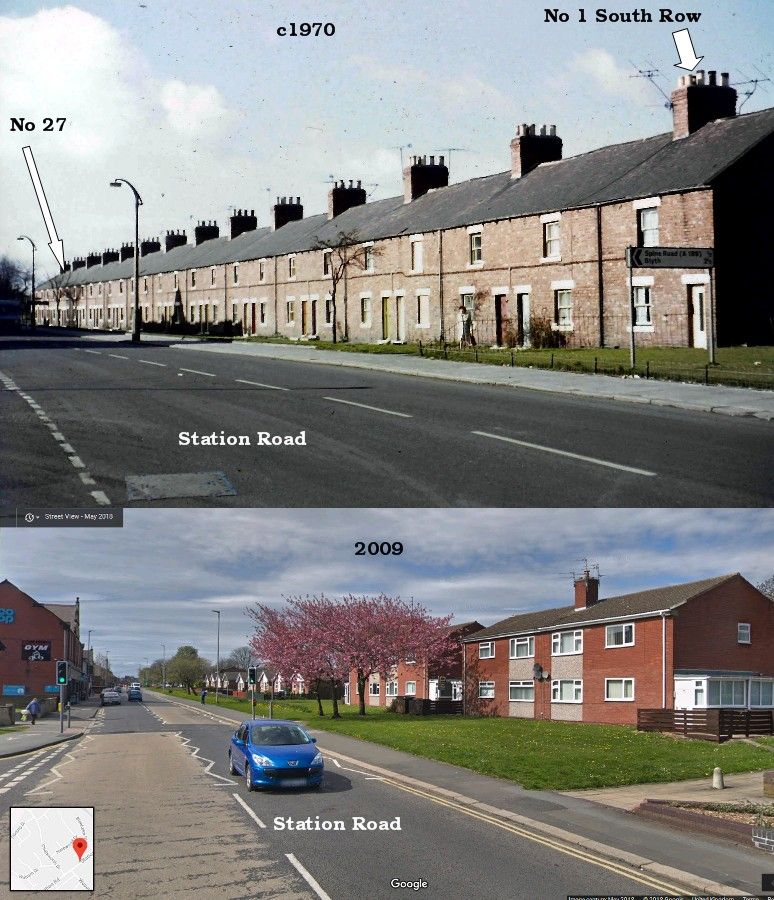
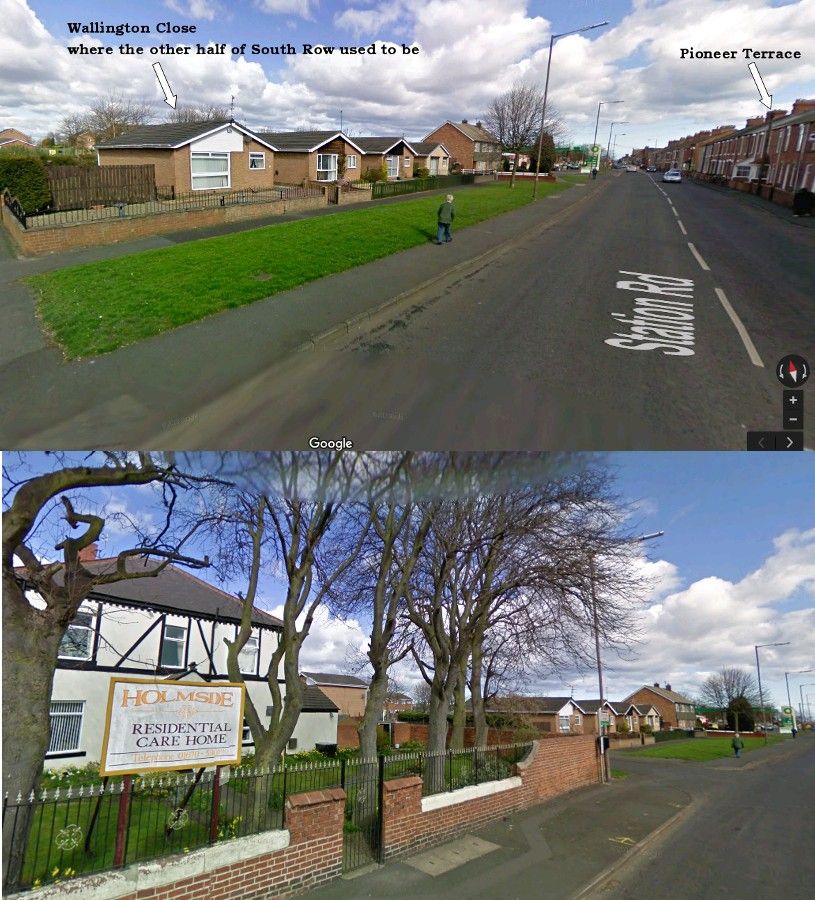
1 point@Bradford - I can't remember ever having seen a photo of what we called the 'Top Half' of South Row. I have a vague recollection of the row but can't remember if it was demolished in the late 50's or early 60's. The Top Half was opposite Pioneer Terrace and ended at the Pit Managers house that is now the Holmside Residential Care Home. The 'Bottom Half' of South Row, where some of my mates grew up in in the 60's was No 1 to No 27. The following image is a Then (1970) & Now (2018) of the Bottom Half. I am speculating (as I can't remember) that the front of the South Row houses was refaced. This image shows the back lane of Nos 1 to 27 and it has been confirmed as South Row as we have identified the other buildings in the photo. You can see the backs of the houses are built with stone and not matching the 1970 image showing bricks.
 1 point
 -
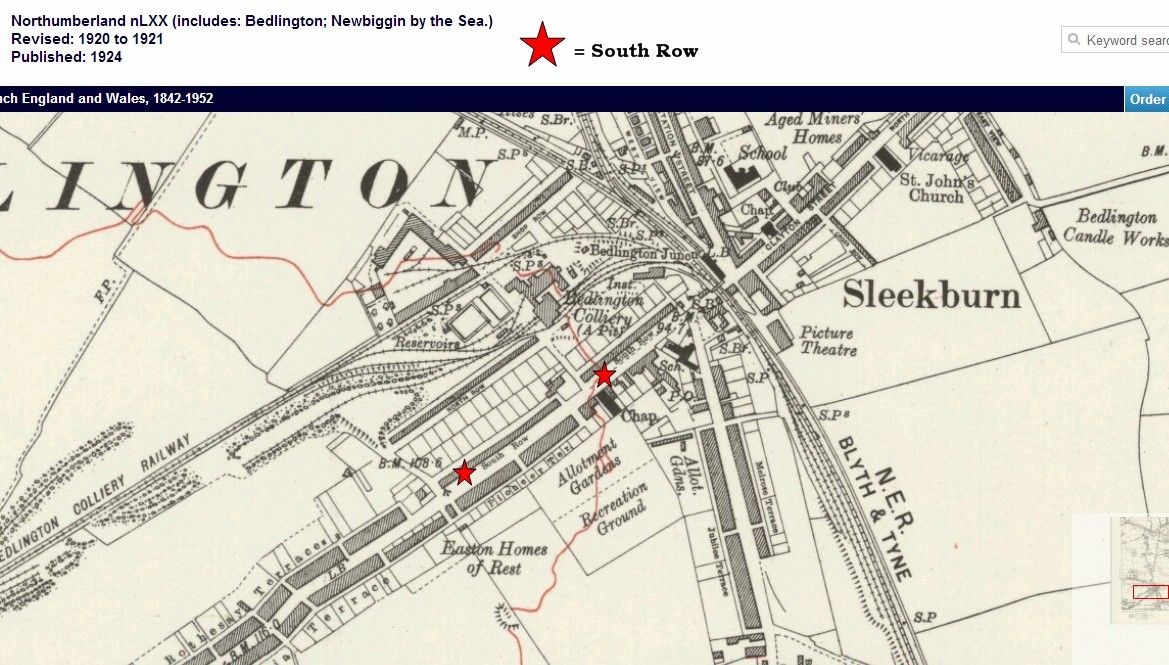
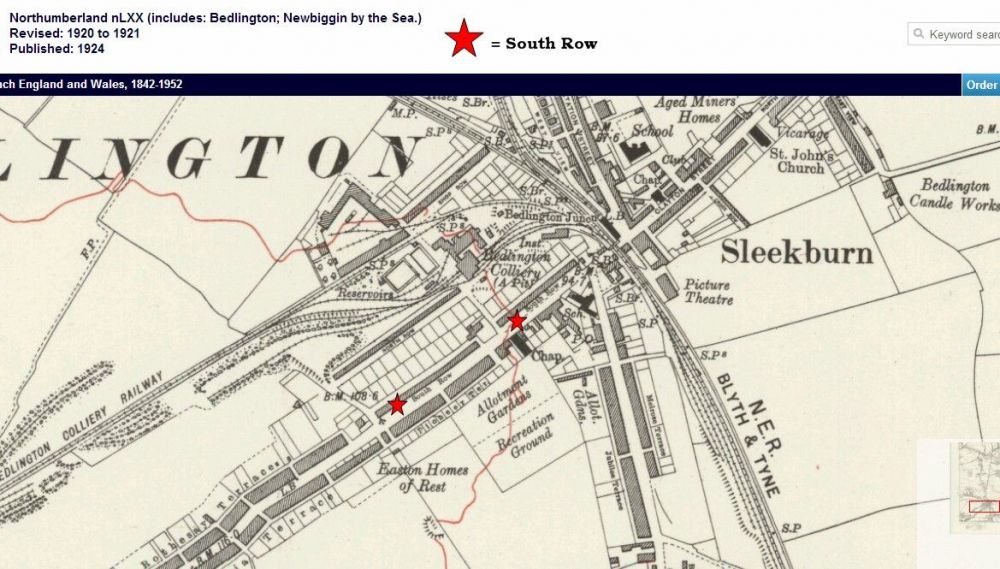
1 point@Bradford - I know this doesn't help with locating members of the Brown family but this is an aerial shot, 1924, of the 'A' pit with one half of South Row in the shot and a 1924 map extract showing the two terraces of South Row :-
.thumb.jpg.a0d9e5c671d45c499541c17399910f4a.jpg)
 1 point
.jpg.71e444d9ec1e72d2055f7afc8e45164d.jpg)