


Contributor Leaderboard
-
1Points6,989Posts

Popular Content
Showing content with the highest reputation on 18/10/20 in all areas
-
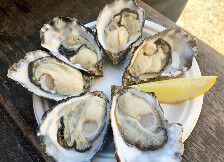
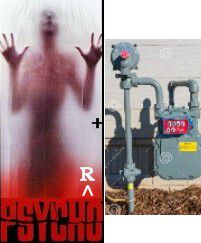
1. Which comedian, as a schoolboy, had a trial for Heart of Midlothian FC but wasn’t tall enough? Answer = 2. What type of creatures are “Whitstable natives”? Answer = 3. Fullerenes, discovered in 1985, were a new form of which element? Answer = 4. Which island, situated in the Arctic Ocean, is the largest in the world? Answer = 5. Adam Bell, Clym of the Clough and William of Cloudesley were all famous what? Answer = Inglewood Outlaws 6. Which frigate was launched secretly in 1986 in Wallsend to replace a ship lost in the Falklands? Answer = Hansard 7. What instrument is used to measure dew? Answer = 8. Which car manufacturer had the Kitten, Rebel and Sabre models? Answer = 9. Which Japanese word translates as ‘leader of the army’? Answer =「軍のリーダーとして 10. Which country was the first to use paper banknotes? Answer = 11. Who is the lead singer with Simple Minds? Answer = 12. Identify the language used in the following sentence: Dómarinn hefur alltaf rétt fyrrir sér. Answer = Icelandic I’ll bet you didn’t know …. The Russian postal service will not deliver letters containing chewing gum. Answer = I didn't Bonus question: How do they know what’s in the envelope? Answer = No idea - it's Google proof





 1 point