


Contributor Leaderboard
-
.jpg.cdd7f8371d17e2f2f2e2a0e21e02f727.jpg) 1Points3,654Posts
1Points3,654Posts
.thumb.jpg.7493ddab4a696108cf2b849323d3c155.jpg)
Popular Content
Showing content with the highest reputation on 02/05/25 in all areas
-
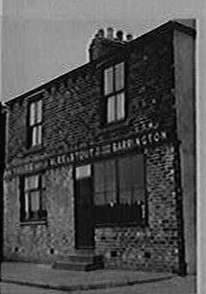
1 point@7RIrF This is the only picture I have of Routledge Buildings. As you see it's not a row or terrace. It's just a 'building'. In my experience most of the addresses including the word "buildings" were exactly that - a building. It's a bit misleading that it's usually in the plural form 'buildings'. As for the name they usually, but not always, take their name from the surname of the owner. If you can yell me just which census you found Routledge Buildings in I can probably help you a bit more. What exactly do you mean by "(Blank) Buildings"?
 1 point