


Contributor Leaderboard
-
.jpg.cdd7f8371d17e2f2f2e2a0e21e02f727.jpg) 1Points3,654Posts
1Points3,654Posts
.thumb.jpg.7493ddab4a696108cf2b849323d3c155.jpg)
Popular Content
Showing content with the highest reputation on 01/07/25 in all areas
-
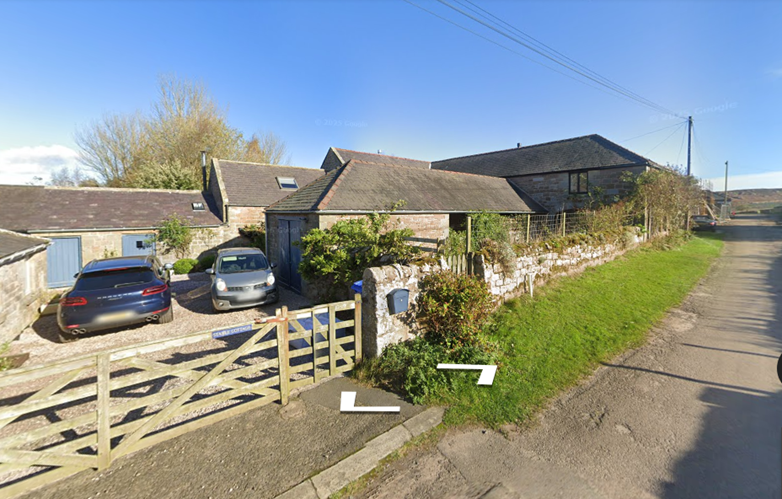
1 pointYour great grandfather, James Scott, also worked as an agricultural labourer. In 1901 when Ralph gives his occupation as Farmer/butcher, James is working with his brothers on the farm as a labourer. In 1903 he is still in the area, presumably working at Westfield, when he marries. His children are born: Ralph at Springhill, just a stone's throw away from North Sunderland, Mary Jane is, in fact, born at Westfield and Henry at Elford - also a stone's throw away from North Sunderland. It's not clear if James was living at Westfield or elsewhere. The children may have been born at the homes of Mary Jane's relatives which was quite a common occurance. Mary Jane, your great grandmother, was from Norham, which is also on the map just south west of Berwick so she was a local lass. By 1911 James and his family have made the move from North Sunderland to Holborn about 11 miles south of Berwick on Tweed. It is here he becomes a farmer, working for himself at West Holborn. Lowick Beal. Address: Farm House, Holborn West. (See https://historicengland.org.uk/listing/the-list/list-entry/1156167 for map and better photo or ‘drive’ past on Google maps as I did). The farm is now a grade 2 listed building. If you’d like any of the documentation from which I’ve taken this info leave your e- post address in my mail box (move your marker over my ‘hat’ and choose ‘message’. It’s not wise to leave it here on site.
 1 point