


Contributor Leaderboard
-
2Points6,990Posts
-
Damian Robson
Members1Points16Posts -
Mal
Members1Points109Posts



Popular Content
Showing content with the highest reputation on 16/06/26 in all areas
-
1 pointThanks Alan, its good to know who the cartoonist was, I will write Davy Patterson's name on the back of the drawings so I never forget the artist and give him a mention when showing them. Its a shame the Morocco holiday drawing is lost, would have been nice to see. Damian.1 point
-
1 point@Damian Robson comment from a member on the Northumberland and Durham Pits group :-
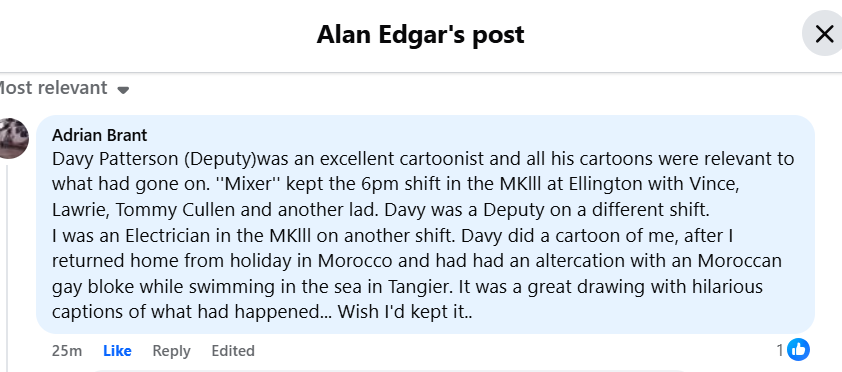 1 point
 -
1 point. I always find the Bee Gees song 'Stayin Alive' gives a great rhythm for compressions and it's easy to remember because of its title. We were told to sing Nelly the Elephant..........😄1 point
-
1 pointI'll keep checking the two groups and if there are any further comments that have any new info info I will add them to this post.1 point