


Contributor Leaderboard
-
 1Points1,451Posts
 -
df2204
Members1Points5Posts -
kathynott
New Members1Points4Posts -
mike white
New Members1Points5Posts



Popular Content
Showing content with the highest reputation on 10/07/26 in all areas
-
1 point
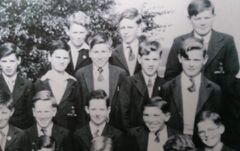 Hello Kathleen, I've just picked up your posting of 23 or 24 May, thank you. You have a good memory and got the Fenwick family right. Sadly, all my brothers have passed away and I'm the remaining one at 88yrs. I too have vivid memories of our childhood and of your sister Ann. I was quite keen on her too, but at aged about 10 or 11 it was a little early for love. I do vividly remember her once taking the initiative and kissing me whilst in the Halfpenny Woods! Happy Memories. As far as I recollect, you moved to the Balham area of London. On a number of occasions I tried to 'find' Ann Kennel by searching online but never succeeded. I'm sorry she has passed on and I hope life was good to her. By chance, do you have a photo of you both in younger days? I also remember your late cousin, Jenny (Crackett?) who I believe lived in the Newcastle area. They were very happy days and I cherish the memories; thank you for your original posting. Olive Tipple was alive up to about 7 years ago and (I think) living in River View. I've not heard of Tony Savilly since childhood. I would welcome any further memories. Very best wishes, David1 point
 -
1 pointThank you Alan, I'm relieved it's not me! I'm used to going straight to this page then sometimes going to other areas later, I can live with it but would call it a downgrade rather than an upgrade! (perspective!) I still miss the live camera... 🤸1 point
-
1 pointFantastic. I served with Phil and yes, he's 100% correct about the plant pots. :-)1 point
-
1 point
Thank you for getting in touch, I remember you well, and my sister Ann was madly in love with you! sadly, you were not interested in her and the tears flowed. You all moved to a council house near the Bedlington Terrier pub. We used to play all sorts of games in Stead Lane opposite the Pudlers Row houses. All different now. How I miss all the days spent at Granma’s in the summer. The Fenwick family as far as I remember was Norman, Danny, Arthur and David. Often I would call round the back to sit in your settee and read all the comics. We didn’t get comics. Your mum used to chat to me and I remember she was a very good cook so I hung about in case there was something on offer. Ann I’m sorry to say died 13 years ago but she did marry another David who celebrates his 90th birthday in August, so there is only me, my sister Susan who sadly has dementia, Jenny my cousin has also died. Me, I keep going with arthritis etc. and am now 85 years old and I live near Maidstone in Kent. Thanks for keeping in touch as at my age I live with my memories and it was lovely to get a blast from the past.. KathyX1 point