



Andy Millne
Administrators
-
Joined
-
Last visited
Everything posted by Andy Millne
-
It's back online too now FYI @Newbedders
-
Merry Halloween everybody. Why do programmers always get Halloween and Christmas mixed up? ...because Oct 31 = Dec 25
-
Yes, we've slowly been phasing out bbcode as only us lot that have been using the web for years really know what it is. Web based editors are now at a point where bbcode really isn't necessary any more. The editor *does* still support bbcode if you type it out manually but admittedly there may be some fringe cases where some things may not work as expected. If you're interested in the technicalities of why, it's because the editor now formats text using HTML natively so any use of bbcode means it needs converting to HTML inline. incidentally quoting has had some improvements since your post. You can now simply select the text in any post and a tooltip will pop up with "quote this"
-
If you're on a narrow screen it may have dropped into the "More" menu since the addition of the timeline
-
It's only available to logged in members. The link is still there in the menu but it's currently offline. It should be back online within the week.
 Thanks Eggy. It sounds like I'm going to need to work on a way to link timeline entries with gallery images. And forum posts as well as external references.
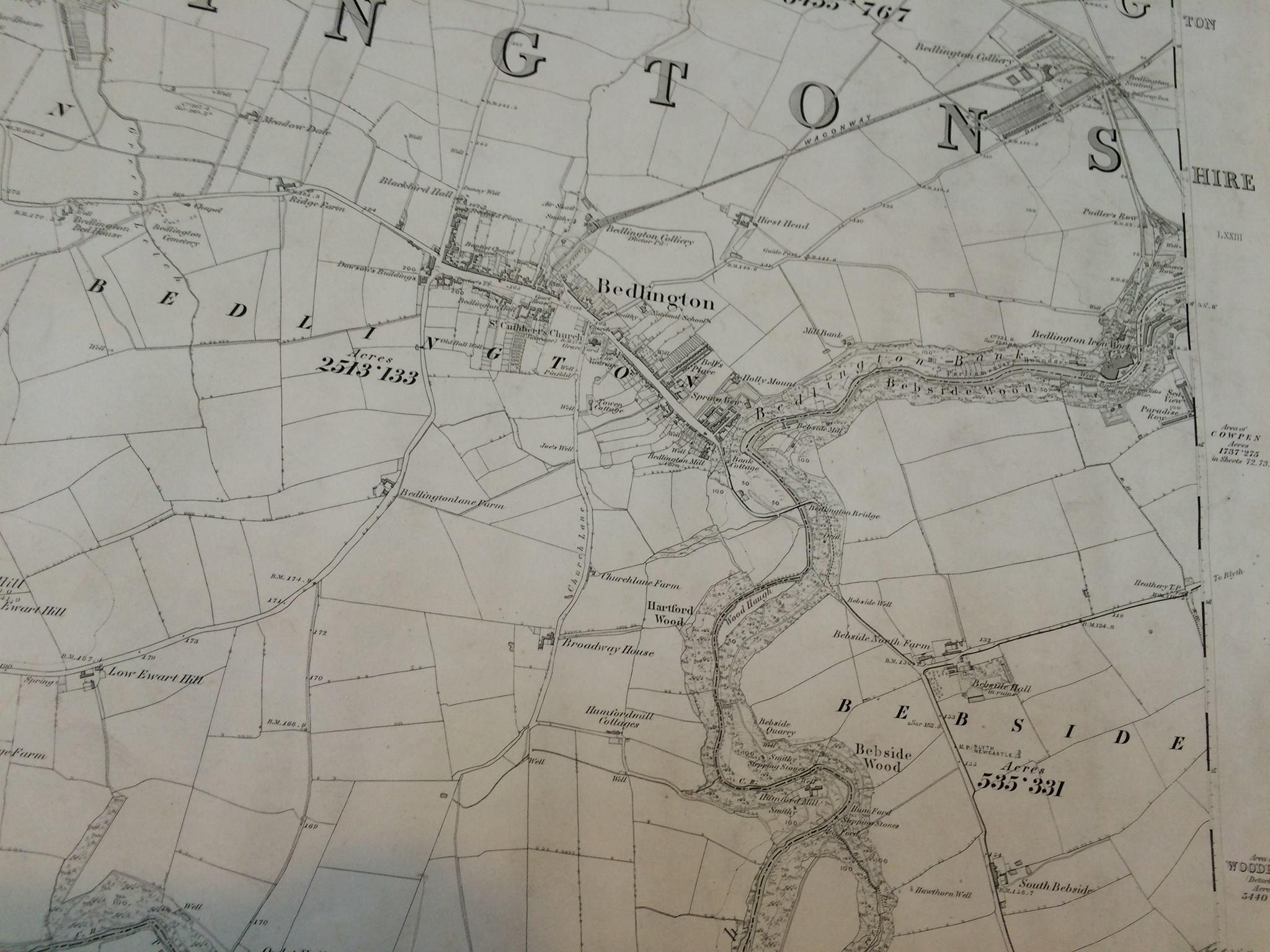 Bedlington Colliery, St Cuthberts Church and Hollymount all clearly marked
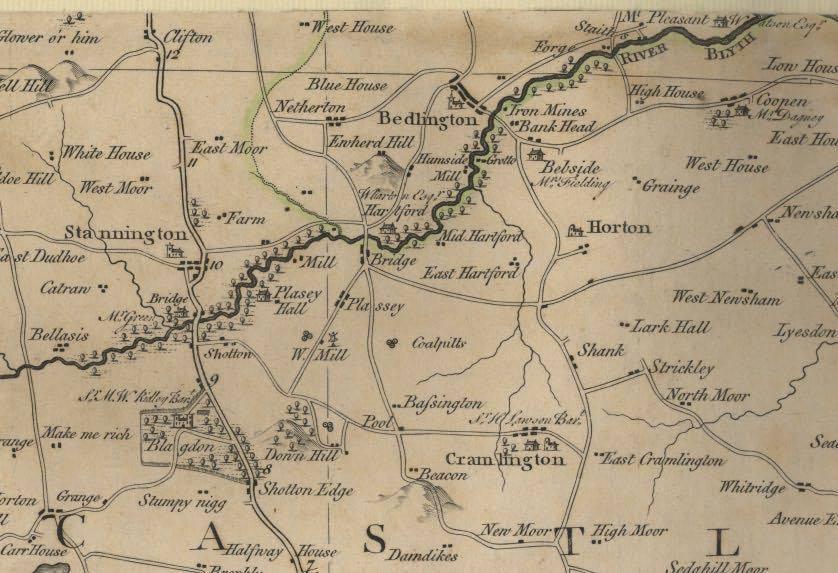 Map of Bedlington in 1769 including interesting place names such as Humside Mill, Iron Mines and GrottoHi Eggy. I'm just sharing the news as it is available. There is no further info from Active Northumberland. I'll update the article if I hear more.WWWarming caused the snow to arrive a little late this year.
 Sporting Club of Bedlington is located inside Bedlingtonshire Community High School and is soon to open for public use during evenings and weekends. The centre includes a multi-station gym, fitness classes and an indoor four-court sports hall for a range of activities. See more at the Active Northumberland WebsiteSoup kitchens were set up in Bedlington.Can you try again now please @Eggy1948 ? if it fails can you let me know which browser and OS you are using and the approximate time you tried so I can check the logs?James Spence sold his stock in a ten day sale at Bedlington Iron Works and the works were left derelict for six years.Bedlington Locomotive Factory was closed down.William Carr begins Bedlington's first newsagents in January. It was situated on Front Street east.Bedlington "D" Colliery began sinking the shaft. Known as "Doctor Pit".New owners of Bedlington Iron Works is James Spence.Michael Longridge leaves the Locomotive Works.On 14th October Kings Cross station opened. The first train to leave was hauled by a loco built at the Bedlington Locomotive Works.Prince Albert is believed to have been the last locomotive built at the Works.Daniel Gooch was awarded a gold medal at the great exhibition.The population in Bedlington was 5101.