Monsta®
Members
-
Joined
-
Last visited
Everything posted by Monsta®
-
so if millenium is such as bad os and millenium is tarted up 98, how can you say 98 was a good os and millenium wasn't? please explain ok for it's time it was acceptable but you didn't have much other choice, apple was nasty, linux was for scientists and 95 and *windows nt were rubbish! *taking exception to the fact that xp, vista and 7 were based on the ntfs format first created for windows nt!
-
you in the mafia or something like?
-
-
Ah! Been using windows 7 now since it was released in beta format and can safely say it's one of the best OS's I've used. I personally have never had the black screen of death! But as the reports say it is caused by malware so as long as you install decent antivirus (i use the free one Microsoft offer, see my other topic "Microsoft gives away I.Sâ€) you shouldn't have any problems.
-
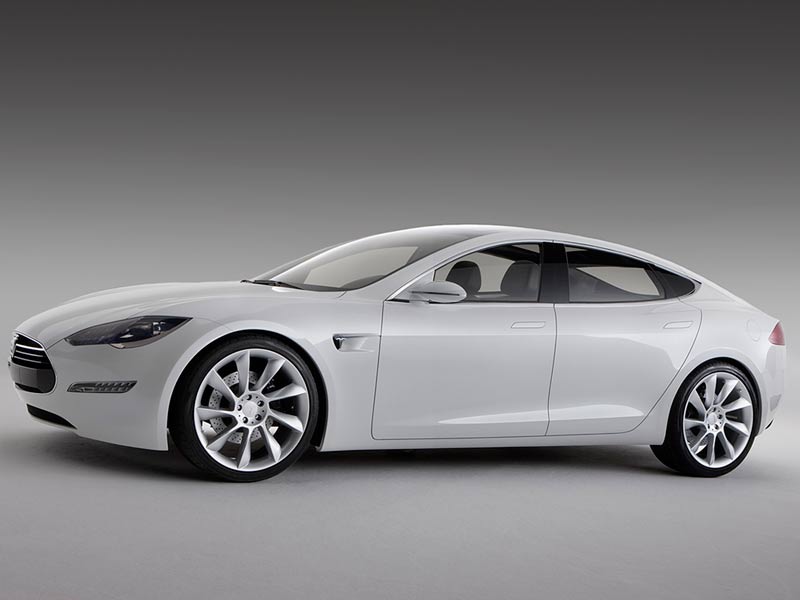
Yes! 18p per kwh, thats £8 quid for eight hours to charge over night! £1500 for the home charger! But realy you get stung like that with petrol and diesel cars, (£50 for floor mats!) and its a one off payment and would have pay for its self in less than a year! This is a very good idea instead of being stung for a new battery every 50,000 miles, however you do get the opion to opt out and buy the battery! The electric car is non polluting and very efficent, how the power is generated is another conversation. How can you say £115 quid a month is expensive? Even with the £100 lease of the battery!
-
$45,000 (there are cheaper models coming from vauxhall, fiat and renault), about 160 to 230 as i just said, annual running cost of pennies! (about $5 or £3 for a FULL charge giving a range of up to 230 for the s range), a plug where electric noramlly comes from! its not a fish its a car!
-
2mbs for 5.99 you can get 8mps for 7.99 from o2 or 6.49 from talk talk (comes with a 40gig cap). i would say clear of sky there customer service sucks!
-
the range is about 160 to 230 depending on your wallet! we have approx ten years before oil levels fall below international demand! (according to bp!) I beg to differ!

-
are you for real? thats the properganda from the oil industry! don't use electric cars there inefficient, expensive etc you do realise the petrol wells will one day run dry and without putting money in now to develop the technology we'll all be driving flintstone cars! or riding donkeys
-
-
is there anyway off only blocking the javascript code for the snow?
-
-
happy birthday doglover! have a good one!
-
not exactly banksy!
-
washed up z list celeb! i might join the "exile jayne middlemiss from bedlington group!" ad rather be locked in a room with jeremy beadle!
-
that snows becoming really annoying!
-
not more aussies! wey exbedlingtonians trying to make the people back home jealous! hope its nice on convict island!
-
no they were not! yes it could be used for badgers and foxes but it was and still is a first rate water dog.
-
Even though england have got a fairly easy group i will be going with germany to win! even though an england win would be nice but its as likely as me winning the lotto! (i dont even put it on! )
-
wey has there been any response from ren and stumpy!
-
2 million for the big ones at cambois! and the maintaince charge would be split from the revenue from the wind turbine!
-
why the little town and i mean little town ( probably the size of netherton) had no security they got a loan straight from the government!
-
what you mean the lack of wind cambois already has turbines lets put it there!
-
WHAT! Donation! what you think this is banardo's or somit! they get enough from taxes to pay for these things! heres a mad idea! i saw on the telly a few nights ago this small town next to a big wind farm and instead of moaning like most do, they approached the developers and bought a windturbine for themselves. now the windturbine makes the town a heap of money i think it was something like 190,000 pounds a year from selling the leccy back to the grid! so whats stopping beddlington doing something like that? before someone says "but they cost loads of money" the town borrowed the 2million and the money the turbine makes is split between the debt and the town!
-
how longs your extension like? i was told by "pc world head tech" that your extension should be no more than 10 metres from the filter or wall socket or you start getting problems like lost or damaged packets! these can slow down your internet but not to that extent! probably worth ringing your provider and get them telt about there !*!@# speeds! do you have a cap on downloads? you might have exceeded your monthly max download limit and your internet speed has been restricted. as i once found out when i was with eclipse! thinkbroadband.com do a downloadable app that tells you a load stuff like speeds, download size etc