Contributor Leaderboard
-

threegee
Administrators2Points4,445Posts -
HIGH PIT WILMA
Members2Points1,519Posts -

Steve
Members2Points45Posts -
1Points6,989Posts




Popular Content
Showing content with the highest reputation on 29/05/19 in all areas
-
1 pointNo response off the others sites, yet, Bill. Health - I work on the basis that I enjoyed myself getting to this state so I just have to put up with the consequences . I always keep an eye oot for you when I pass through Bomarsund as I expect to see you + dog outside your bungalow - near the bus stop?1 point
-
1 point
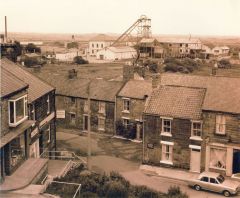 The Bower family lived in the terrace behind Bacci's...truly aroond in the Nyeuk...they had the two lorries,and ran the coal delivery business for years.Raffi had the red lorry,and Jimmy had the green one. Jimmy lived opposite my family in Hollymount Square when it was first built. The shop frontage to the left,below the bay window,was Jimmy Nicholson's electrical and tv repair shop.This pic was taken a while after the Dr Pit had been closed,the Ford Granada should give an approximate date of around 1968-ish,I would think,give or take a year or so..1 point
 -
Yes, I heard the ruskies hacked the scoring system - we must demand a people's score board.1 point
-
1 point
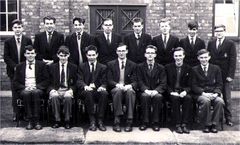 When My Wife and Me got wor first hoose,in 1970,at West Terrace,in Stakeford,our next door neighbour was Ed Fearon's Parents.A lovely old couple! He is instantly recogniseable in this pic..never changed!1 point
 -
Apparently we won Eurovision, well if you add up all the losing countries with our score anyway.. lol1 point
-
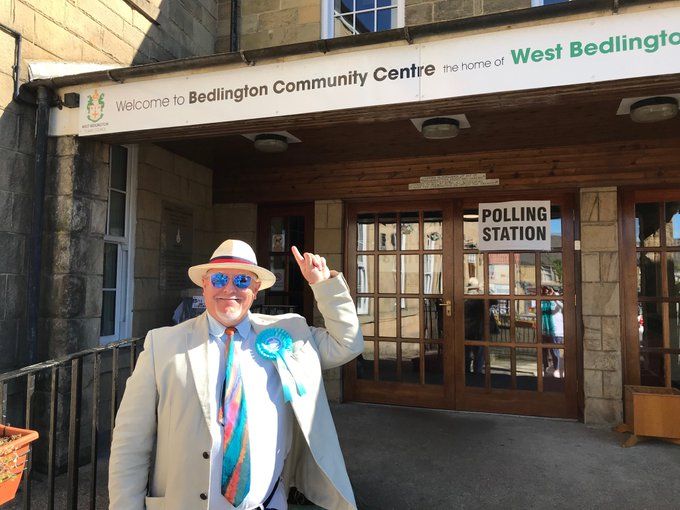
I've come across some who won't vote as they now feel Britain has gone too far to destroy democracy, some mornings I've had over 100 emails to go through from supporters, many who admit they voted remain but now see how the EU works, many who think our political parties have forgotten the people. Now it's time to get politics fixed.

 1 point
 -
Some interesting info from Lord Ashcroft's polls about how the establishment parties are fracturing: That's totally astounding, and obviously there are still more to make the jump. The establishment line will be that it's only a protest vote, but the polling indicates that a majority already see it as a permanent transfer of allegiance. So, things can never be the same again - thanks Theresa and Jeremy!1 point