Contributor Leaderboard
-
2Points6,990Posts
-
 1Points1,451Posts
 -
Symptoms
Members1Points1,630Posts



Popular Content
Showing content with the highest reputation on 22/08/20 in all areas
-
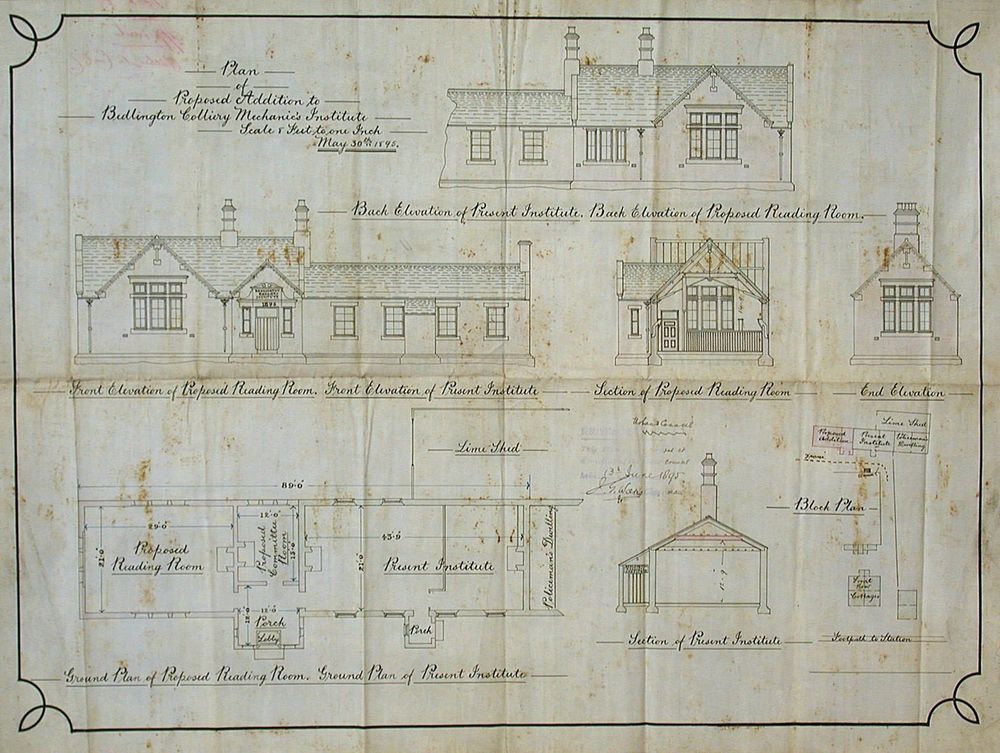
Here's a plan for the Mechanics Institute ... I think I downloaded it off the Northumberland Communities site.
 1 point
 -
1 point
-
1. From which language does the word ketchup come? 2. Of which country was Pakistan part until 1947? India 3. Which high - jumper used his flop technique to win the high jump at the 1968 Olympics? Fosbury 4. Kelts, alevins and grilse are all forms of what? Salmon 5. Which English girls name means ‘strange’ or ‘foreign’ in Greek? 6. In which sport can you find something named after Ulrich Salchow? Figure skating 7. In the Tarzan novels who was known as Korak? 8. What is the capital of the Philippines? Manila 9. Elvis Presley had three successive No 1 hits in the UK charts in 1961. Name one? 10. Which London monument was cast from the guns recovered from the wreck of the Royal George? Nelson’s column. 11. What was a bridewell? Gaol. 12. Which unit of measurement was based on the distance from the elbow to the tip of the middle finger? Cubit Bonus question for 10 points: The dividing line between genius and insane is a very fine one. On which side of the line do we find Donald Trump? He’s not even close to the line. I’ll bet you didn’t know …. Each day is longer than the previous one by 0.00000002 seconds, which works out to be 13 seconds each century. And I thought it was my Timex acting up!1 point
-