Contributor Leaderboard
-
.jpg.cdd7f8371d17e2f2f2e2a0e21e02f727.jpg) 1Points3,654Posts
1Points3,654Posts -
1Points6,990Posts
.thumb.jpg.7493ddab4a696108cf2b849323d3c155.jpg)

Popular Content
Showing content with the highest reputation on 20/01/21 in all areas
-
1 pointI must have missed your album as i can't remember seeing those pages before. That's my bedtime reading sorted out for tonight! That Chronicle of events is very interesting, not only for the Tindal information. First. I can see that Netherton 'store' - the co-op - was established in Jan 1903 which fills another gap in my knowledge of Netherton. Second, I see that in August 1894 a "Mr R Studdy" was appointed General Secretary of the bedlington Branch. That's the father of Louis William Studdy, who i mentioned above as living in Jesmond with his aunt and uncle, Isabella and James Tindal. P.S. I've just found the entry in the register of deaths for John Davison Tindal. His death was registered in the third quarter (July/August/September) of 1947 which fits in rather nicely with the date on the tray.1 point
-
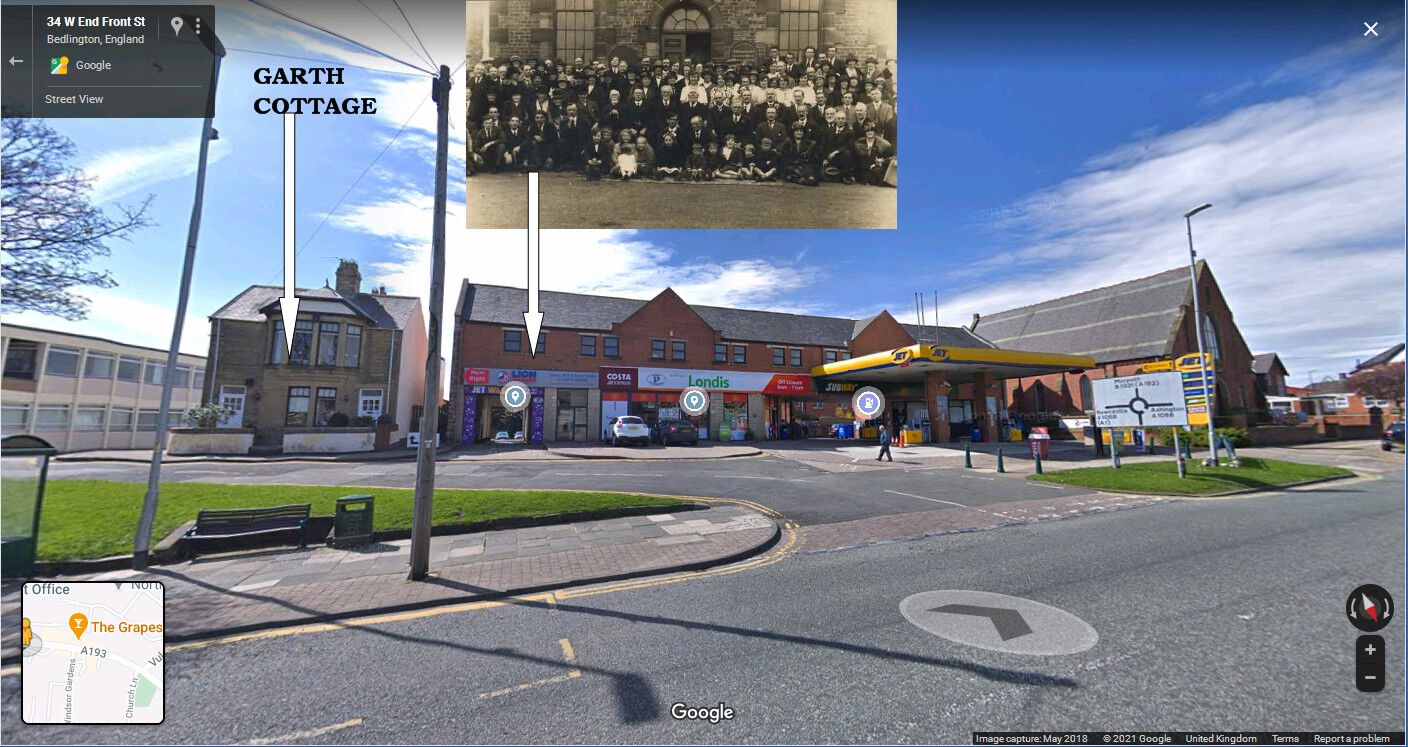
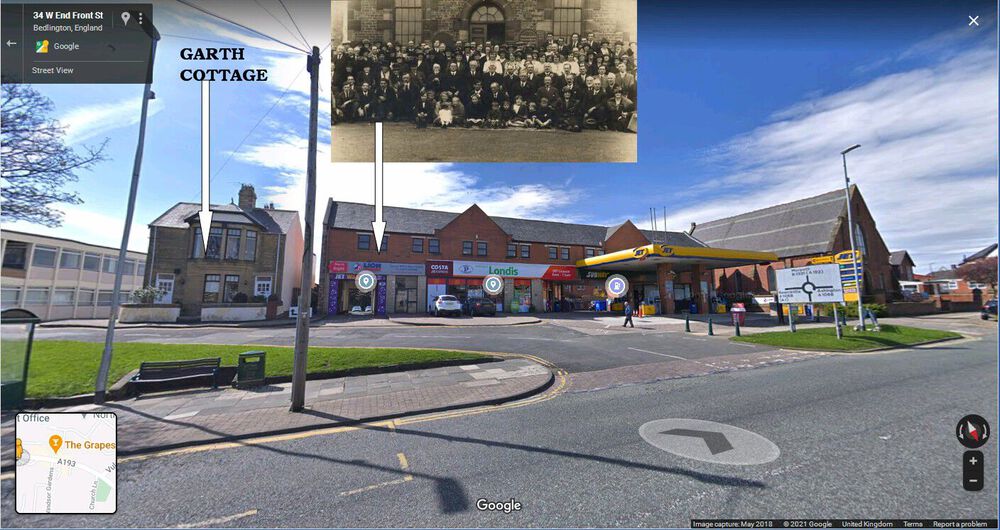
1 pointCL - Church of Christ = Front Street West and the Lion Garage extended it's buildings replacing the church. Garth Cottage was next to the church and the church caretaker's family, Marley, lived in Garth Cottage. Mr Marley worked at the Dr Pit and he and his wife were church caretakers. I know that info as back in the 1950's I used to attended the Church of Christ Sunday School held in the single story building behind the church. The caretakers grand daughter also went to the Sunday School (as did @Ovalteeny) and I courted that young lady in the late 1960's and visited Garth Cottage many times.
 1 point