


Contributor Leaderboard
-

webtrekker
Members6Points560Posts -
2Points6,990Posts
-
 1Points1,451Posts



Popular Content
Showing content with the highest reputation on 15/12/21 in all areas
-
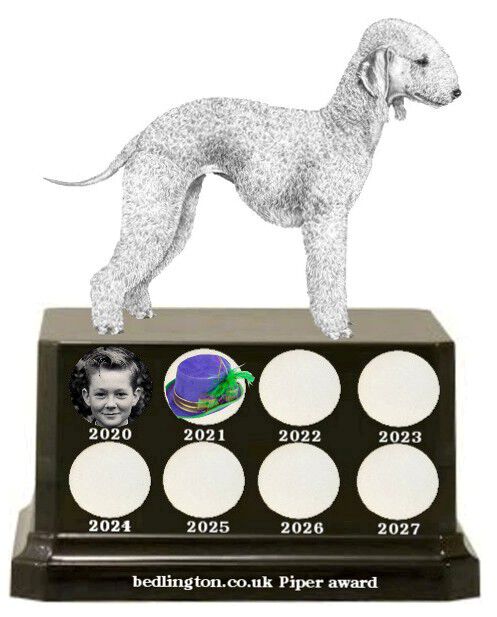
2 pointsThe poll is now closed and this years Piper Award goes to @Canny lass who throughout this pandemic has kept us occupied with her weekly quiz and has done a load or family and historic research to help many members of the group.
 2 points
 -
2 points2 points1 pointCongratulations Cl, a well deserved award for your dedication to our sanity, I certainly enjoy the quiz and can only follow the historic research, I must also congratulate all the other members for their contributions especially Eggy! Covid has had a very negative effect on everyone and I feel your contribution has had a very positive outcome especially during these difficult trying times.1 point1 point




Account
Navigation
Search
Configure browser push notifications
Chrome (Android)
- Tap the lock icon next to the address bar.
- Tap Permissions → Notifications.
- Adjust your preference.
Chrome (Desktop)
- Click the padlock icon in the address bar.
- Select Site settings.
- Find Notifications and adjust your preference.
Safari (iOS 16.4+)
- Ensure the site is installed via Add to Home Screen.
- Open Settings App → Notifications.
- Find your app name and adjust your preference.
Safari (macOS)
- Go to Safari → Preferences.
- Click the Websites tab.
- Select Notifications in the sidebar.
- Find this website and adjust your preference.
Edge (Android)
- Tap the lock icon next to the address bar.
- Tap Permissions.
- Find Notifications and adjust your preference.
Edge (Desktop)
- Click the padlock icon in the address bar.
- Click Permissions for this site.
- Find Notifications and adjust your preference.
Firefox (Android)
- Go to Settings → Site permissions.
- Tap Notifications.
- Find this site in the list and adjust your preference.
Firefox (Desktop)
- Open Firefox Settings.
- Search for Notifications.
- Find this site in the list and adjust your preference.