Skip to content
View in the app

A better way to browse. Learn more.

Bedlington.uk

A full-screen app on your home screen with push notifications, badges and more.

To install this app on iOS and iPadOS
  1. Tap the Share icon in Safari
  2. Scroll the menu and tap Add to Home Screen.
  3. Tap Add in the top-right corner.
To install this app on Android
  1. Tap the 3-dot menu (⋮) in the top-right corner of the browser.
  2. Tap Add to Home screen or Install app.
  3. Confirm by tapping Install.

Blank

Members
  • Joined

  • Last visited

Everything posted by Blank

  1. Blank replied to Blank's topic in Chat Central
    Where is this?
  2. Blank replied to Blank's topic in Chat Central
    It's the empty building next to the Market Tavern
  3. Labour, Conservative, Lib Dems... which is the lesser of the evils? I can't say who I'll vote for at this point, although I doubt Labour will get my vote.
  4. Blank replied to jojax's topic in Talk of the Town
    Have just checked various local news websites and nothing has been reported about it. Wonder what happened?
  5. Welcome to the forum Blob
  6. Blank replied to Blank's topic in Chat Central
    Answer away!
  7. Blank replied to Blank's topic in Chat Central
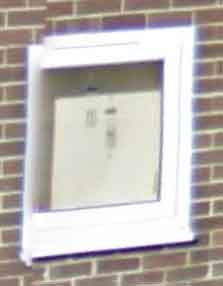
    Ok, a close up of a building it is. This should be easy:
  8. Does this mean that the idea of a community centre in Bedlington can finally be laid to rest?
  9. I think Merlin was referring to the Red Lion?
  10. Blank replied to Blank's topic in Chat Central
    So, is anyone going to guess or should I just give up?
  11. Blank replied to Blank's topic in Chat Central
    Nope!
  12. Blank replied to Blank's topic in Chat Central
    I'll start with an easy one. Guess where this is:
  13. Blank posted a topic in Chat Central
    Now that we have Google Street View there's no excuse for anyone not to participate! The Rules: 1. Pics can be of streets, buildings (or parts of), objects etc- but not people 2. If no one can guess correctly then clues can be given. 3. Anyone can upload a pic as long as the previous one has been guessed correctly first.
  14. I sometimes use the local Tesco's if I need one or two things, otherwise I do my weekly shop at the Tesco in Kingston Park, just because there's a lot more choice, less chavs - and I don't have to wait in long ques (Asda ). I visit the library about two or three times a year but Bedlington library never seem to have what I'm looking for. We do have some nice outdoor spaces in Bedlington - like Plessey Woods. I agree that a map in the town centre could be a good idea. Do we have an official town notice board anywhere?
  15. As Mobius said - install some good anti-virus software. As they are public access computers connected to the internet they should have this anyway. Stephen - the library has a coloured printer and charges a small fee for prints. They allow the use of memory sticks too - so long as they can scan them at the front desk for viruses first.
  16. Blank replied to toffo's topic in Talk of the Town
    The woods around the Black Bridge area used to be terrible for this - there was more dog !*!@# swinging from the trees than there was lying on the ground. It was like a competition of who can hook it the highest. I just don't understand the mentality of the people who go to the bother of taking bags with them on their walk, who pick the stuff up but then can't be bothered to bin it properly. It made the whole place smell foul and look filthy. Otherwise it could have been a nice area.
  17. Happy Birthday Brian!
  18. I agree that users should be encouraged to join in; to actually post - not just to hit a green or red button as a form of contribution. If someone posts anything abusive, it should be moderated or deleted - what's the point in highlighting it?
  19. I thought I'd seen it all
  20. Passed by once and saw them placing pipes - I also wondered what they were up to.
  21. Here, here!
  22. There's no difference between the two if whoever did it didn't have permission in the first place. If I want to view 'art' I'll go to an appropriate place to see it.

Account

Navigation

Search

Search

Configure browser push notifications

Chrome (Android)
  1. Tap the lock icon next to the address bar.
  2. Tap Permissions → Notifications.
  3. Adjust your preference.
Chrome (Desktop)
  1. Click the padlock icon in the address bar.
  2. Select Site settings.
  3. Find Notifications and adjust your preference.