Skip to content
View in the app

A better way to browse. Learn more.

Bedlington.uk

A full-screen app on your home screen with push notifications, badges and more.

To install this app on iOS and iPadOS
  1. Tap the Share icon in Safari
  2. Scroll the menu and tap Add to Home Screen.
  3. Tap Add in the top-right corner.
To install this app on Android
  1. Tap the 3-dot menu (⋮) in the top-right corner of the browser.
  2. Tap Add to Home screen or Install app.
  3. Confirm by tapping Install.

Cympil

Members
  • Joined

  • Last visited

Everything posted by Cympil

  1. Hope you have a great Birthday
  2. I didn`t get my predictions on, well, the last 4 games i got on. I didn`t think there was any playing till Saturday Bah
  3. Other than pink, what other daft colour is there?
  4. Cympil replied to Camille's topic in Talk of the Town
    Actually, i haven`t The `enable` button worked again after i had posted.
  5. Cympil replied to Camille's topic in Talk of the Town
    That`s all well and good, but how do you turn the snow back on after you`ve disabled it? I`ve broke mine
  6. Cympil replied to alanc's topic in History Hollow
    This photo is a bit clearer
  7. I was wondering the same thing. I`ve been searching Google for info but couldn`t find anything.
  8. You`ve found some great photo`s there Blank It would be handy if we could `zoom in` on them, we might be able to identify a few people. Looking forward to some videos too
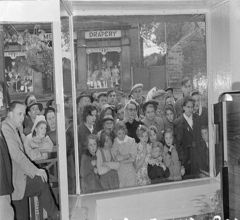
  9. Here`s another photo from the Miner`s Picnic. It looks like the 70`s sometime judging by the haircuts I`m pretty sure i recognise a couple of faces but can`t remember the names, maybe someone on here can fill some names in. Also, we might guess the year as there`s Laws store behind them. What year did that change names, anybody know?
  10. Cympil replied to Pete's topic in Chat Central
    Happy Birthday, hope you have a lovely day
  11. Are you talking about the bloke or the sheep there?
  12. Marvelous piece of film that. There must have been thousands of people there that day. Is that Cumberland Ave at the beginning? There seems to be an awful lot of trees there, it`s not like that now.
  13. I`ve just found this video and thought i`d share it
  14. :lol: Welcome to the site Wonky
  15. Have you thought about adding a donations bit to the site? Any money donated would be towards what the people of Bedlington want, so this site is the ideal place to start. I`m not sure about raising thousands for the radio, but i suppose that all depends on how many people donate and how much money they donate Any donations, however small, will help. It all adds up. We might be able to afford some xmas lights for next year too, paid for by the people of Bedlington. Take matters into our own hands without relying on the council.
  16. :lol: I`ve seen that one before but it creases me everytime
  17. I just couldn`t resist
  18. May i ask why? I`ve refreshed it but nothings different
  19. Another news article from the Chronicle, video included
  20. But Pete, you can play Bingo on there you know I like Facebook, i`ve got back in touch with folk on there that i haven`t seen in years. I`ve also met a lot of people from all around the world who i now consider friends. It`s also a great way to advertise places like this, you can also advertise your listings on that horrid auction site..the list is endless if you use it properly. Plus there`s loads of free games
  21. Well it makes sense when you think about it. I actually heard someone tonight saying `have you got my Facebook`..what happened to `have you got my number`? There`s so many people on Facebook now, it`s overtaken Myspace, Bebo etc..i think most of Bedlington probably uses it.
  22. There`s a group just been created on Facebook http://www.facebook.com/inbox/?drop&ref=mb#/group.php?v=wall&ref=mf&gid=357775560373

Account

Navigation

Search

Search

Configure browser push notifications

Chrome (Android)
  1. Tap the lock icon next to the address bar.
  2. Tap Permissions → Notifications.
  3. Adjust your preference.
Chrome (Desktop)
  1. Click the padlock icon in the address bar.
  2. Select Site settings.
  3. Find Notifications and adjust your preference.