Contributor Leaderboard
-
Pegwoman
New Members3Points55Posts -

Andy Millne
Administrators2Points3,467Posts -
Mal
Members2Points112Posts -
 1Points1,453Posts




Popular Content
Showing content with the highest reputation since 03/10/26 in Posts
-
2 pointsThanks , I would really like a physical structure to house all the artifacts I have inherited. But Bedlington doesn’t seem to have the right building in a location that has sufficient parking. So at the suggestion of a friend the best plan for now seems to be a walk through on line museum. So I am looking into involving technology experts for the filming and a history geek to help me to sort out the artifacts. Furniture , and ornaments aren’t a problem as it is just devising an interesting way to present clothes, toys, q curtains , paper documents , photos and letters that is the problem. But thanks for the heads up message.2 points
-
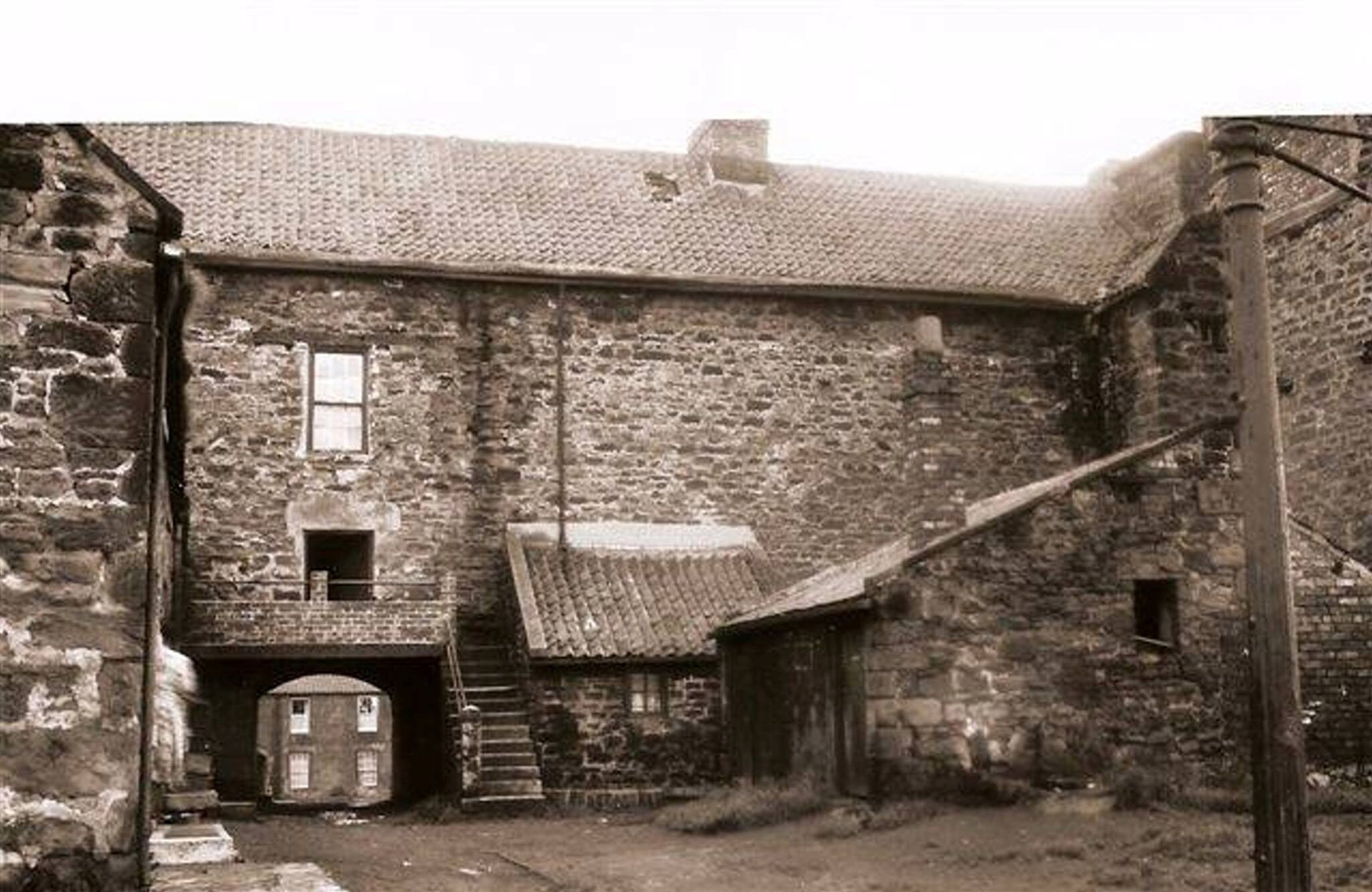
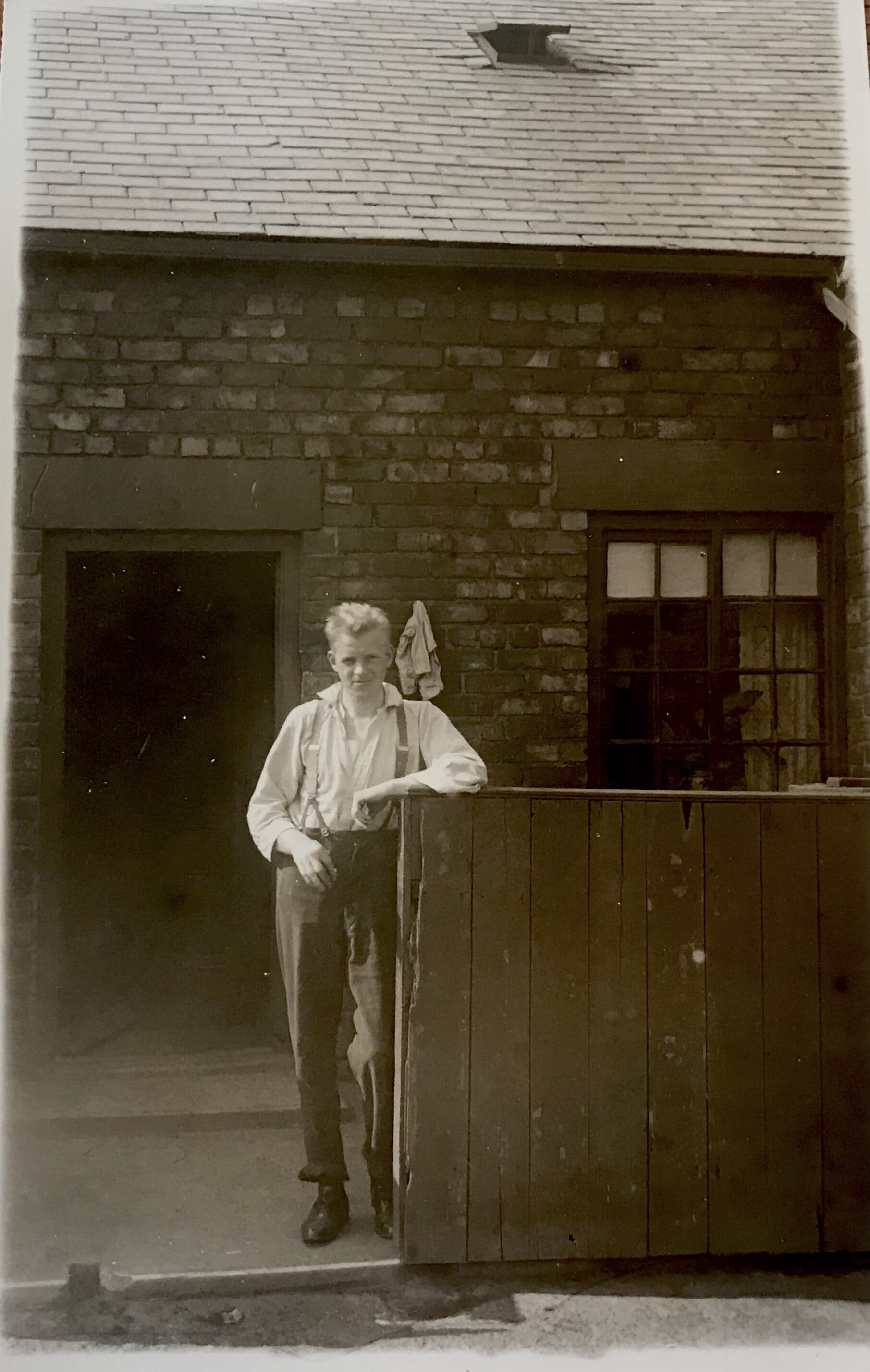
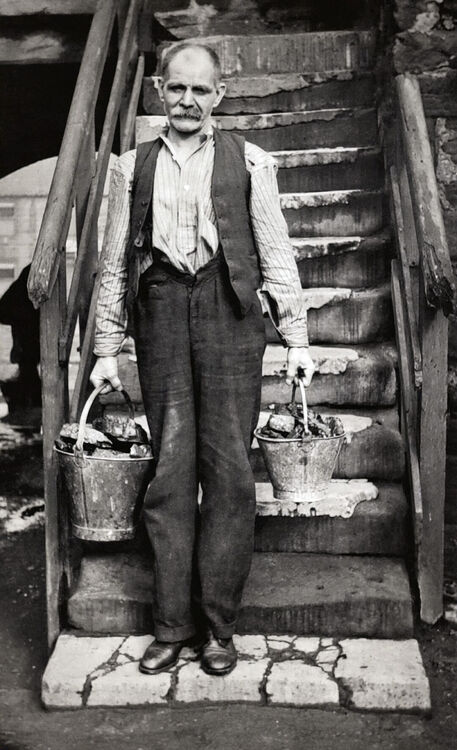
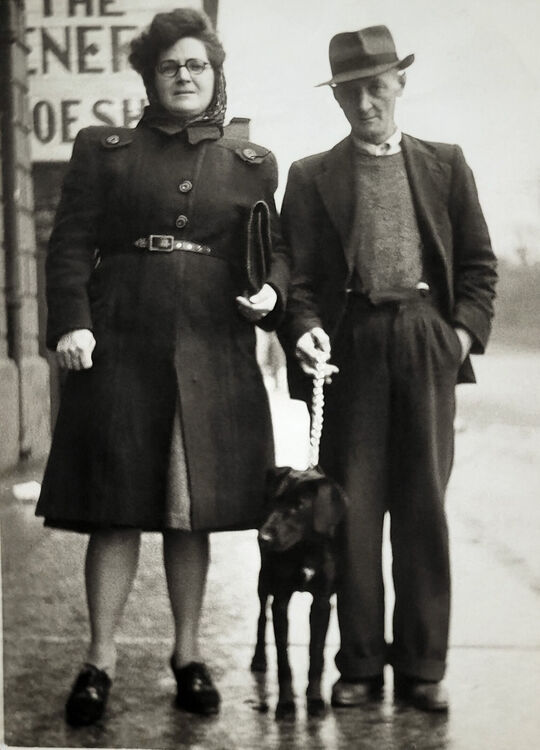
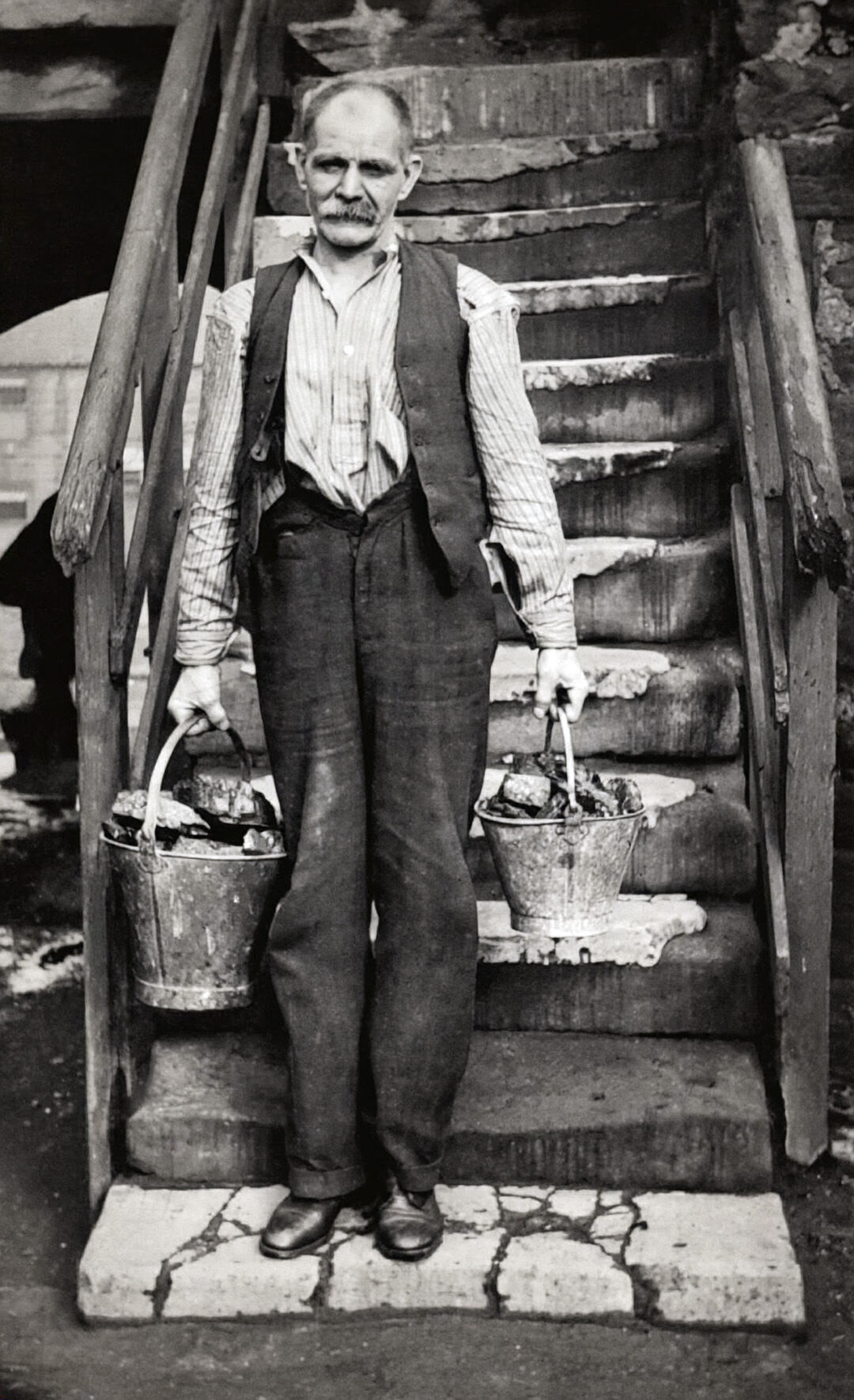
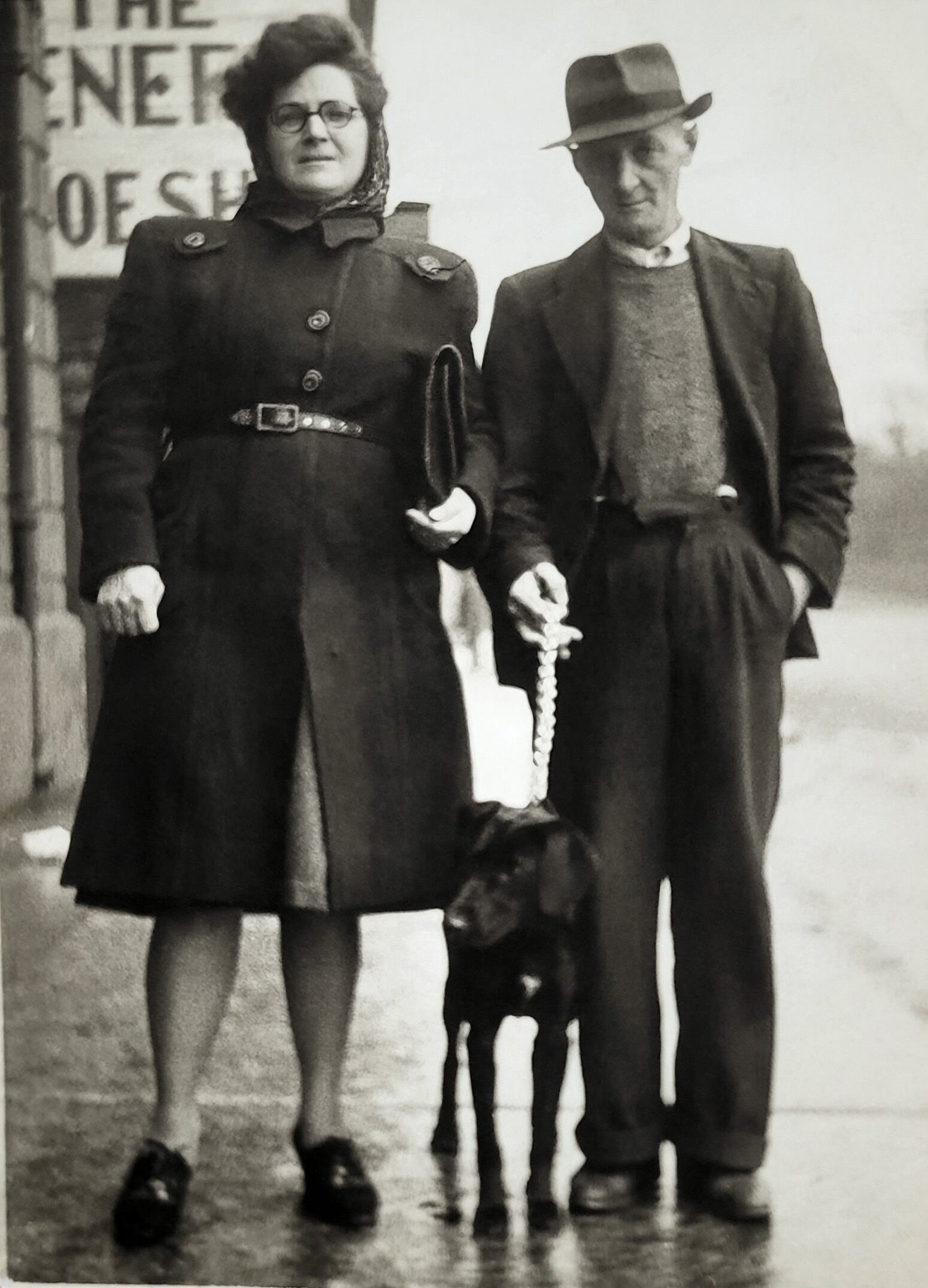
Hi, it's been a while since I have been here, so I wanted to share with everyone a couple of photos I was sent whilst I've been doing my Ancestry research. The first photo of the man holding the buckets is James Todd, born in Cambois in 1878. He married a Bedlington lady called Georgina Brown. They lived in various places through Bedlington, including Old Hall and Dr Terrace. I believe this picture of him may have been taken at Old Hall, judging from old photos that I have seen of Old Hall. The second photo is of Kitty Todd (Katherine), she was James' daugther and married a man called John Ellis (also in the photo). As soon as I seen it I thought I recognise that sign in the background, and the corner of the Market Tavern. I dont have alot of info on them yet, but I was told Kitty and John lived their whole lives in Bedlington. John was a coal miner. Kitty, although she had bowel cancer for a number of years managed to live until she was 87. She is the sister of my great grandma Ellen Johnston (nee Todd).
 1 point
 -
I think that @Donna Clark has identified that correctly and yes, Donna, it is Johnson's shoe shop. Here's a photo from 1970. 1970 J R Johnson, shoe shop 1.avif1 point
-
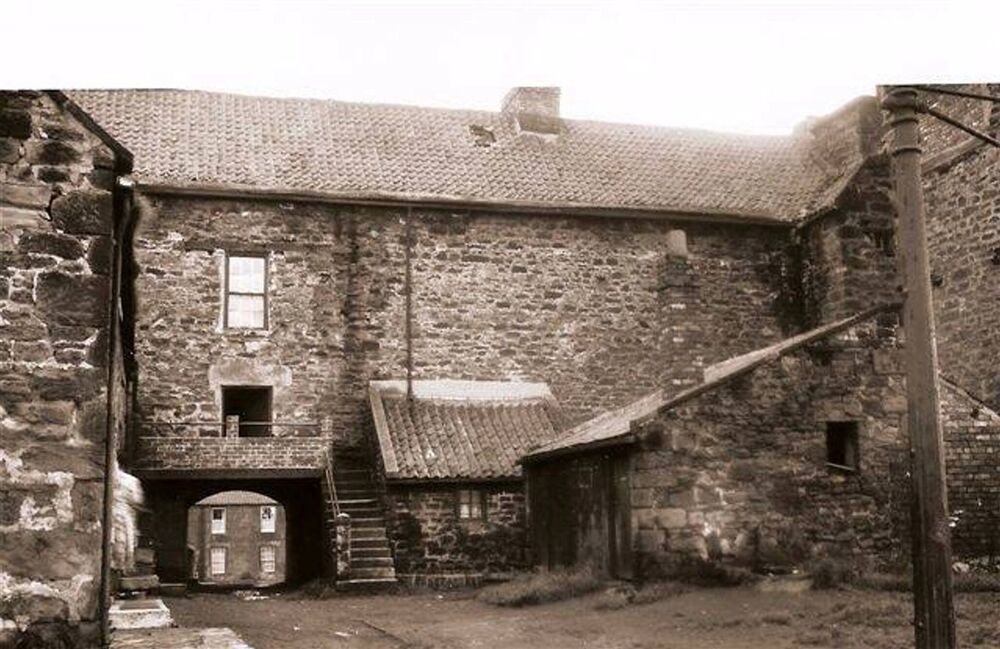
@Donna Clark I would say the photo of James Todd with the bucket is next to the archway of the Old Hall building and the archway and steps can been in this photo showing the back of the Old Hall - The other photo with Kitty Todd & john Ellis I can't find a photo in my collection with similar stone work on the building they are next to. I assume from the visible letters painted on the wall behind them is for a shoe shop but not sure of the name of the shop from the bit - The '@@@ENE?@@' above . @Canny lass does the stonework of the building ring any bell with you?
 1 point
 -
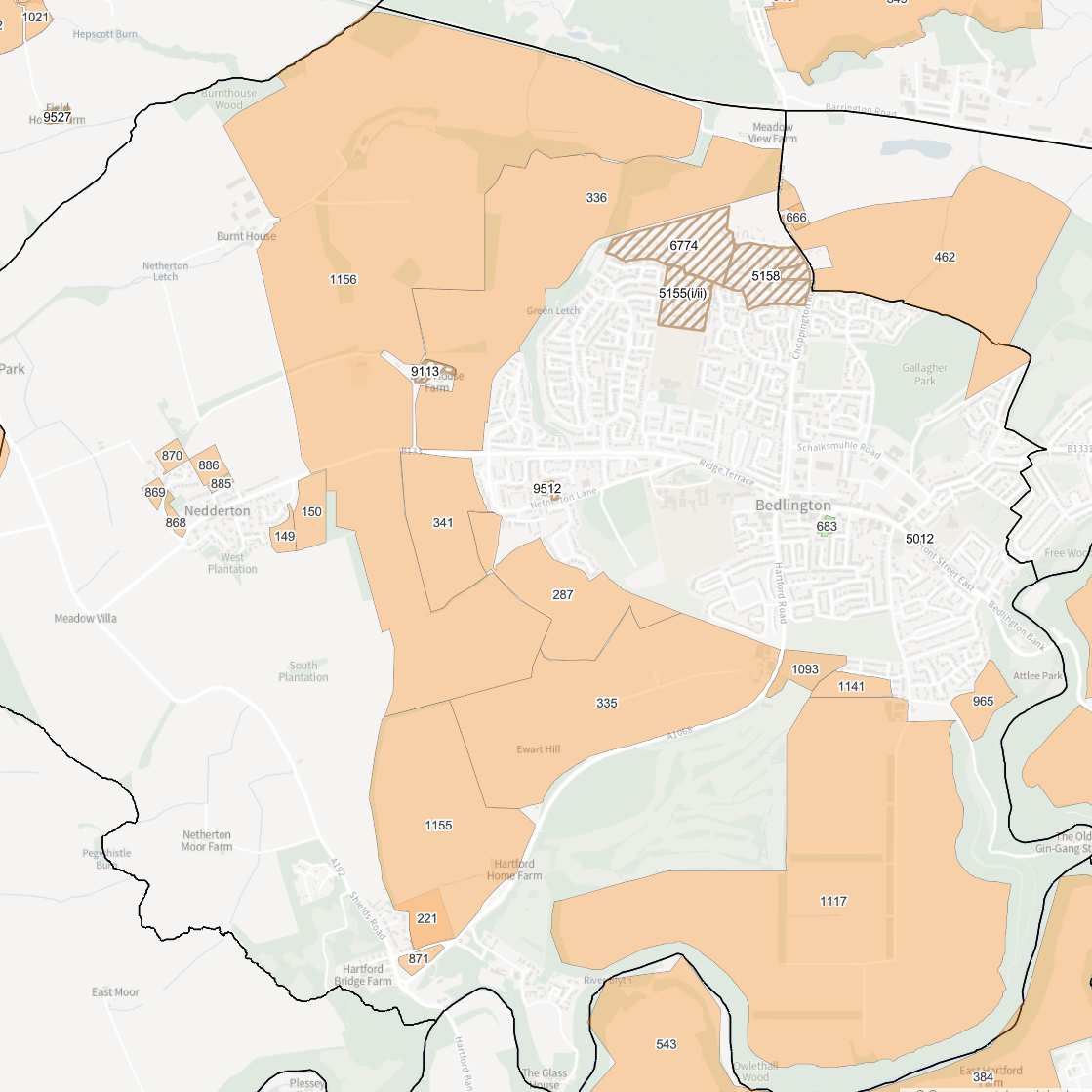
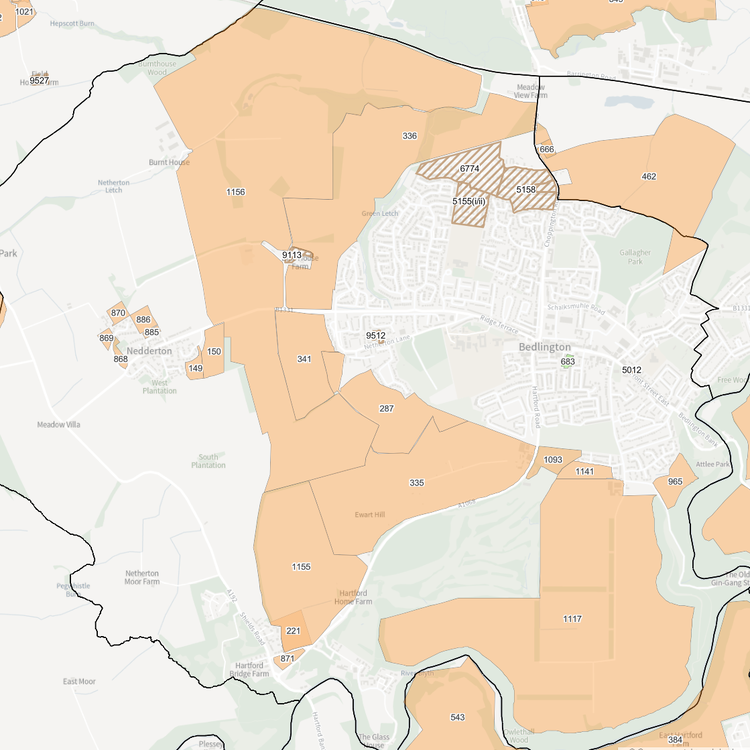
If anyone wants to look through here and see the proposed land availability for Housing and Employment as well as policies towards those here it is. https://www.northumberland.gov.uk/.../studies-evidence... The buff colouring is the proposed housing land availability. This is not to say that’s what happens only that these areas are the suggestions. This is why I keep asking people to get on board with the new Local Plan and Neighbourhood plan consultations!
 1 point
 -
Malcolm Robinson Bedlington West Ward. · · I put the Housing and Economic land availabity assessment (HELAA) Map up for Bedlington and there have been lots of people viewing and commenting on it. At the last Community Partnership meeting questions were asked about the possible housing increases we might see but no one was really able to answer those questions. With 1000,s of possible new houses there are questions to be asked! So I’ve asked the NCC Head of Planning to come and explain to us what it all means, how it might affect us and what we need to do to have some input. It’s a public meeting at Bedlington Community Centre, on Front Street, and again it’s a 5pm start on the 11Th November. So if you want to hear what changes to our planning system the Government have and are introducing, what they might mean for us here in Bedlington and if you have any questions about this, the best person to answer them will be there! Hope as many people as possible can make it.1 point
-
1 pointI have been so busy with friends visiting and keeping the garden weed free. STILL no excuse. I am busy sorting out a vast collection of artifacts dating from 1906. At present I am cataloging my grandfathers toys But unsure if followers want to see photos of such things. Might take some snaps this evening and post them anyway. I am still plodding on searching for a suitable property in Bedlington to set up a museum failing that I will do it on line.1 point
-
1 pointWith winter approaching maybe there will be a bit more activity.1 point
-
1 pointWhoops, sorry @Alan Edgar (Eggy1948) . I've just replied to you now.1 point
-
1 pointHi Jaxe, Thanks for posting, and you’re not missing anything. You’re right that it’s gone quieter. A lot of the day-to-day chat (what’s on, roadworks, lost dogs, “does anyone know…”) has moved to social media and messaging groups over the last few years, so the forum doesn’t have the buzz it used to. Bedlington isn’t drifting away though, and neither is this place. There’s years of memories, old photos, history and local knowledge on here that you won’t find anywhere else. Unlike a social media feed, it doesn’t disappear after a day or two, and it’s all still here to read and search. What keeps it going is people like you posting. Plenty of members live away from the town now, and threads about where people grew up, which school they went to, or what used to stand where the shops are now always get a response, even if it takes a little longer than it used to. We’re also working on something new. The same team behind Bedlington.uk is building something to make it easier to keep up with what’s happening in the town, whether you’re local or, like you, following from further afield. More on that soon, so keep an eye on the site. Good to have you here!1 point

.thumb.jpg.7493ddab4a696108cf2b849323d3c155.jpg)