Andy Millne
Administrators
-
Joined
-
Last visited
Everything posted by Andy Millne
-
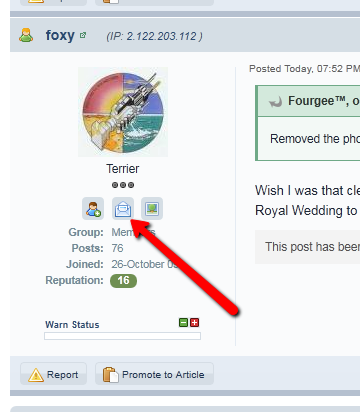
If you only found 400 you haven't looked hard enoughIf you need help getting to the news page, please be sure to sign up for the computer course in online basicsWelcome back Graham and good luck with the clinic.Subscribe to the calendar or the news feeds here and you (and hundreds of others) would have heard about those events instantaneously. The heritage day was advertised here in the news section, the journal and the news post leader as well as shop windows and through flyer distribution. Soon you'll also be able to tune into quality truly local radio. The tools are most certainly available if residents genuinely want to be notified about these events.Bedlington Heritage Fair taking place Saturday 10th September (10am-3:30pm) in Bedlington Market Place and other venues as advertised. The Fair is being run as part of the Bedlington THI. It coincides with events and activity by St Cuthbert’s Church...I love tracking these down. When you can't reproduce a problem it takes much longer to identify. I have more questions unfortunately. Which browser are you using? Internet Explorer, Firefox, Safari etc? and which version number? Can you please also try pressing ctrl+F5? That will ensure you have the latest copies of any javascript being used. It is possible you still have cached copies from the old version. Is anybody else having problems editing?Is it repeatable? If you try and edit a post now does the same thing happen?The green strip is normal. Whereas before you would get no warning that posts in that forum need approval now there is a note. This is to prevent people wondering why their post does not immediately show in that forum once it is submitted. I just logged in as you and was able to edit, what specifically is not working when you try, what happens? Do you get any error message?Moderators can bypass queues. Northumberland chat is working normally, posts in there require approval regardless of whether you are a guest or member. For avatars, the new version of the software has done away with the distintion between Avatars and Profile Photos as the concept was confusing. There is now only a single profile photo which appears everywhere. It does mean however that some people will need to re-add their photos.Which posts are you referring to? Nothing should have changed in that regard. There have always been some forums that require approval to post in, such as the announcements forum.It's a module of the software that we're not using here but I was testing with for my day job. I'll get that removed to avoid confusion.When did you sneak that up? Some guard dog.Ikea do this too with the restaurant sited within smelling distance of the kitchen section.Welcome Ross and thanks for taking the time to introduce yourself.Happy Birthday Monsta.See you thereClick this icon next to the members name;
 Removed the phone number to protect owners privacy. Please use the private messaging tools.Happy birthday fella!Recreate this historic event by disconnecting your modem and accessing bbc.co.uk in a browserwelcomewelcome aboard PeterWelcome Ali