Andy Millne
Administrators
-
Joined
-
Last visited
Everything posted by Andy Millne
-
Of course the really creative types post videos on Vimeo not Youtube. For talent behind the camera...
-
Minutes of the meeting held on Tuesday 23rd November 2010, 6:30pm at Salvation Army, Bedlington. Mins West Bed 23rd Nov 2010.doc
-
William Gooch was Governor of Virginia. Not sure why half of Bedlington would be expected to know that Now Sir Daniel Gooch, that's another matter.
-
Apple CEO is in the UK recruiting people originally from The Middle East. Bloody Jobs coming over here and stealing our Muslims!
-
Ah, that's where I'm going wrong. I was hoping I could win on averages with no score draws.
-
Welcome to the site Millie
-
No bike required http://www.youtube.com/watch?v=C0VwCPiRE0o&feature=youtube_gdata_player
-
Welcome
-
Hi Michelle. Welcome to the website and Bedlington.
-
Thanks Stephen/Richard. Good news. I'd have to agree with Merlin as well, the Hartford Hall Gates situation is becoming a little bit worrying. It would be another good thing for "this up and coming town" if these were reinstated to keep the momentum going.
-
What happened to the gas lantern style street lamps that were put in the Market Place for the opening and why have they been replaced by some less than impressive alternatives?
-
A single mention on http://www.visitnorthumberland.com/ would be a start.
-
Nope, not back to normal. We seem to be limited to 2Mbps at the moment. Try http://www.speedtest.net and post your results.
-
Congratulations John, looking forward to the switch on.
-
The problem is not with the people posting it lies with the people *not* posting. If your relative does not post and contribute to the site herself how can she complain about the content? The tools are there for people to use, if they choose not to then there is very little we can do for them. You are beginning to create a bit of a self-fulfilling prophecy Mr Darn. Perhaps your welcomed enthusiasm and positivity for the town could also be directed to it's website?
-
Careful 3G. I'll get the newspaper cuttings out
-
Somewhere between 1743 and 1826

-
Just stay away from cliffs... http://www.bbc.co.uk/news/uk-england-leeds-11416654
-
Belated welcome from me too tom tom.
-
-
Yeah sorry about that, been in my inbox for a few days. Anybody would think you couldn't post news items directly to the homepage
-
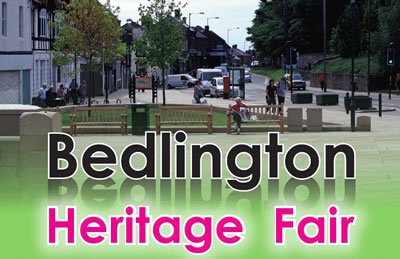 A host of FREE activities and entertainment for children, young people and adults including live music, heritage-skills and craft workshops, face painting, magician, old fashioned games, vintage bus, heritage talk and walk. Come along and support your new market place - full programme in attached Flyer Saturday 11 September 2010 11.00am to 4.00pm at Bedlington Market Place Bedlington Heritage Fair flyer.pdf
 -
Am I blind or are there no elevation plans for the part fronting the Market Place?
-
Twas Stephen, I just promoted his forum post to a news article.
-
I updated classifieds with the latest software build last night. New features include; Wanted adsAsk advertiser questionsSubscribe to categories to get notified of new items and questions. http://www.bedlingto...a=notifications to set up your notification options.The site's "view new content" feature now also lists classified items.