



Everything posted by Alan Edgar (Eggy1948)
-
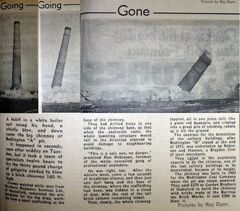 Newspaper article posted on the Facebook group Bygone Bedlington by the Admin John Krzyzanowski.
 -
From the album: Bedlington/Sleekburn 'A' Pit
-
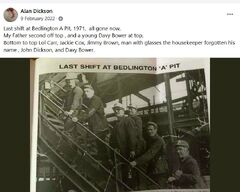
From the album: Bedlington/Sleekburn 'A' Pit
-
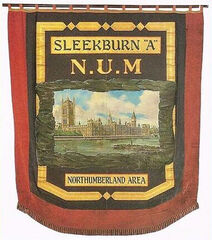 Never been able to find an online posting of the banner with 'Bedlington "A"' name on it. On all the local Facebook groups there are loads on photos of different colliery bands with their banner at the Northumberland Miners Picnic but none, that I can find, of 'Bedlington A'. I would guess there is one in the Woodhorn Museum.
 -
From the album: Bedlington/Sleekburn 'A' Pit
-
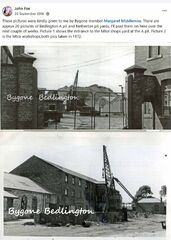
From the album: Bedlington/Sleekburn 'A' Pit
-
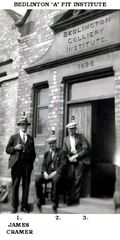 Above photo posted on the Facebook Past Times History Group by @johndawsonjune1955.
 -
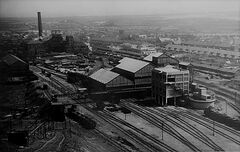 Some streets identified in the photo :-
 -
From the album: Bedlington/Sleekburn 'A' Pit
-
From the album: Bedlington/Sleekburn 'A' Pit
-
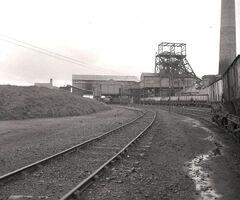
From the album: Bedlington/Sleekburn 'A' Pit
-
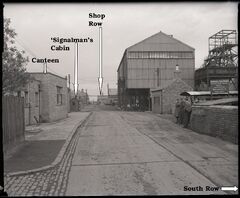
From the album: Bedlington/Sleekburn 'A' Pit
-
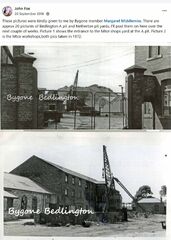
From the album: Bedlington/Sleekburn 'A' Pit
-
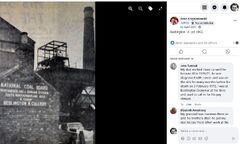
From the album: Bedlington/Sleekburn 'A' Pit
-
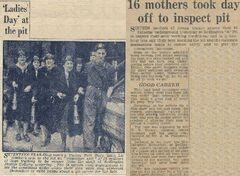 Above n ewspaper cuttings posted on the Bygone Bedlington Facebook group by Eva Abdin. her grandmother was one of the mothers that went underground. I was informed, just yesterday, by an aunt of mine, Florence Henderson, that my grannie, Mary Henderson (nee Hall) and my mam, Nancy Edgar (nee henderson) were among the group that went underground.
 -
From the album: Bedlington/Sleekburn 'A' Pit
-
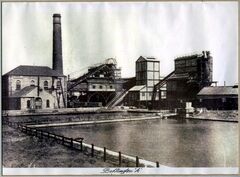 Above photo posted by @johndawsonjune1955 on the Facebook Past Times History Group. As kids coming home from Barrington CP School through the pit yard we often stopped to try and catch small fish, sticklebacks I think, from the pond using a piece of grass with a worm slid between the split end of a long piece of grass. When the fish wrapped it's mouth around the worm and you felt the tug on the grass you pulled the grass out of the water and the fish was still on the end of the worm
 -
From the album: Bedlington/Sleekburn 'A' Pit
-
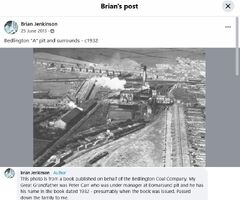
From the album: Bedlington/Sleekburn 'A' Pit
-
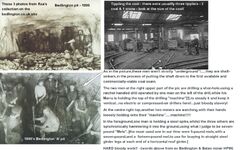 The above image is a compilation of photos posted within this group by @Rea + a comment from @HIGH PIT WILMA.
 -
From the album: Bedlington/Sleekburn 'A' Pit
-
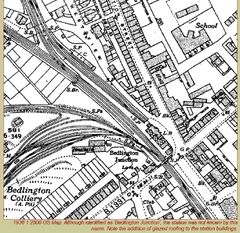 The image above, from the Dissused-stations.ork.uk/sites.shitml, shows the number of railway tracks up to the 'A' pit.
 -
From the album: Bedlington/Sleekburn 'A' Pit
-
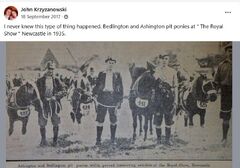
From the album: Bedlington/Sleekburn 'A' Pit
-
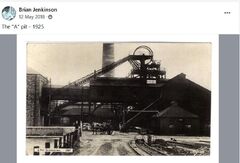
From the album: Bedlington/Sleekburn 'A' Pit
