

Everything posted by Alan Edgar (Eggy1948)
-
-
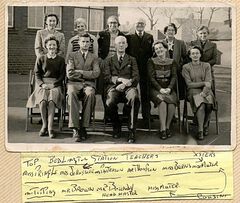 Tidying out the photos I have added names to and came across this one but I haven't kept a note of who posted it and on what group. Searched the local Facebook groups I am a member of but can't find it so I am assuming it was from a FB group I am no longer a member of = Bedlington remembered.
-
From the album: Bedlington Station 1st School
-
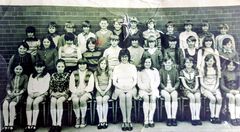 Tidying out the photos I have added names to and came across this one but I haven't kept a note of who posted it and on what group. Searched the local Facebook groups I am a member of but can't find it so I am assuming it was from a FB group I am no longer a member of = Bedlington remembered.
-
From the album: Bedlington Station 1st School
-
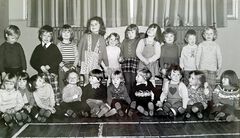 photo from Sarah Russell and names from sarah and the Bygone Bedlington Facebook group members.
-
From the album: Bedlington Station 1st School
-
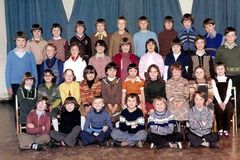 Photo from Tracey Oakley and names from Tracey and many Bygone Bedlington Facebok group members.
-
From the album: Bedlington Station 1st School
-
 Names from Alan Purvis and Maureen Gascoigne.
-
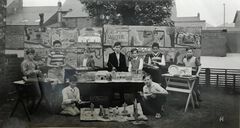 Photo, c1960, and names from Andy Donald.
-
From the album: Bedlington Station 1st School
-
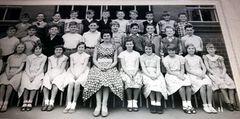 c1958 - can't find the original posting on the Facebook groups so don't know who posted it. Names from the Bygone Bedlington group members.
-
From the album: Bedlington Station 1st School
-
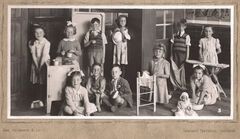 Photo from Liz Fizsimmons - No 8 named by Liz and the other 2 by Janice Mathews - Bygone Bedlington group.
-
From the album: Bedlington Station 1st School
-
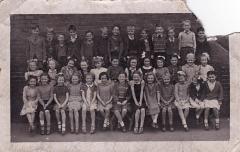 Repaired and a couple of names added.
-
-
Posted on the Bygone Bedlington Facebook group :- believed to be at the Top End near to the Catholic church. Can't fined the name on any of the old maps.

-
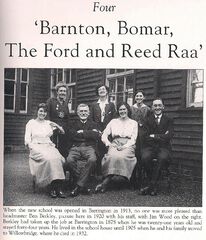 Location of the school, on The Barrington Road, from a 1924 map.
-
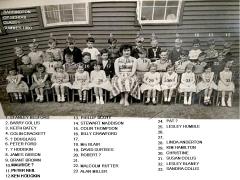 Update to No7 from Colin Crackett.
-
Photo and info from Evan Martin's book - 'The Archive Photographs Series - Bedlingtonshire'.
-
From the album: Barrington County Primary School
-
Confirmation from Lesley Cooper (nee Humble, No 23) that No 24 & 27 are correct - '?' removed.
-
@ShaunL - your right Shaun - it's me reading the profile wrong🤦♂️ - 14th April 2020 was when Jammy joined the group.