Everything posted by Alan Edgar (Eggy1948)
-
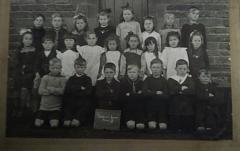 Whilst looking for info on Netherton Village I came across the Northumberland Communities site and on there were some extracts from the old school logs of 1919, closed school early & 1920, the kids have been cleaned up!
 -
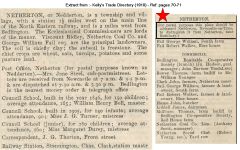 Extract from Parson & White Trade Directory - 1828 = the Nedirton family name!
 -
From the album: Netherton/Nedderton old photos 2
Info on why the postal district Nedderton was introduced - distinguishing Netherton from the Netherton near Rothbury. -
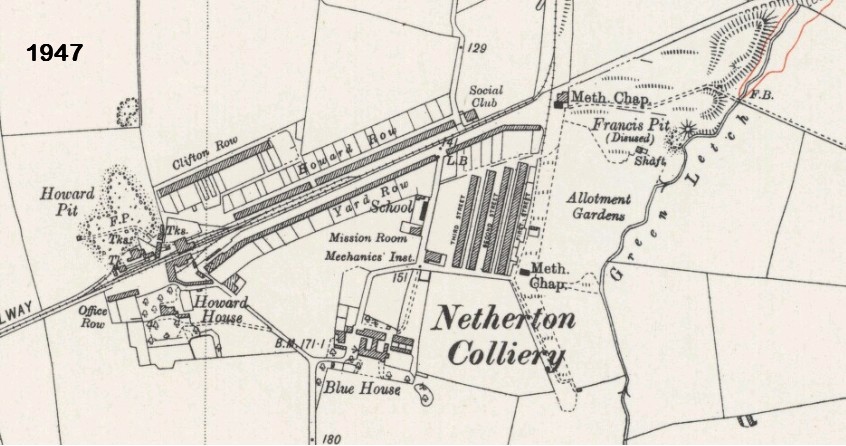
Jim - extract from http://maps.nls.uk/view/101028522 Have you viewed the 3 Albums about Netherton in the Gallery?
-
https://petition.parliament.uk/petitions/186047 At time of posting: 9,782 signatures
-
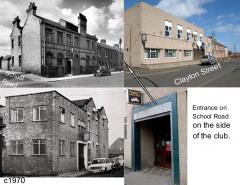 Shiela Gair - Bygone Bedlington commented :- Number 3 definitely Les Gair ...My father in law..x
 -
@Symptoms are you on to this?
-
The Club Committee Members - 1970s - photo from John Richardson - Bygone Bedlington Facebook group - posted with this comment :- Here is one from my dads collection. It is the Station W M Club committee I guess from the 1970s. My dad gave me my membership card on my 18th birthday. We had some good nights there, hard to imagine we had to queue to get in at weekends, Christmas etc. My dad Joe, is third from right on the back row. I know some of the others, Bill Crosby, Jack Chapman and Jack Routledge but struggle with the other names, perhaps members could name them? Within 2 days a name supplied for everyone in the photo, three not 100%
-
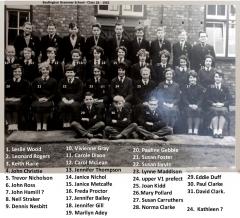 No 24 = Kathleen Reavley - identified by Mansel Dinnis who runs the sempersursum.co.uk web site.
 -
Sorry Malcolm - not me, don't think there is any more, online work, I could do to help. I know symptoms was preparing a list of names but I have not been involved. Eggy
-
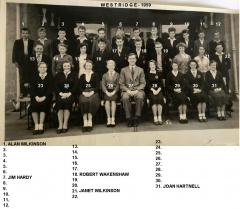 Can't do any harm HPW. I think it you created a couple of topics in History Hollow or Chat Central, say one for each school, then I could 'copy & paste' each separate class list of names into a photo/image/jpg file and add them as individual entries in the Whitley Memorial & Westridge Albums. That way any member could then comment and/or update each Album entry and we shouldn't get the class names mixed up.
 -
Names updated on the photo HPW and I have posted the updated photo back on the Bygone Bedlington Facebook group site and 'tagged' Jim Hardy. I will see if he replies and see if there are any more updates before I upload here. There was also a comment on the Facebook site from a David Walker, and it was him that identified himself, No 22, in the photo. So I 'tagged' him as well using your ear wiggling story to see if he reacts to that.
-
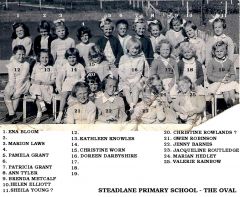
From the album: Stead Lane Primary School - The Oval
Photo from Doreen Riley, Facebook Bygone Bedlington group and posted with the comment :- 'The Oval School girls born 1951/2. Some of the girls I remember are Ena Bloom, Marion Laws, Pamela Grant, Patricia Grant, Ann Tyler, Christine Worn, Doreen Darbyshire, Jaqualine Routledge, Christine Rowlands, Valerie Rainbow, Maybe someone can recognise the others' -
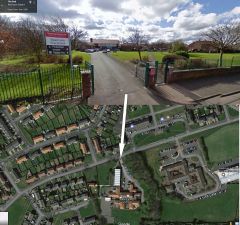 Google map - 2017
 -
From the album: Stead Lane Primary School - The Oval
Opened 1955 or 1956. -
 https://www.facebook.com/groups/BygoneBedlington/ However this is a 'Closed group' = only current members can see the member posts within the group. A person who is on Facebook will only be able to see a groups front/cover page. To see the member posts you have to request to join the group and be approved by one of the Admin members eg - I'm not a member of the Ashington Remembered group and this is what I see :-
 -
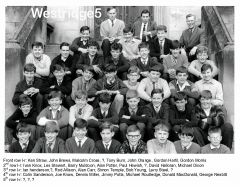
@Symptoms - the rest of the world is convinced that No 18 is Alan (not Simon) Temple and that also applies to No 8 on your WESTRIDGE 4 photo.
-
@Symptoms - following the posting of the photo on the Bedlington Facebook group sites I have updated the names from the comments made - check these out :- No 2 = Mr Carr, No 6 = Alan Easton, No 8 = Joe Knox (was Know), No 15 = Bill Thornton, No 21 = Brian ? Logan, No 27 = Michael Fuller, No 33 = Jimmy Hepple.
-
From the album: Westridge School - End of term class photos
Photo and names from @Symptoms -
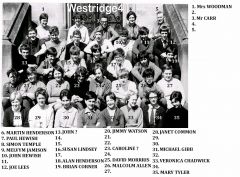 @Symptoms - see updated photo + comments from facebook sites. No more updates within the last 4 days. There have been a couple of comments from ex Westridge pupils on the Bygone Bedlington site = 'Who is Symptoms?'. My response was - sorry, don't know.
 -
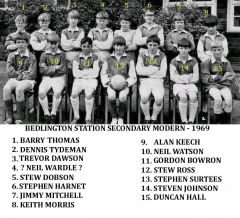
From the album: Bedlington Station Secondary Modern School
Photo from Alan Lockey - names from Alan Lockey + Bygone Bedlington Facebook group members. -
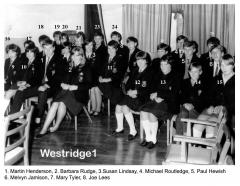 Correction from Susan - No 7 is Helen Hurst not Mary Tyler.
 -
David Brady 17 is me david brady I remember Steven Kilgour was there maybe 15?
-
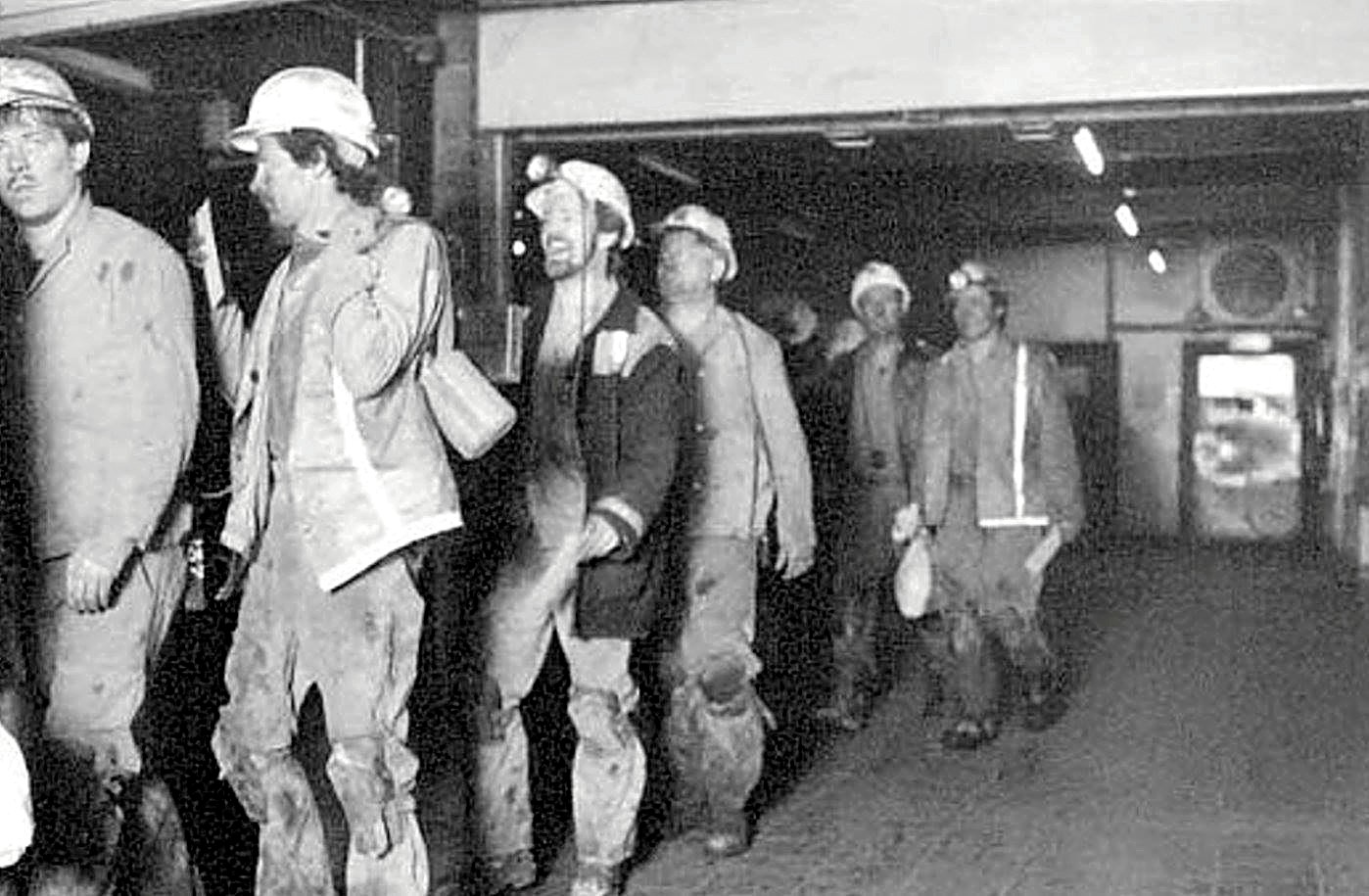
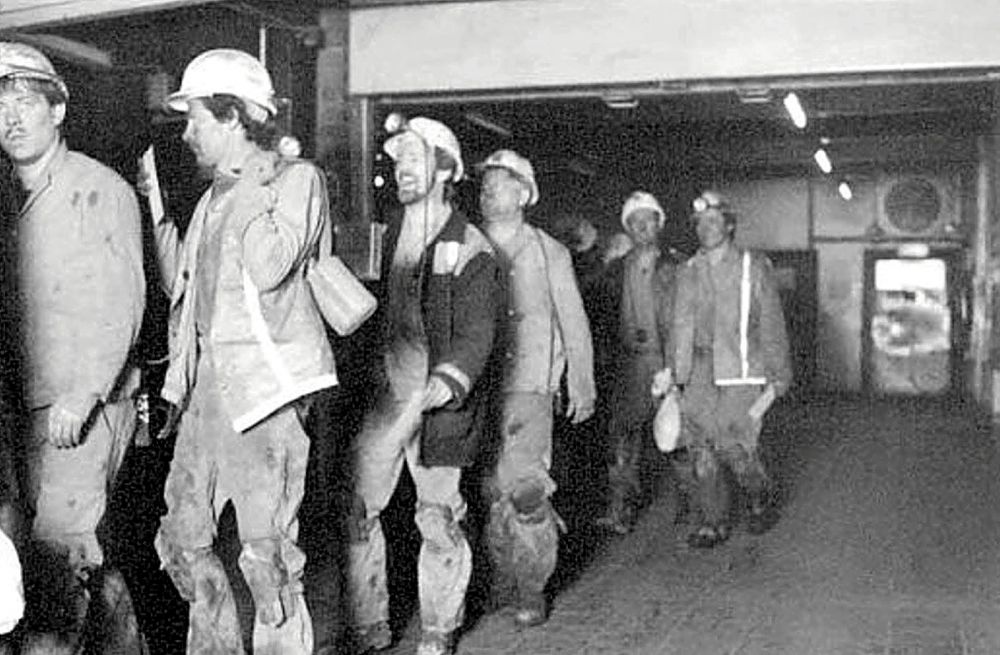
HPW - posted by John Dawson on the Facebook sixtownships group site was this photo with the comment :- Group of Miners about to clock-off at Bates Colliery. Do you know 2nd and 3rd from the left or is it before your time?
-
Comments from the Bedlington Remembered & Bygone Bedlington Facebook groups :- Margaret Speller 13-John Halliday 16- ? Brady 23- Caroline Hedley 24- Mary Scott? 34- Mary? Unlike · Reply · 1 · 6 hrs Margaret Speller Great photo - Margaret Speller No 24 Beryl Hart Keith Stroughton 23. Carolyn Hedley 29. Mary Matthews 34. Anne Jobson 14. Robert Simm and lastly the wife 24. Beryl Hart. Unlike · Reply · 1 · 6 hrs Carole Liddle Beryl Hart 24, David Brady 16, Anne Jobson34 Carole Liddle Carolyn Hedley 23, Mary platt? 29, Like · Reply · 6 hrs Liz Carroll 32 ?.. bacon Carole Liddle Keith Bacon32 Carole Liddle Harry Standard 11 Carole Liddle Alan, Carolyn not Caroline Hedley, Margaret Speller David Brady is number 17. Like · Reply · 5 hrs Alan Brady Correct. That's me little brother. I don't know if he's in this group but I'll give him a ring. Like · Reply · 4 hrs Alan Brady Is no. 14 Davy Halliday? After a few discussions that changed a few names, especially Symptoms No 16 as Susan Lindsay that became David Brady, the pnames updated to :-