



Andy Millne
-
Joined
-
Last visited
Everything posted by Andy Millne
-

From the album: Misc. Millne Photos In & Around Bedlington
© Millne
-

From the album: Misc. Millne Photos In & Around Bedlington
© Millne
-

From the album: Misc. Millne Photos In & Around Bedlington
© Millne
-

From the album: Misc. Millne Photos In & Around Bedlington
© Millne
-

From the album: Misc. Millne Photos In & Around Bedlington
© Millne
-

From the album: Misc. Millne Photos In & Around Bedlington
© Millne
-

From the album: Misc. Millne Photos In & Around Bedlington
© Millne
-
From the album: Misc. Millne Photos In & Around Bedlington
© Millne
-

From the album: Misc. Millne Photos In & Around Bedlington
© Millne
-

From the album: Misc. Millne Photos In & Around Bedlington
© Millne
-
From the album: Misc. Millne Photos In & Around Bedlington
© Millne
-

From the album: Misc. Millne Photos In & Around Bedlington
© Millne
-

From the album: Misc. Millne Photos In & Around Bedlington
© Millne
-
From the album: Millne's Cycle & Radio Stores
© Millne
-
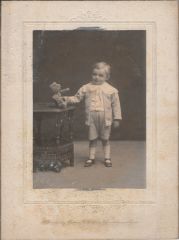
From the album: Misc. Millne Photos In & Around Bedlington
© Millne
-
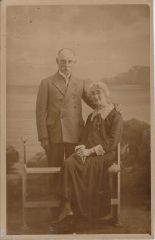
From the album: Misc. Millne Photos In & Around Bedlington
© Millne
-
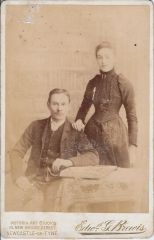
From the album: Misc. Millne Photos In & Around Bedlington
© Millne
-

From the album: Misc. Millne Photos In & Around Bedlington
© Millne
-
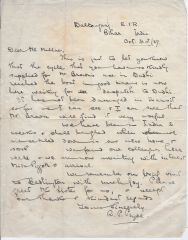
From the album: Millne's Cycle & Radio Stores
© Millne
-
A bit of both. It’s surprisingly popular so maintaining multiple streams on a single connection causes problems elsewhere. I’m trying to find a suitable service that will redistribute the feed that isn’t cost prohibitive.
-
 It's 2 'L's in Millne 😉
-
https://www.bedlington.co.uk/timeline/1840-onwards/#event-thomasaglasseyaarrivesainabedlington Perhaps Evan Martin should also be added to the timeline...
-
 Extract from the book "Some men, Murders and Mysteries of Old Bedlington" by Evan Martin. THOMAS GLASSEY —1844-1936 When people talk of living a full life there cannot be a better example of the ideal than Thomas Glassey. He lived 92 years and it is difficult to imagine even one of them being mundane. Glassey wasn't Bedlington born. He arrived here with his wife in 1867, a young man of radical principles, via Northern Ireland and the Scottish coalfield.
-
Yes. I can add a new entry for this.
-